Account Activity
Designing a clear, reliable transaction history experience for mobile app users.
Overview | Product Context | Phase 1 | Phase 2 | Deployment | Next Steps
OVERVIEW
Customers had no way to view their bill and payment history in the National Grid mobile app. Missing statuses led to confusion and unnecessary support calls.
I co-designed the Account Activity experience with another product designer. We explored independently, aligned on direction together, and iterated through edge cases, data constraints, and visual design across multiple phases.
Within a week of deployment, 500+ users had updated the app and were actively using the new feature.
TEAM AND DURATION
2 Product Designers (me)
2 Leads
1 Manager
December 2024- December 2025
PRODUCT CONTEXT
What Customers Couldn’t See
Background: Customers using the National Grid mobile app had limited visibility into their billing and payment history. Key status like failed, canceled, or pending were missing. Users could only see “scheduled” or “completed,” which created confusion, eroded trust, and led to unnecessary support calls.
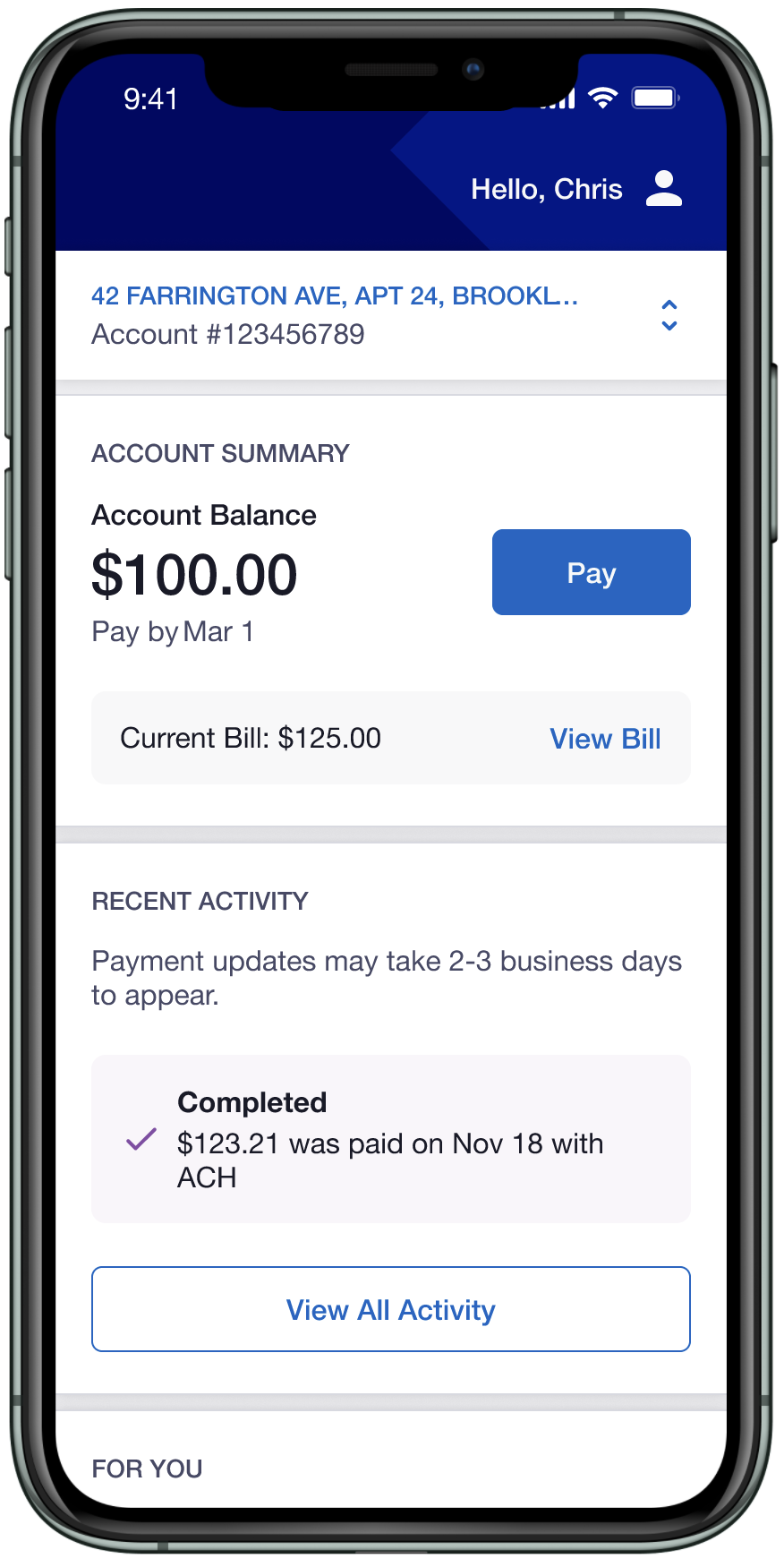
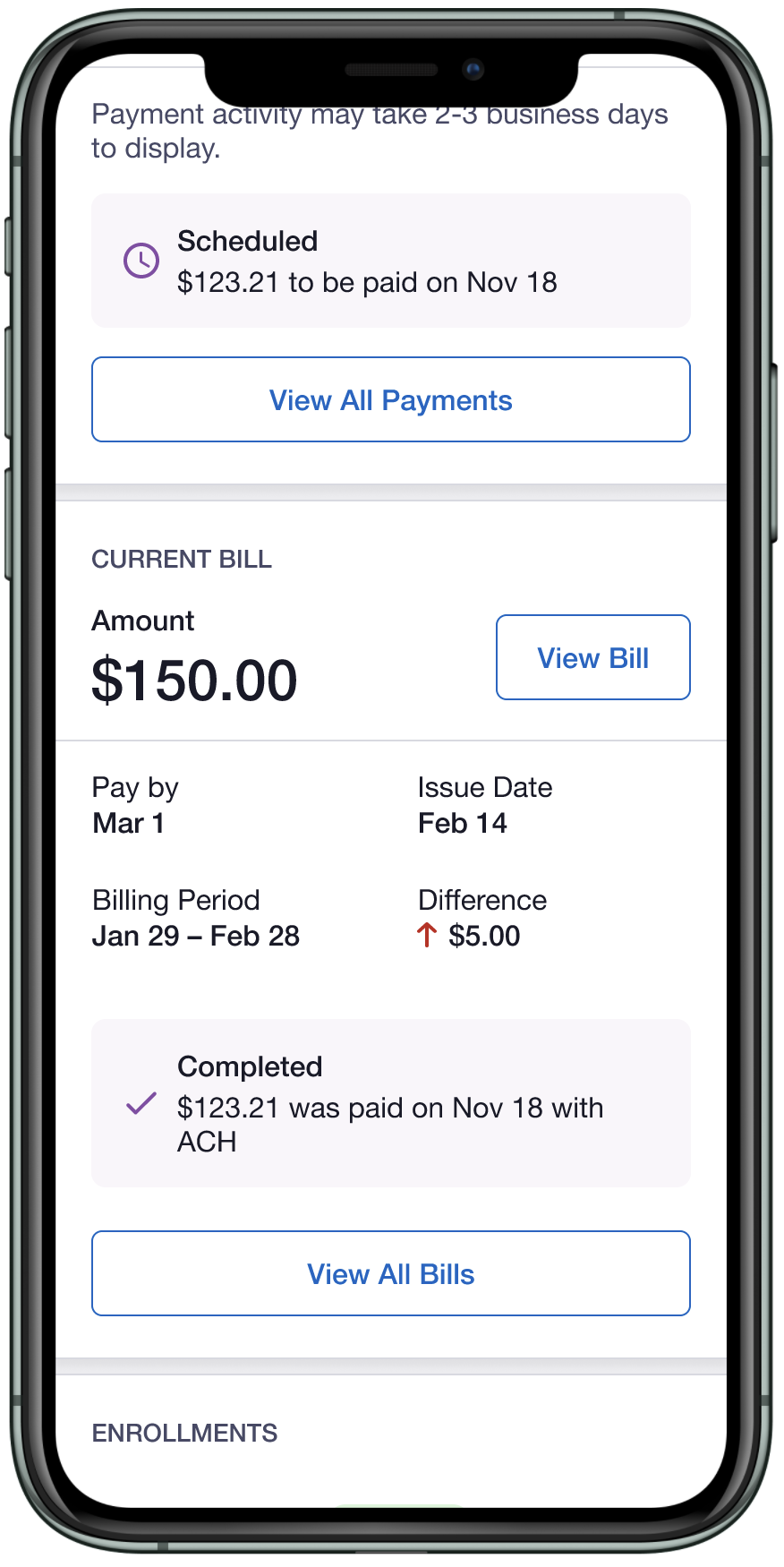
Solution: We created an experience that gave users a full view of their transaction history across all payment method with clear statuses and actionable detail for each entry. The goal was simple, users should be able to confirm payment outcomes instantly, without calling support.
Constraints:
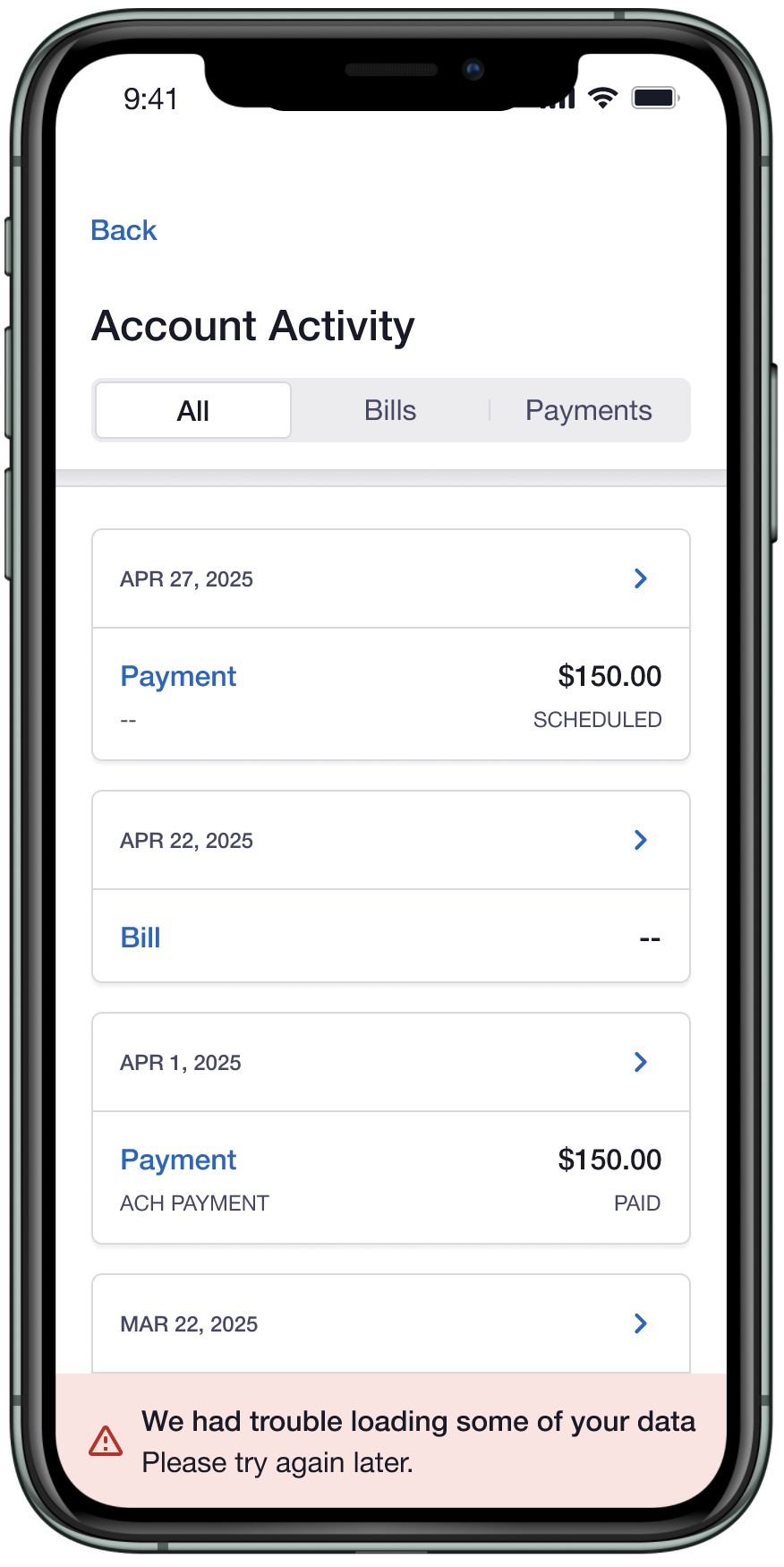
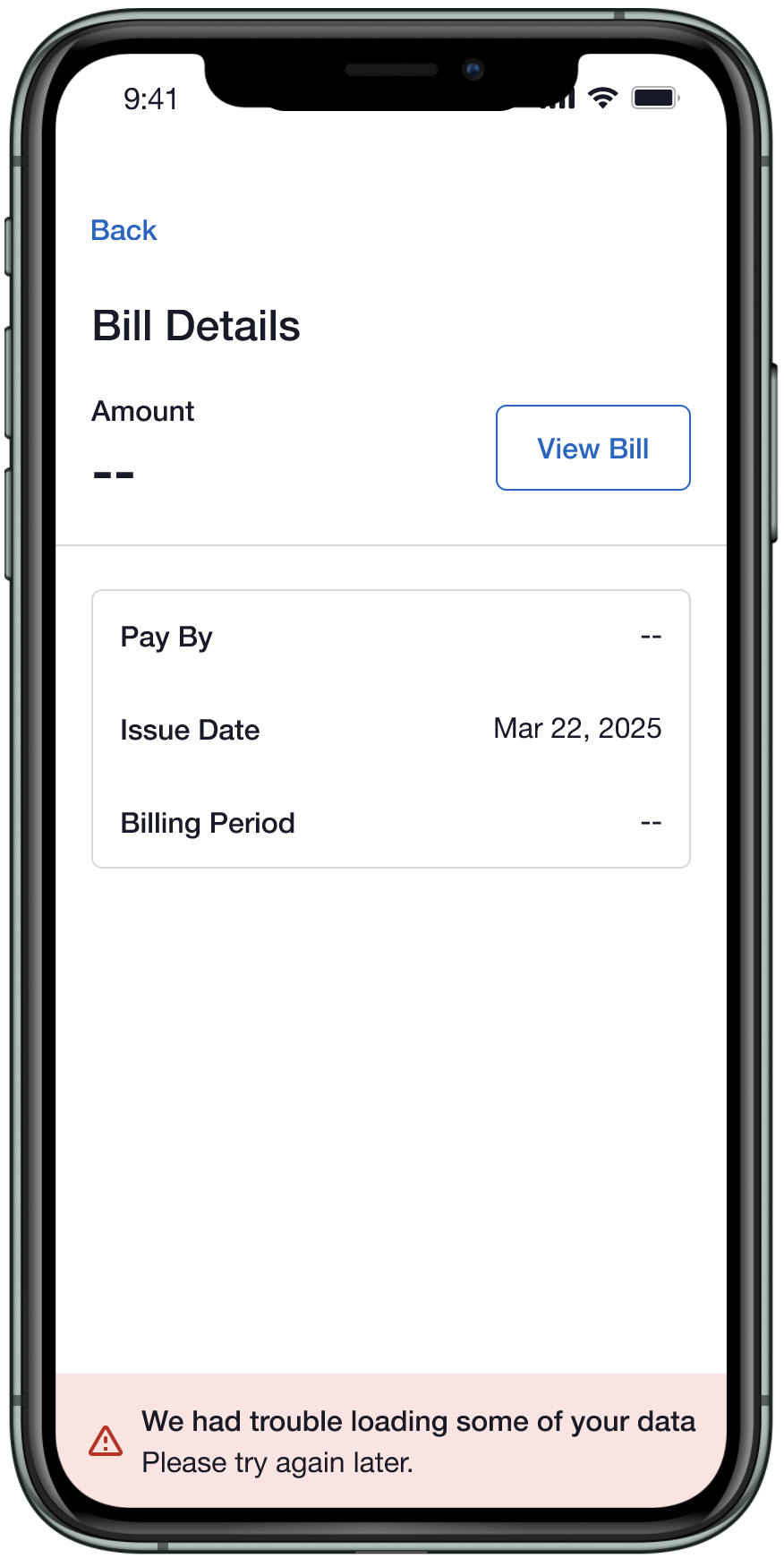
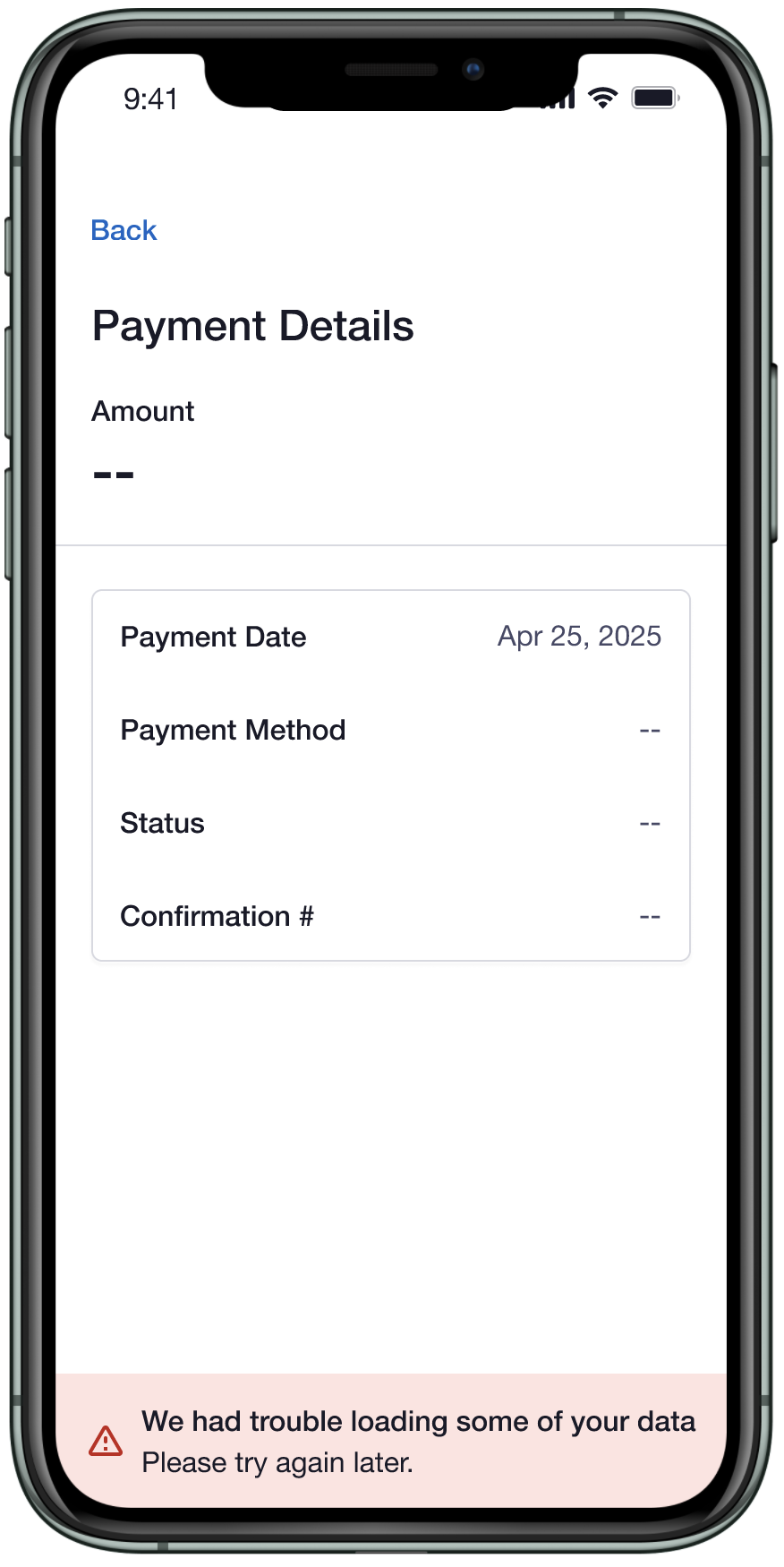
• Bills and payments came from separate API calls, so partial failures had to be handled gracefully
• Only a limited set of payment statuses could be reliably displayed (paid, scheduled, cancelled)
• Payment method labels came from backend codes that didn’t always map to plain language
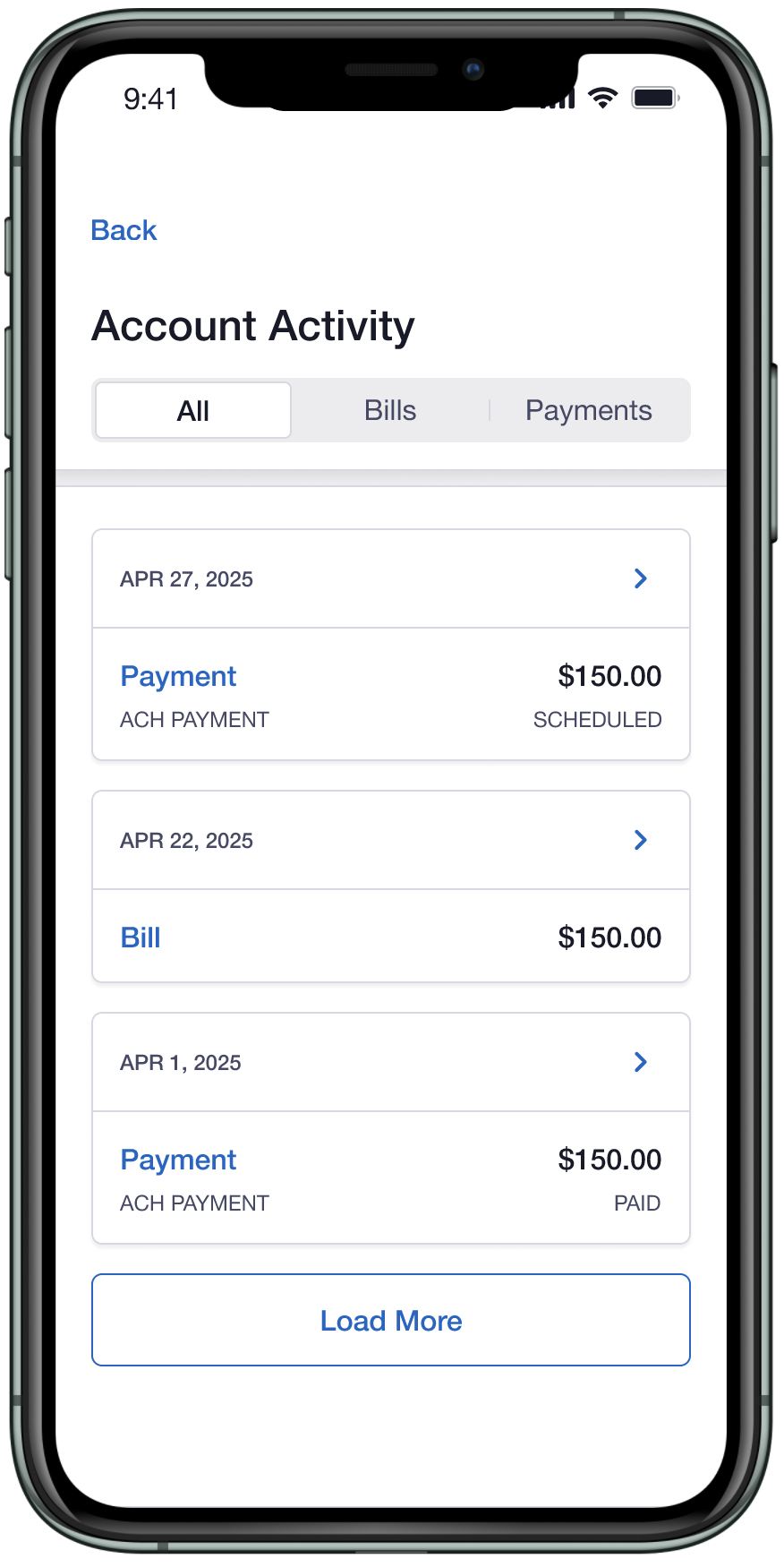
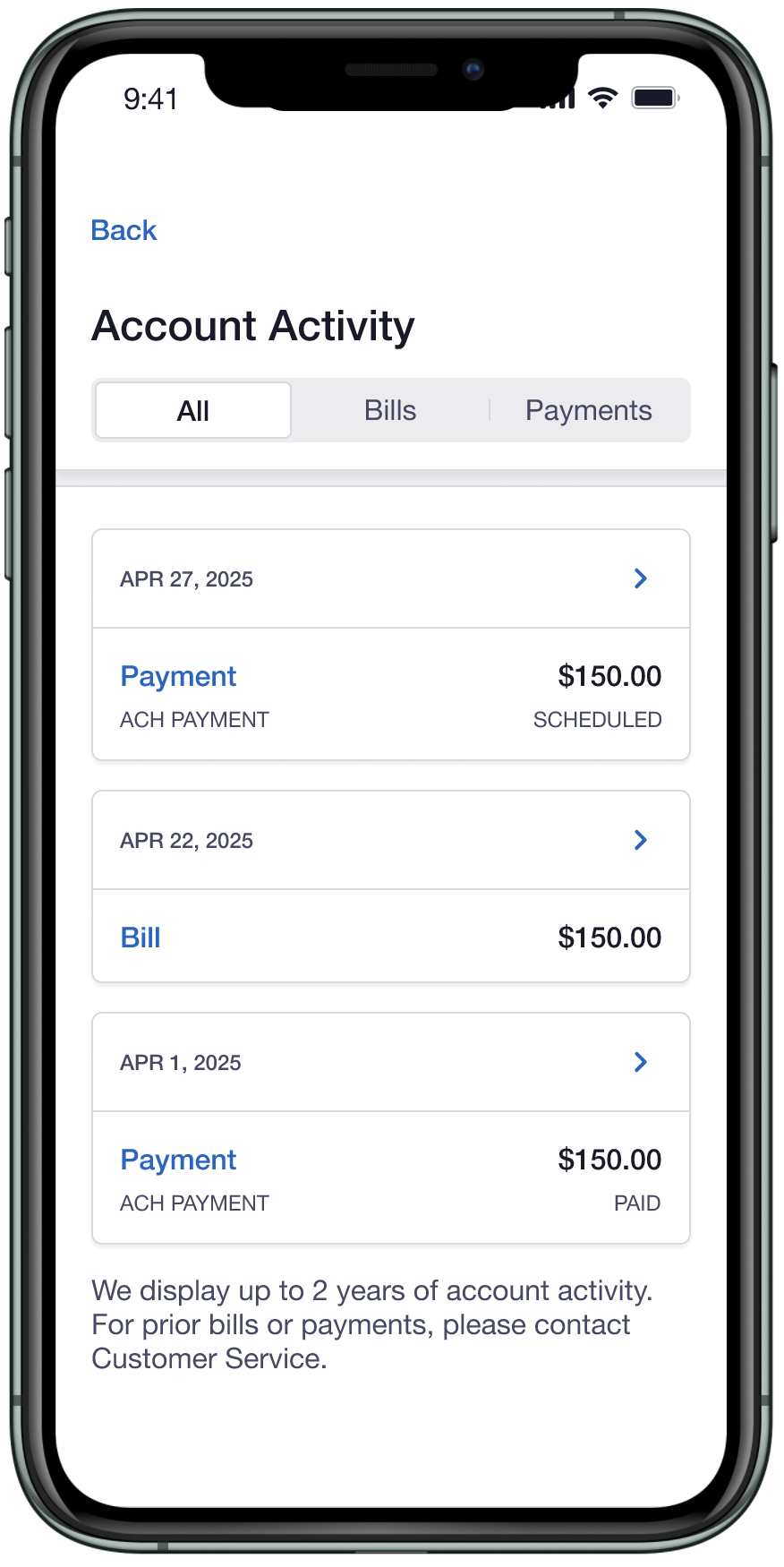
• History capped at two years, 24 entries loaded at a time
PHASE 1
Telling the Story Before Building It
Before any screens, we worked through narratives with product and engineering to validate edge cases and prioritize user needs like whether to show canceled and rebilled bills side by side, how to handle partial data failures, and what 24 months of history actually looks like across different account types. These scenarios were based on existing customer behavior and from engineering discussions on what the data could support.
Below are a few narratives that we brainstormed:
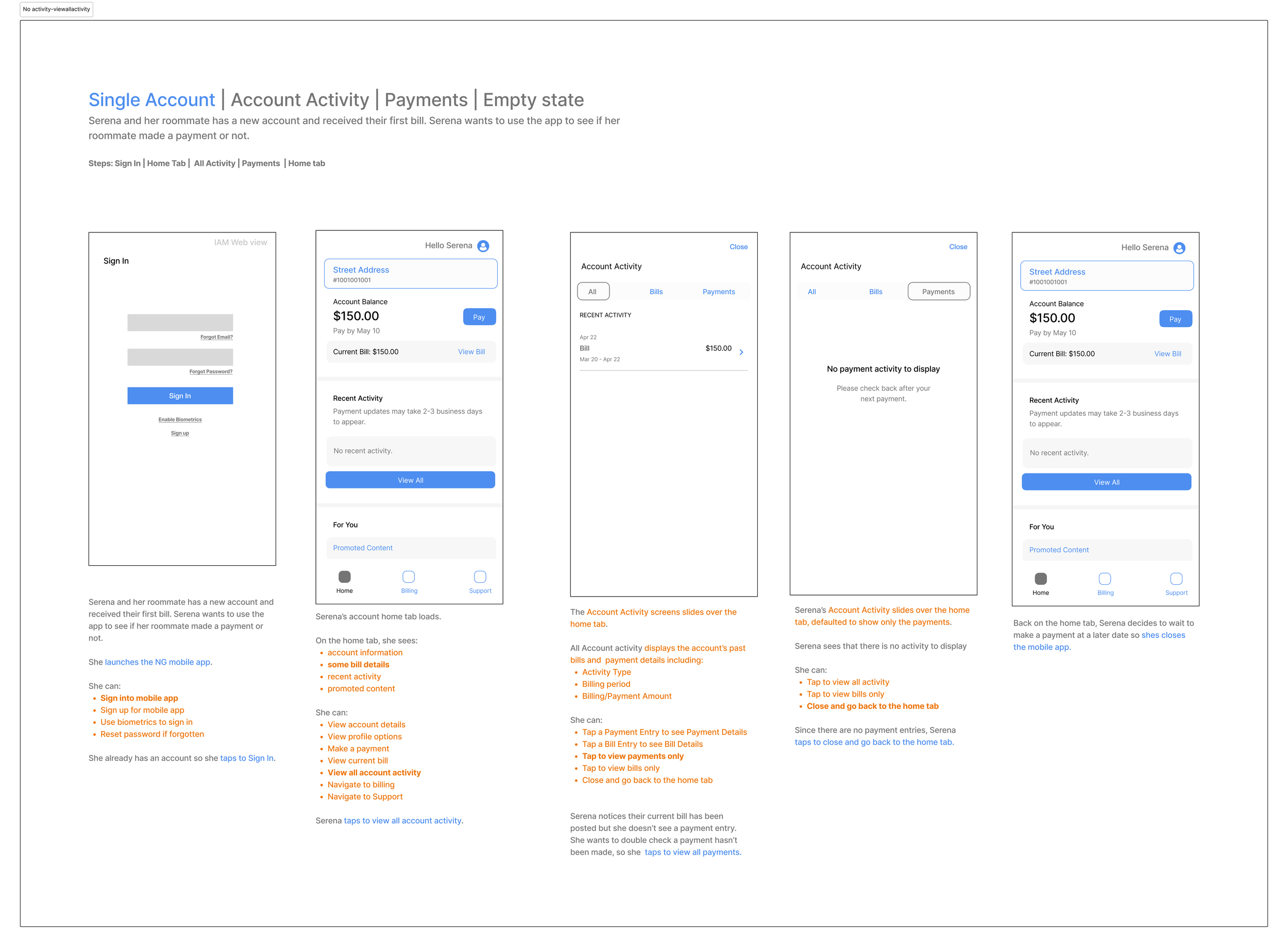
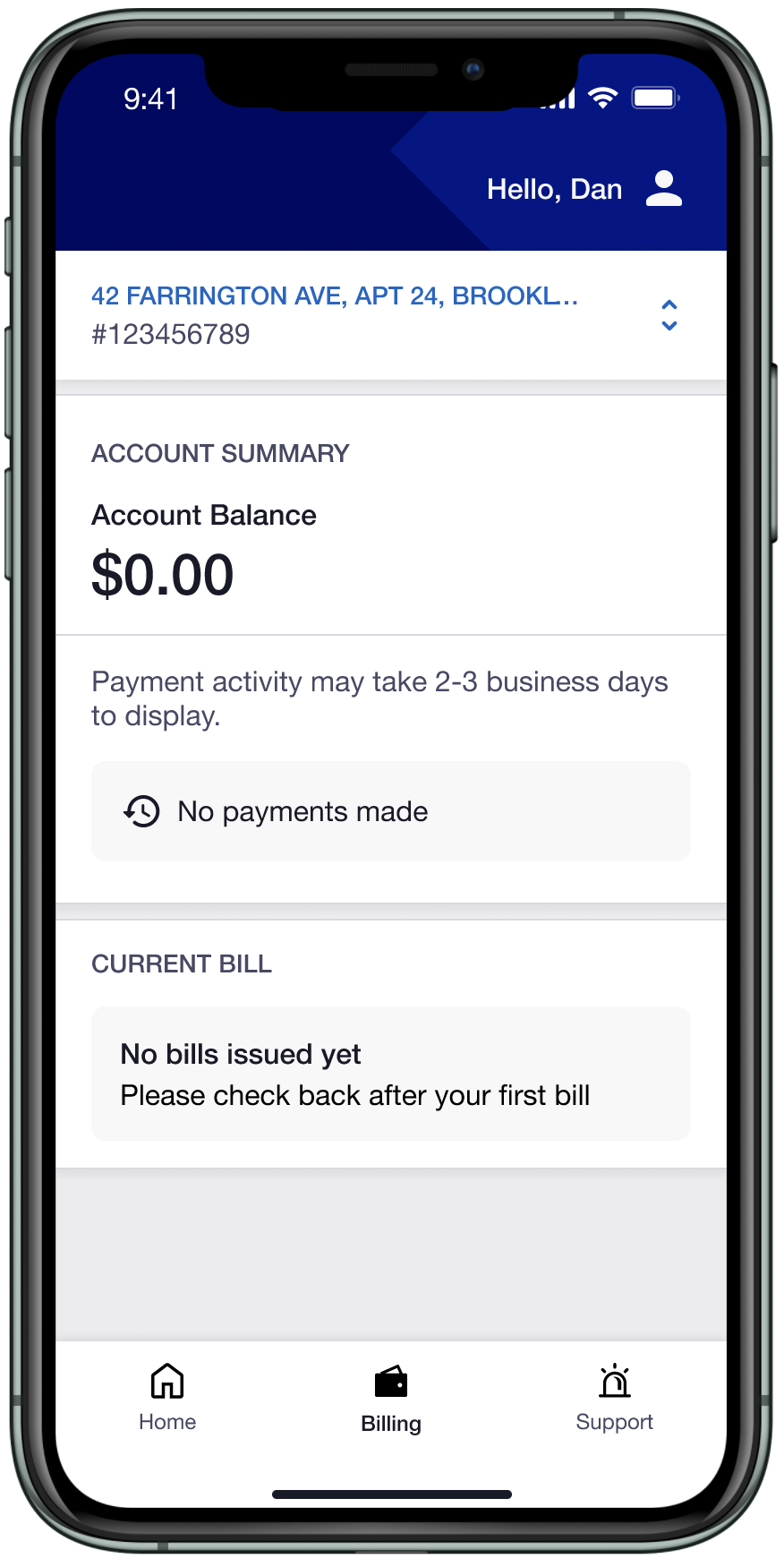
Single Account— Payments, Empty State
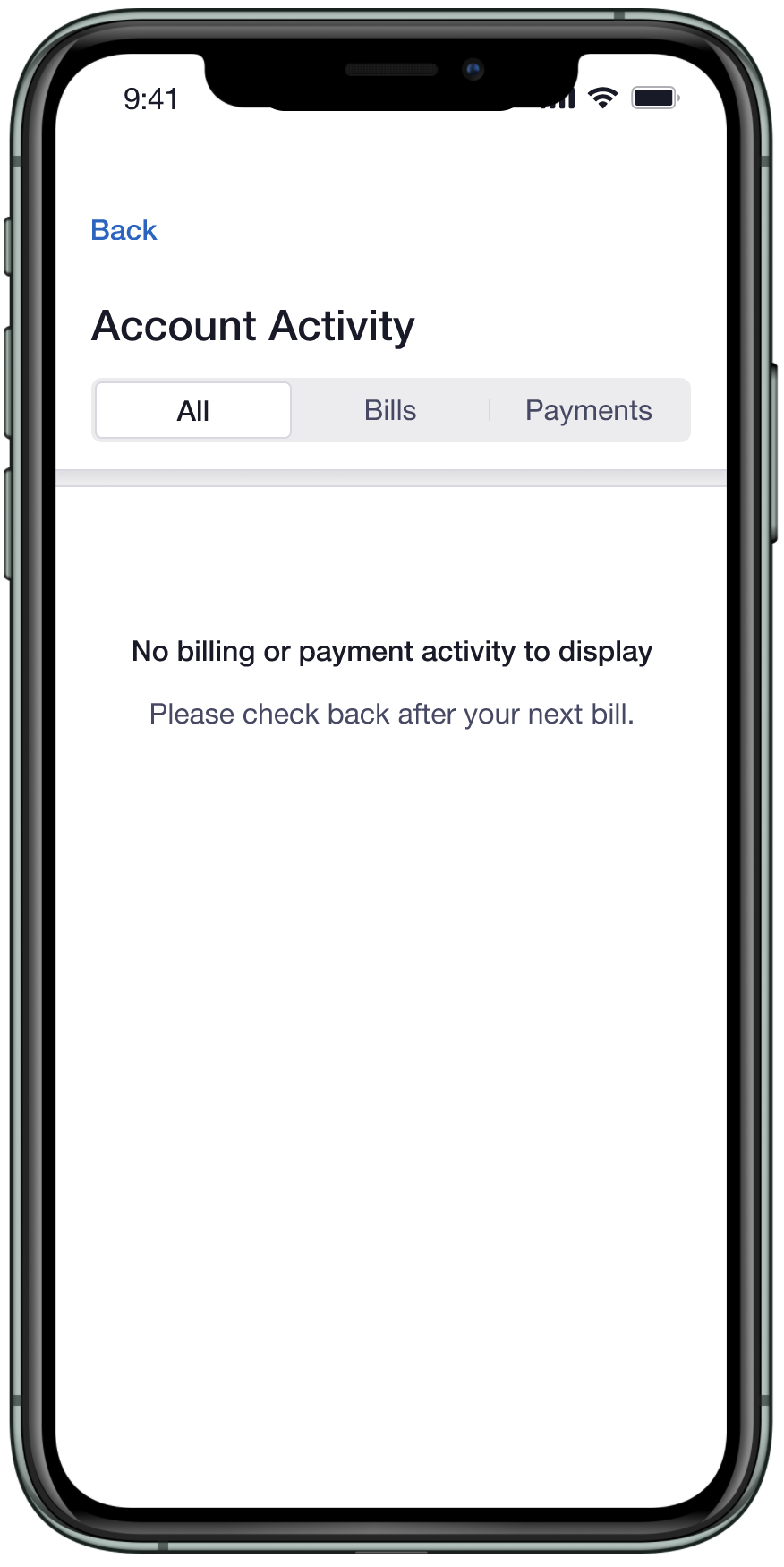
User: Serena and her roommate has a new account and received their first bill. She wants to use the app to see if her roommate made a payment or not.
Rationale: New users need to feel oriented even when there’s nothing to show yet. An empty screen with added context feels intentional, to broken.
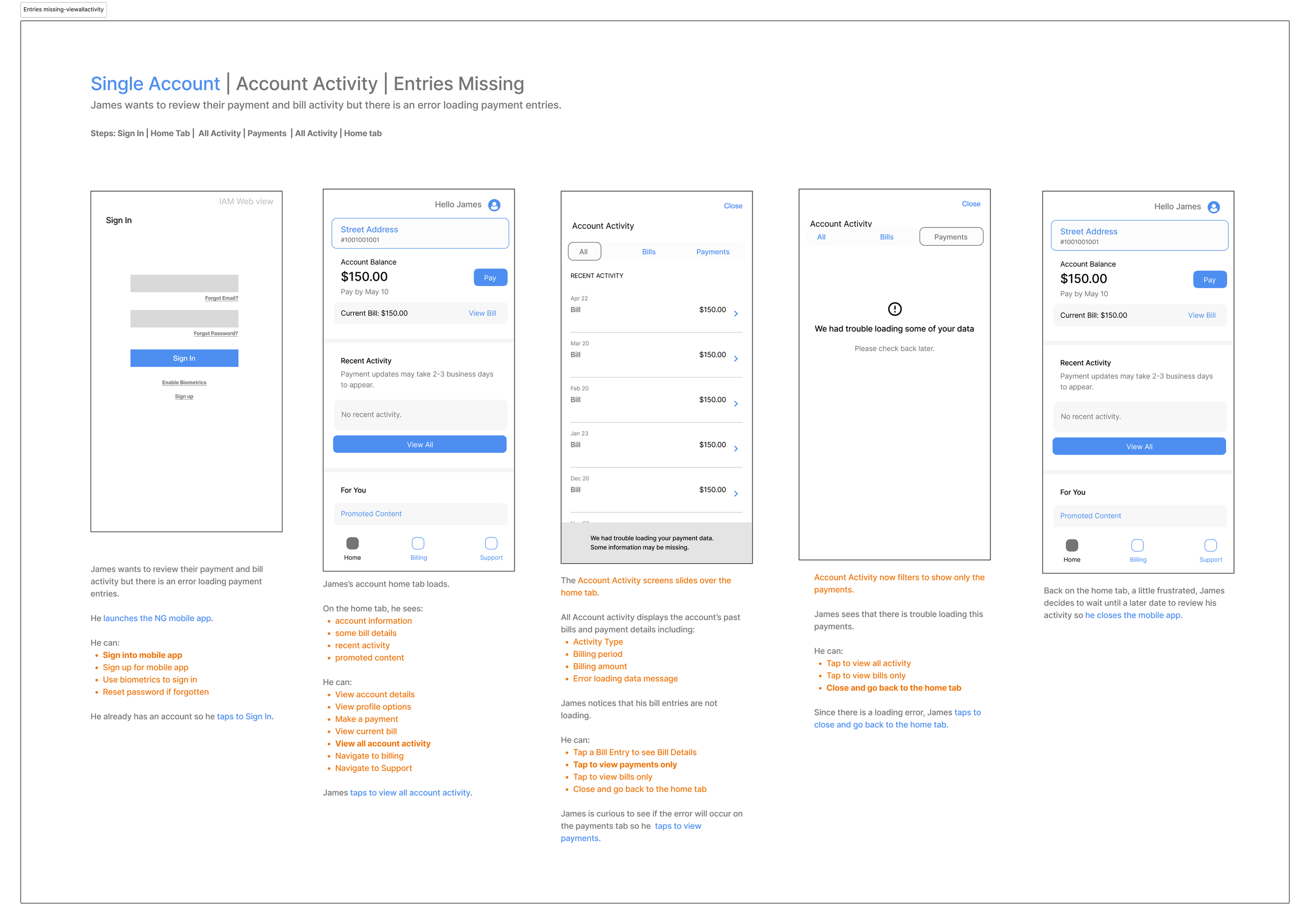
Single Account— Entries Missing
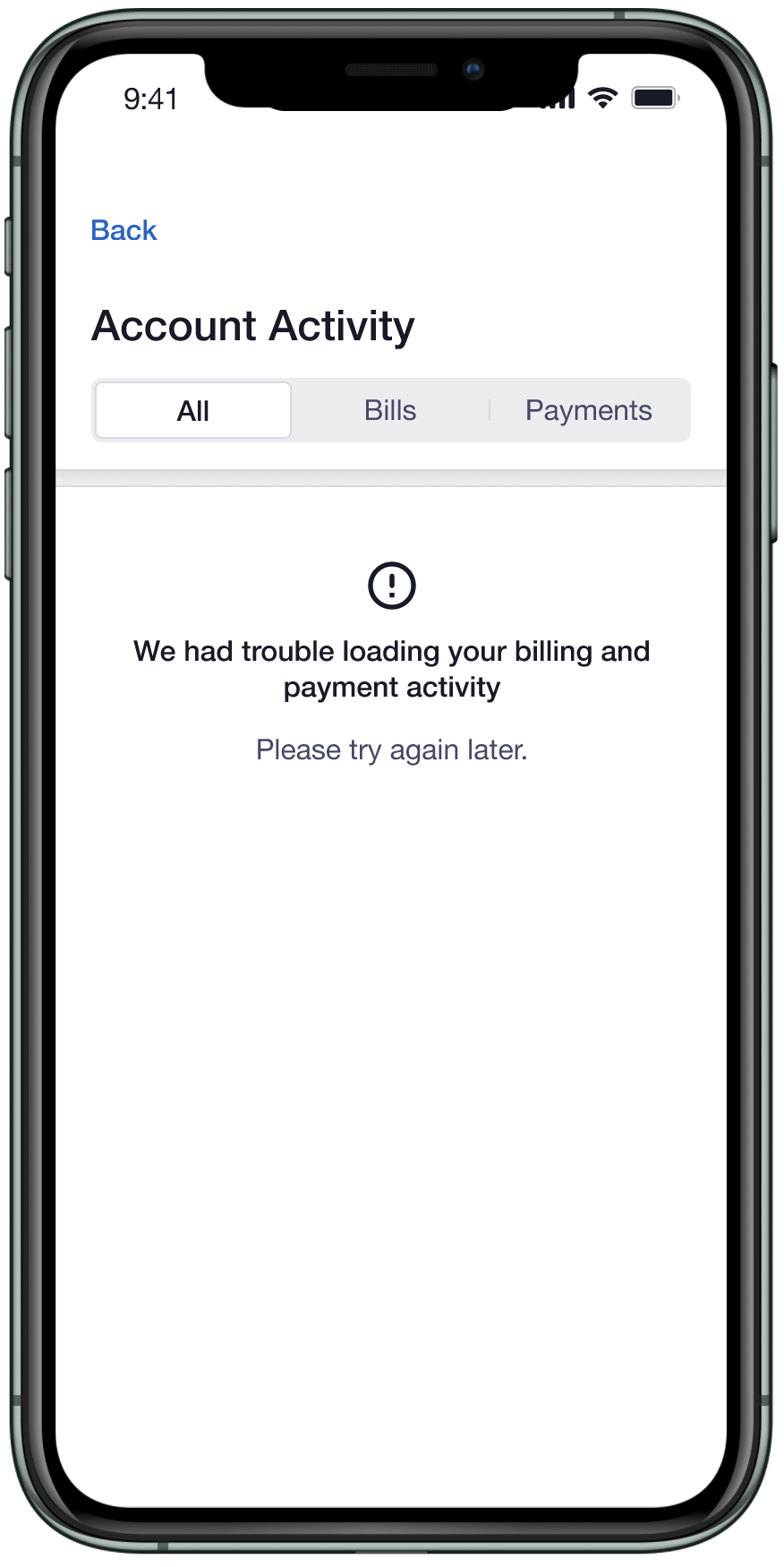
User: Jamie wants to review their payment and bill activity but there is an error loading payment entries.
Rationale: When data fails to load, users shouldn’t be left guessing. Showing what’s available while being transparent about what’s missing keeps users informed without blocking their full experience.
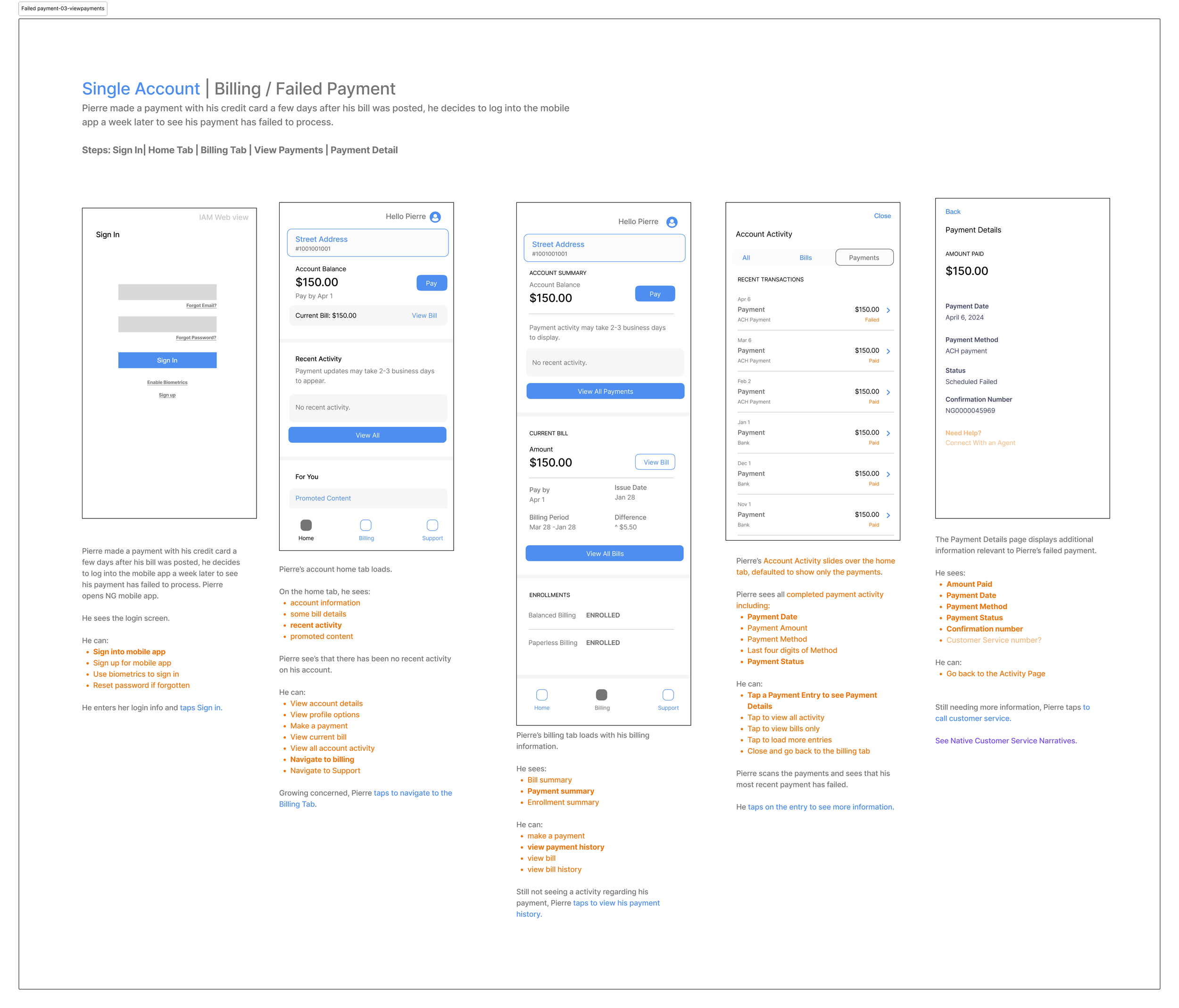
Single Account— Billing, Failed Payment
User: Pierre made a payment with his credit card a few days after his bill was posted. He decides to log into the mobile app a week later to see that his payment has failed to process.
Rationale: Currently, failed and canceled payments don’t surface on the users dashboard when they log into the app. We created a dedicated space for users to find them without having to guess where to look.
PHASE 2
Where the Details Live
Phase 2 moved into UI exploration with a focus on how to present information clearly across each tab, distinguish bills from payments and use color, hierarchy, and font weight to keep screens readable without overwhelming the user.
Account Activity Exploration
Explored how to display payment status and bill history across each tab.
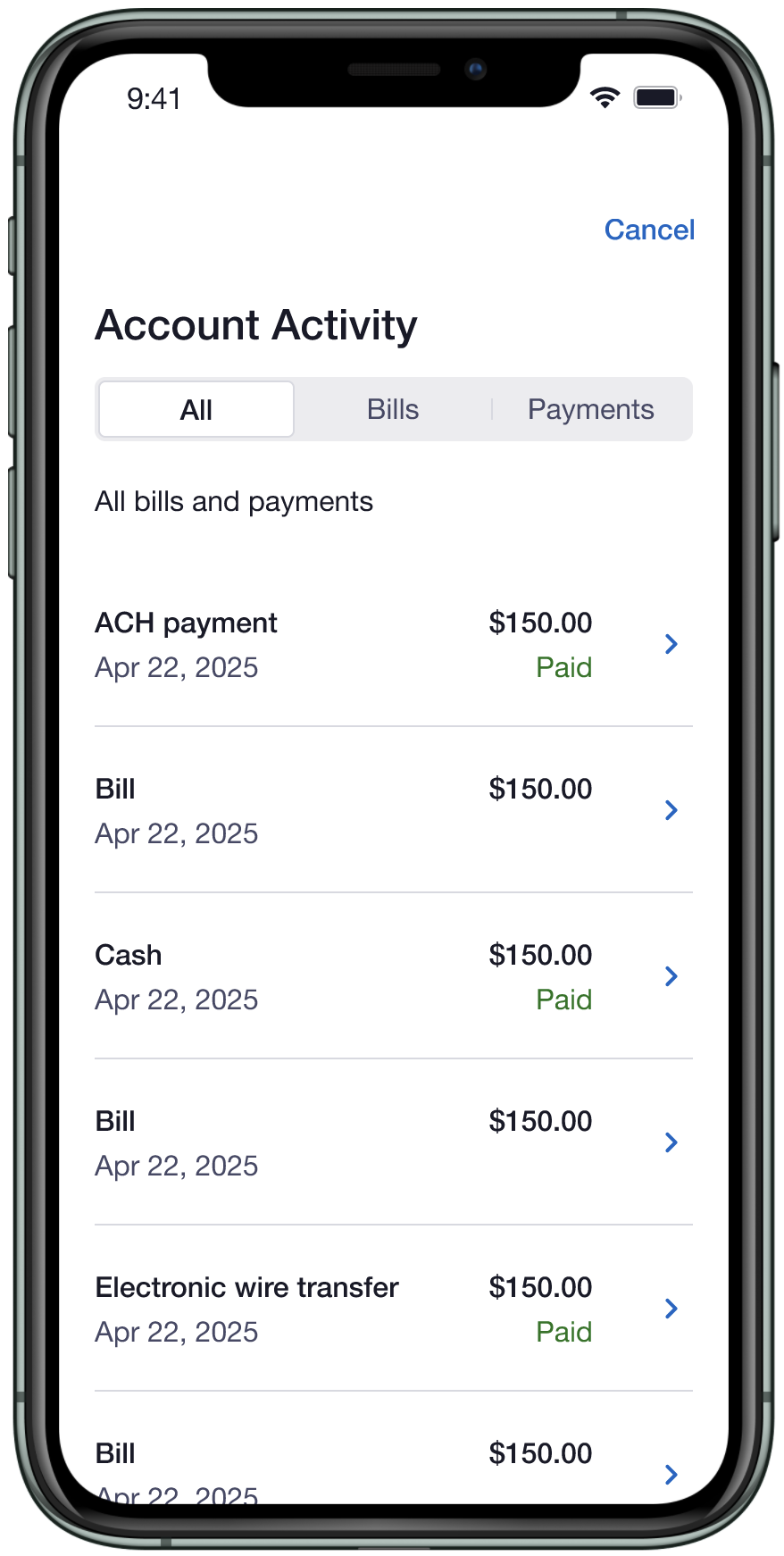
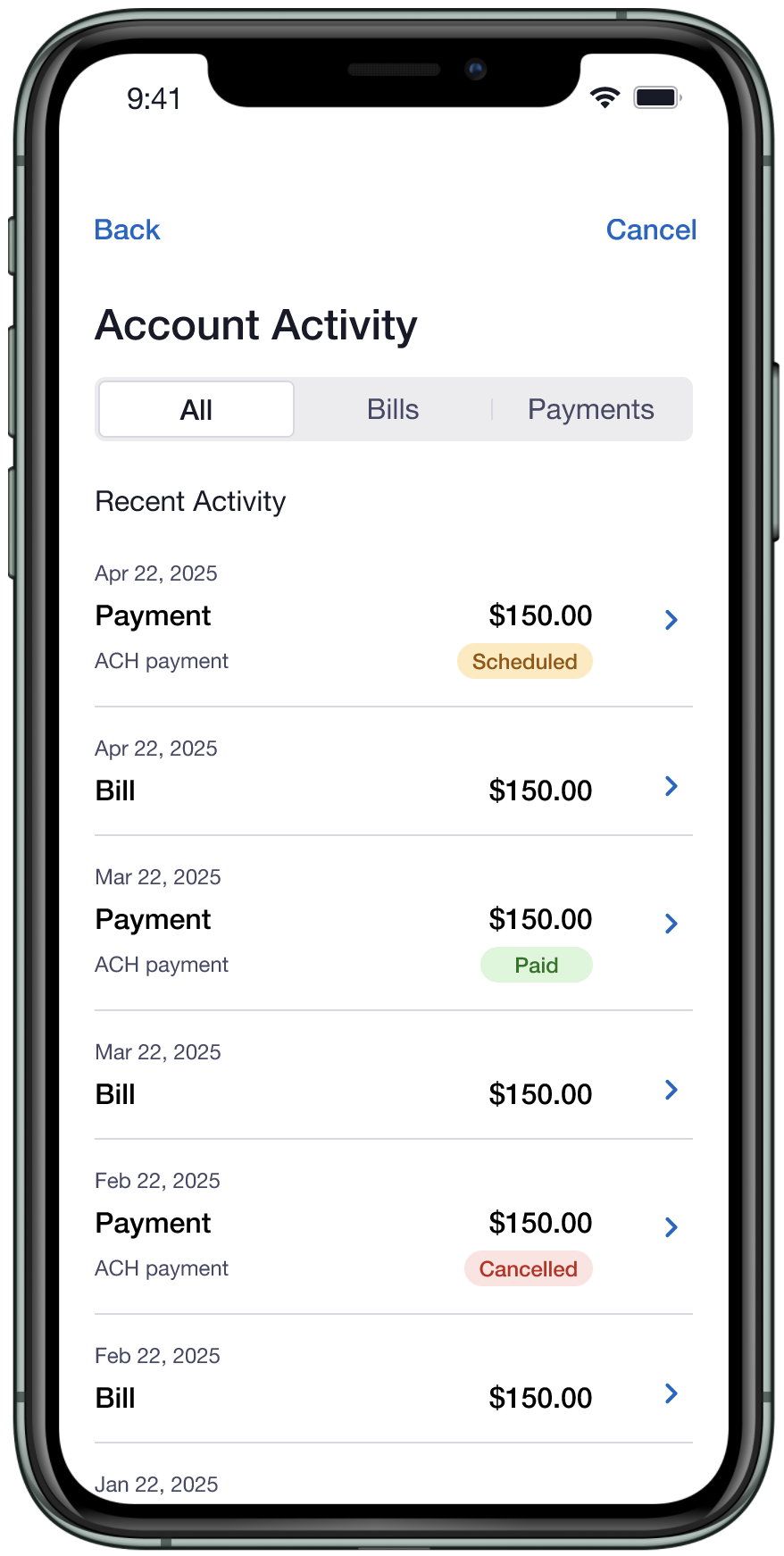
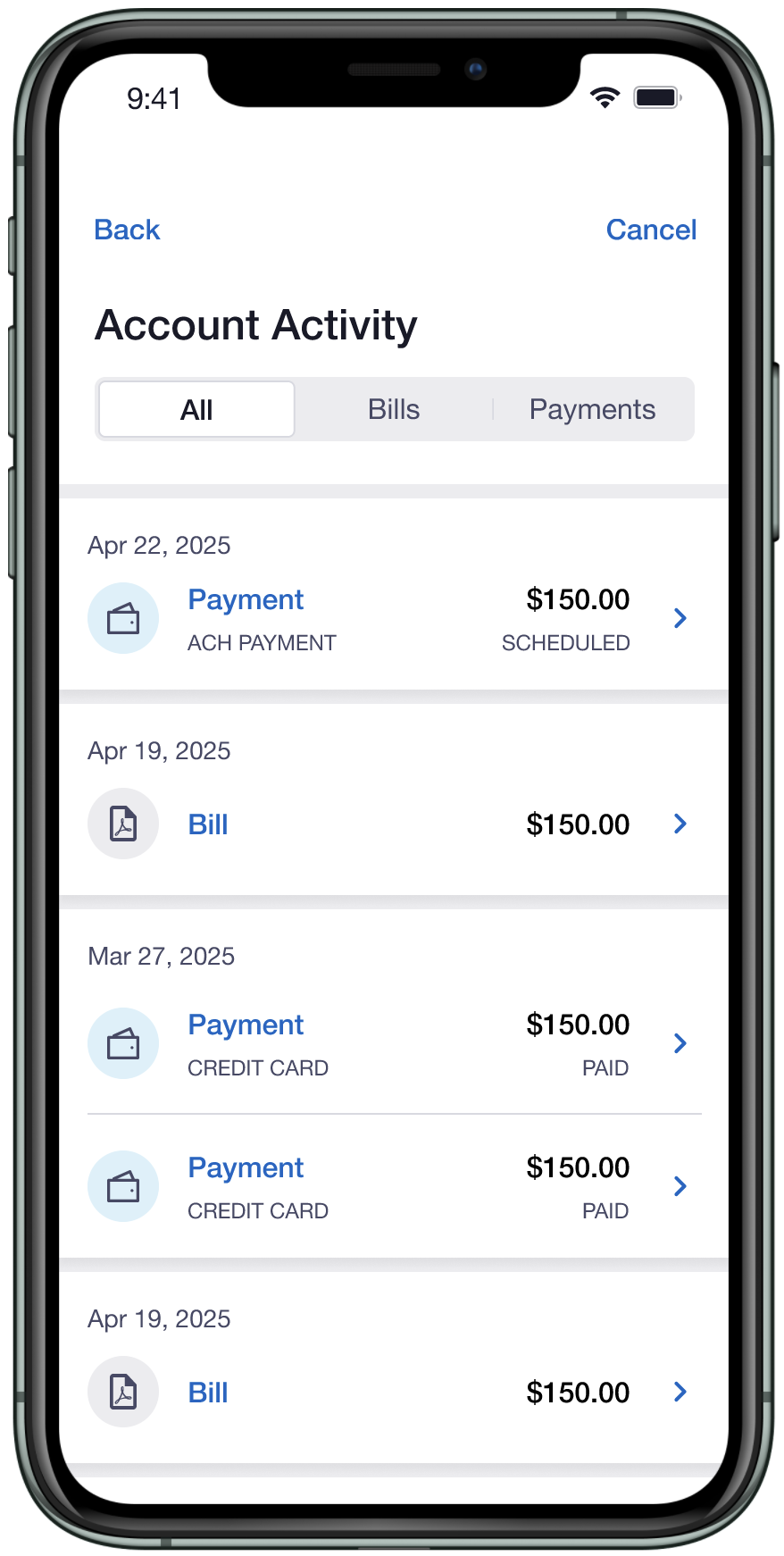
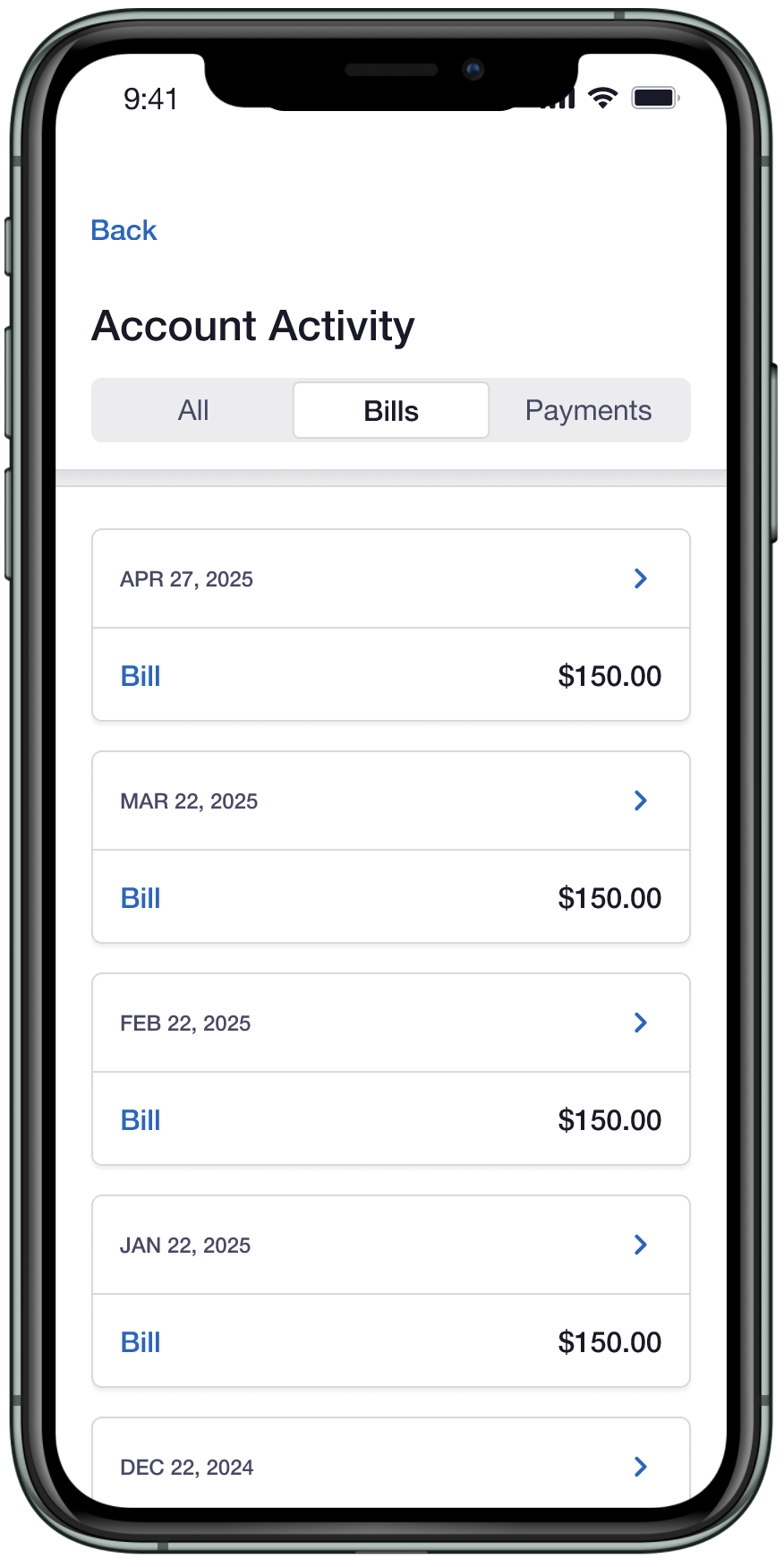
The final direction was chosen for scanability. Reviews favored clearer dates, less visual noise, and uniform row heights over earlier versions with icons and color treatments.
Bill and Payment Details Exploration
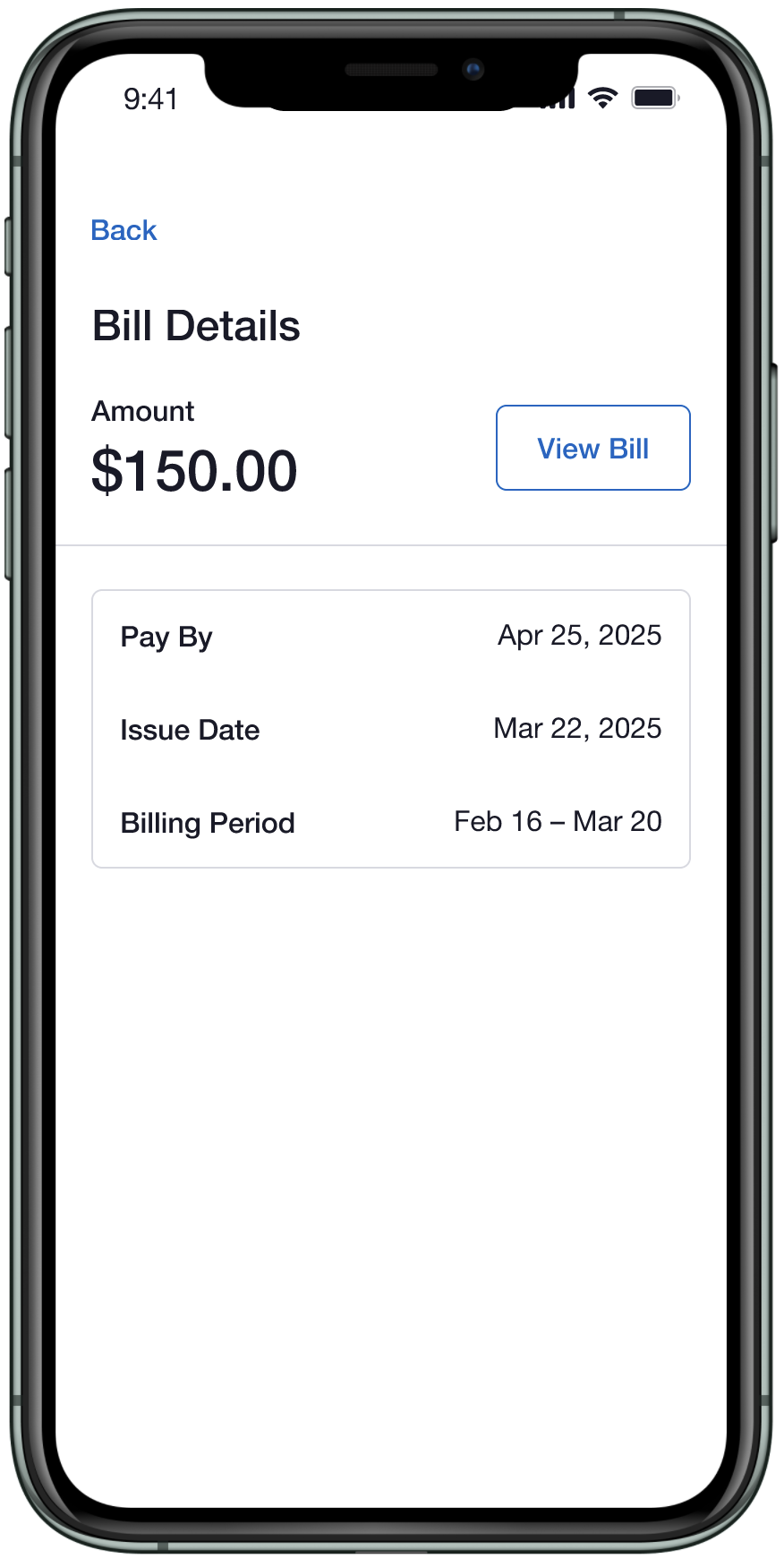
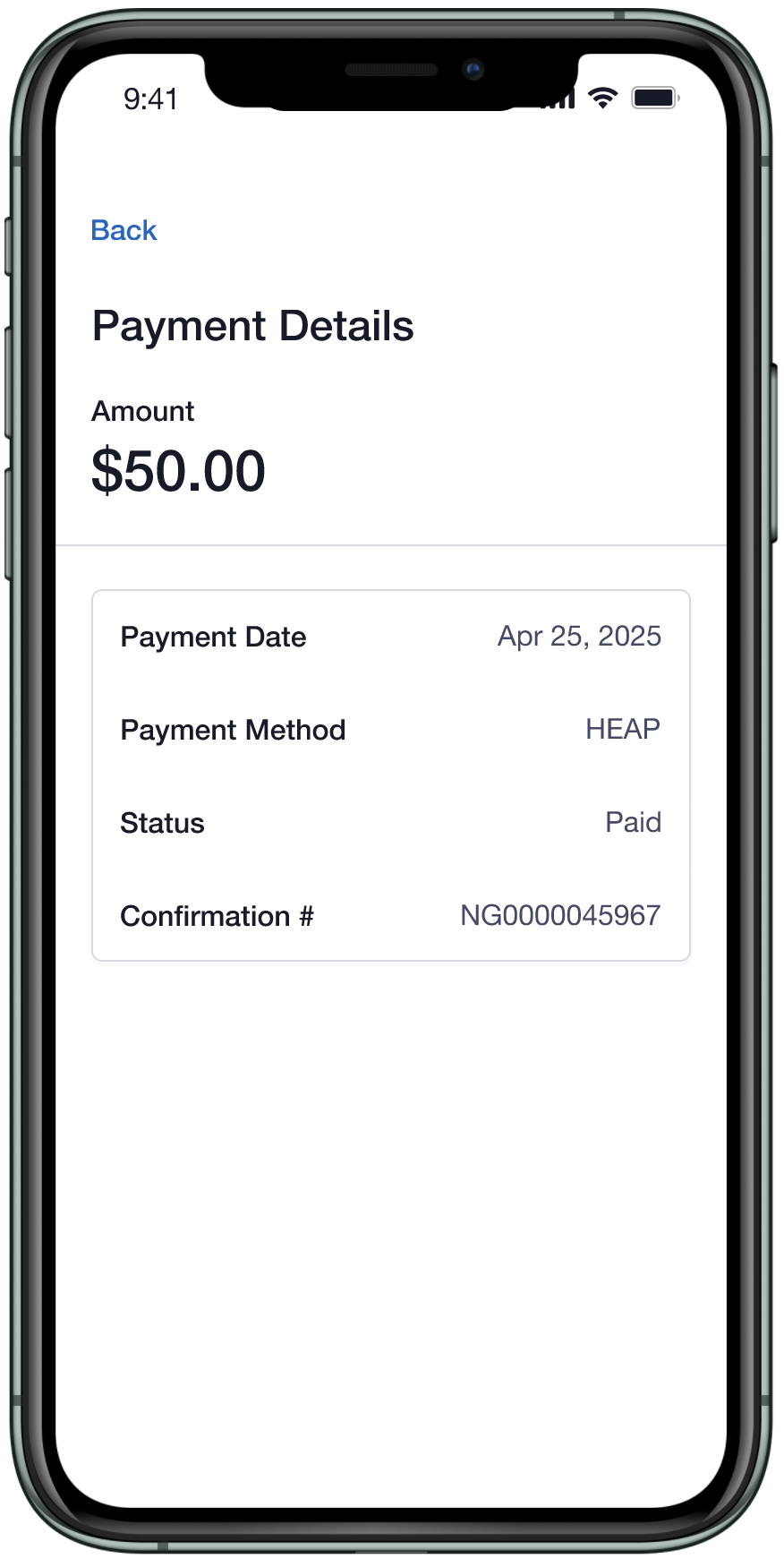
Explored hierarchy and information display within bill and payment detail views.
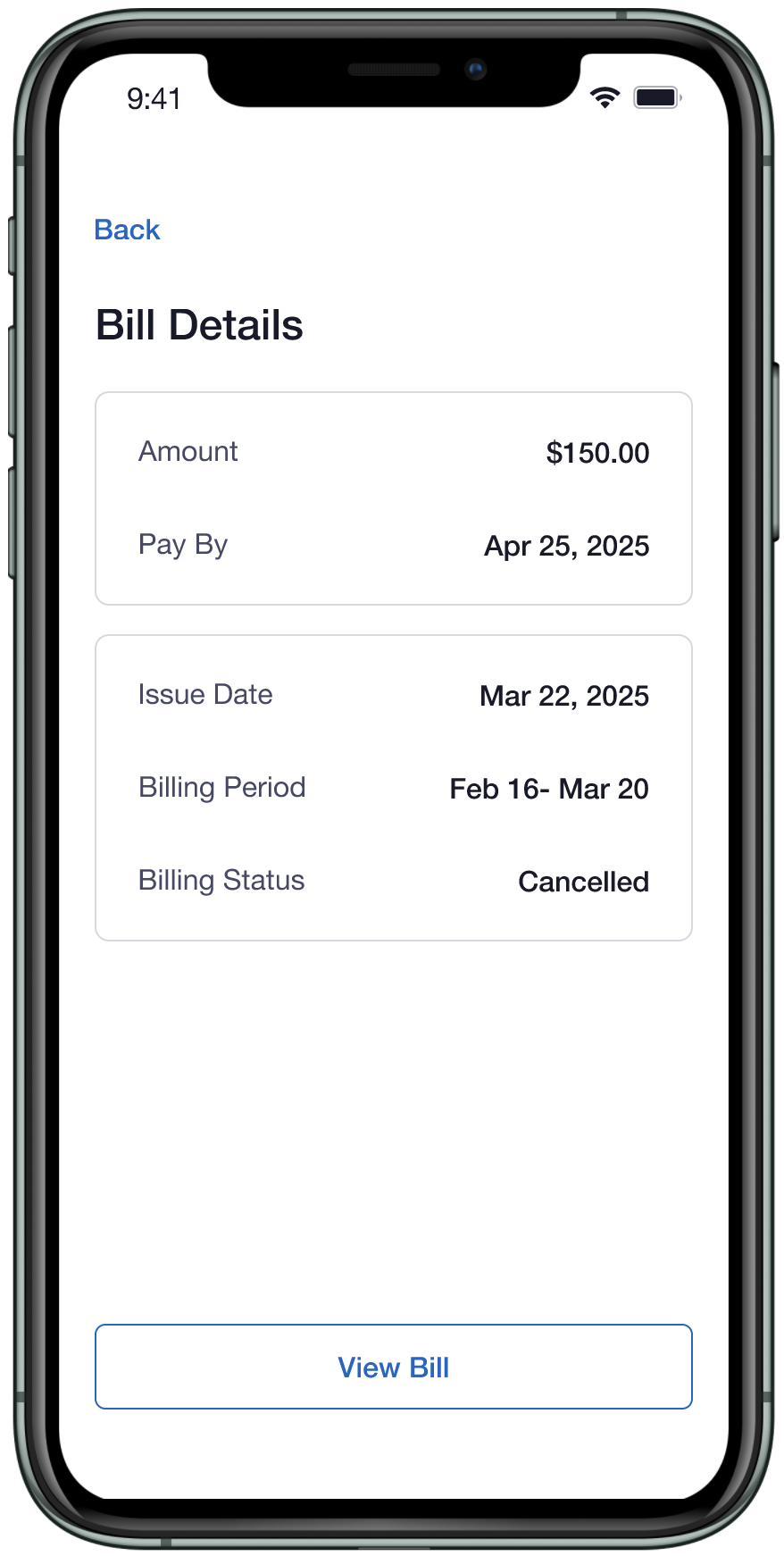
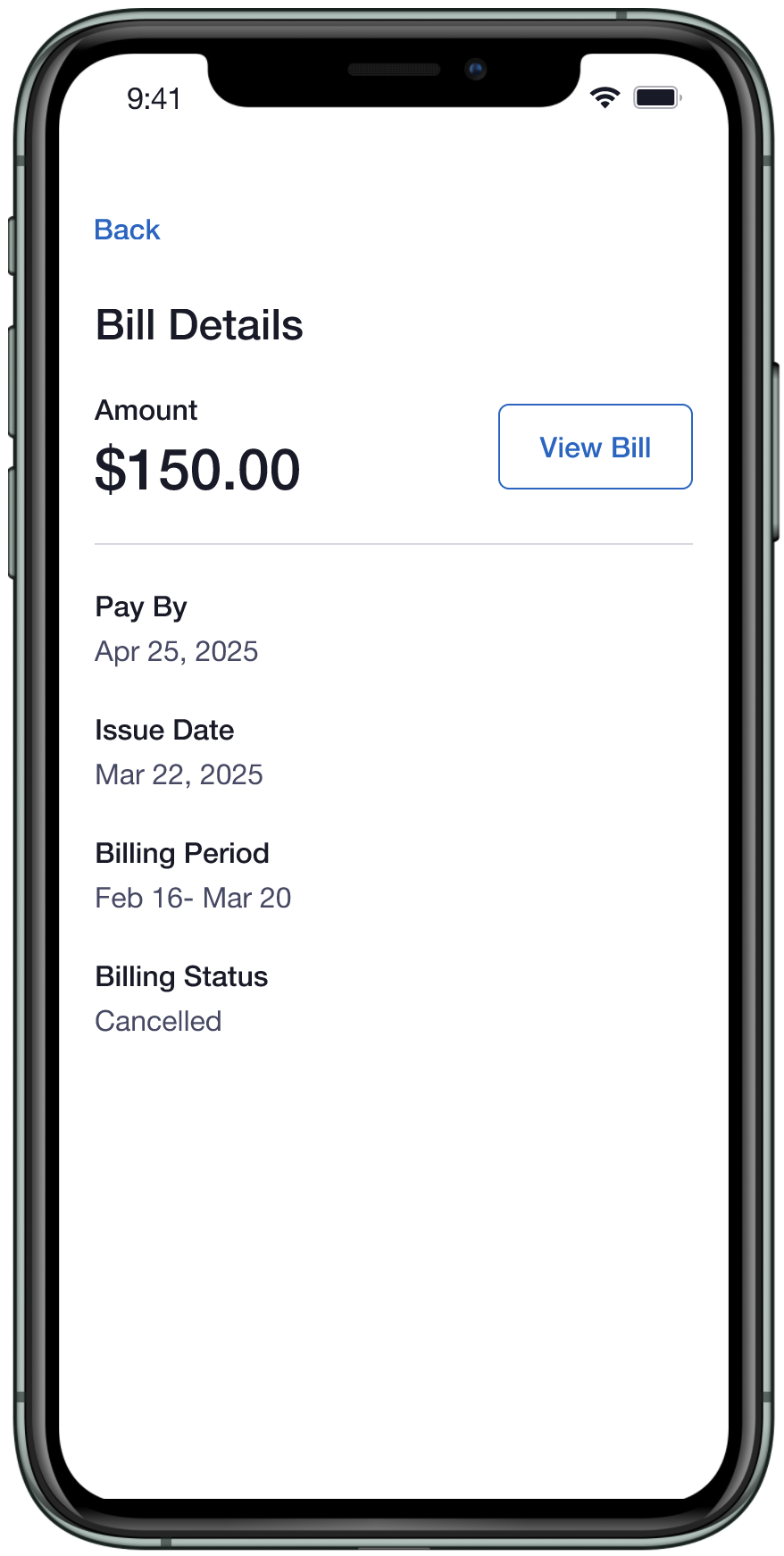
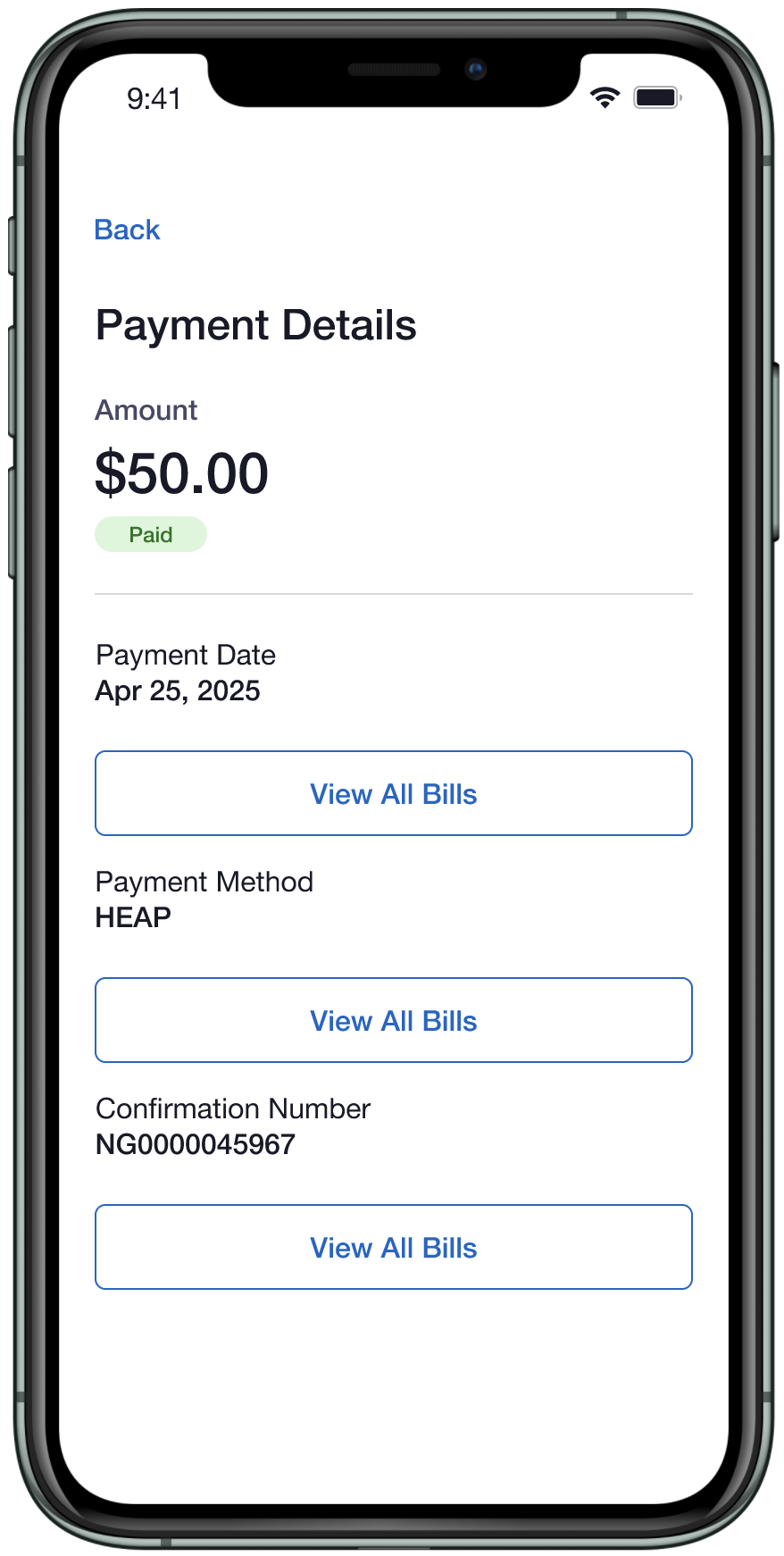
Through exploration, the team simplified the experience. Bill status was removed from detail screens, activity icons were deprioritized, and payment states were narrowed to only what the API could reliably support.
DEPLOYMENT
From Figma to 500+ Downloads
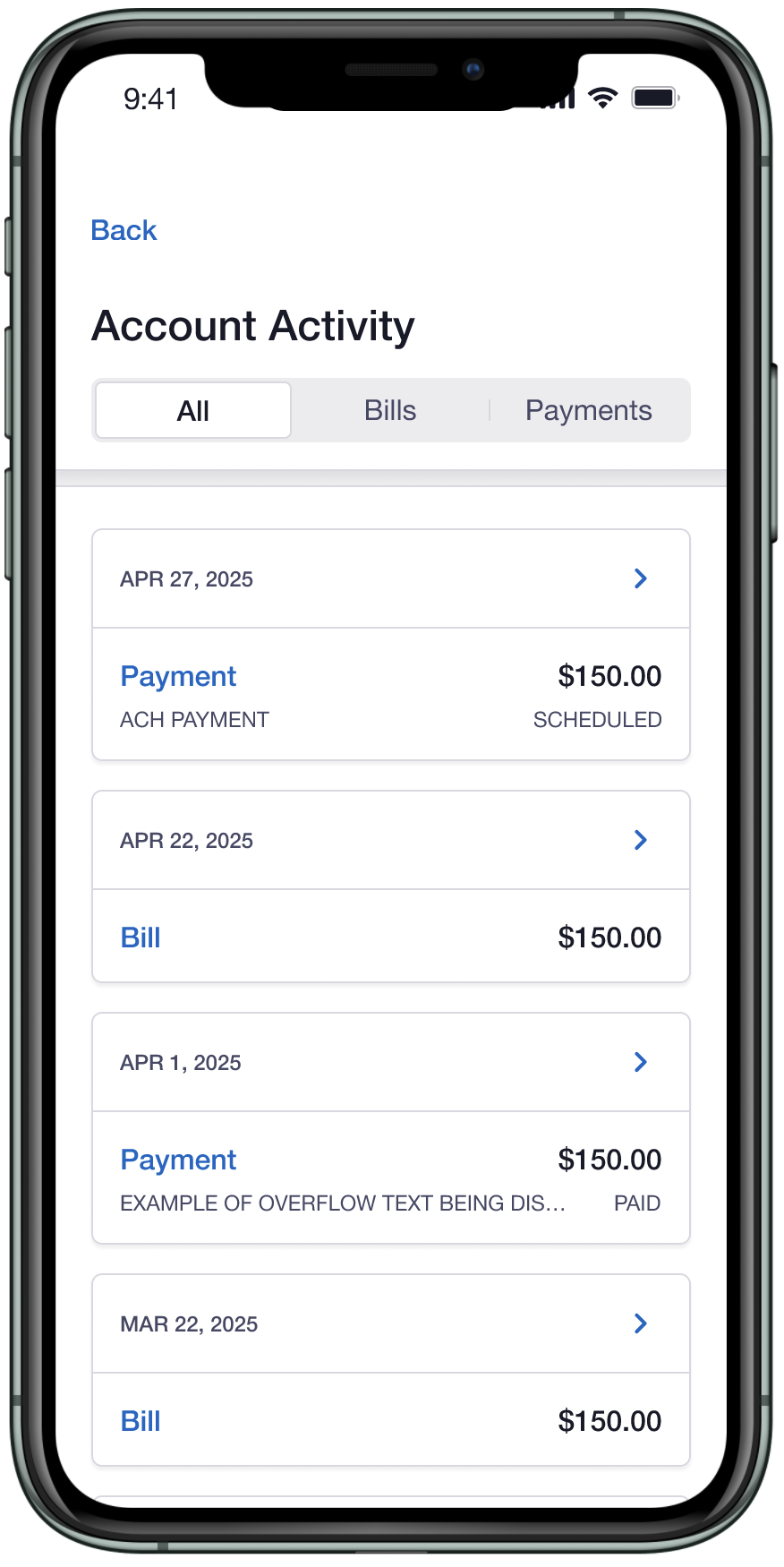
Account Activity launched as part of Mobile App Release 4.7 in November 2025, giving users access to up to 2 years of bill and payment history for the first time in the mobile app. Within the first week of deployment, over 500+ users had updated the app (iOS and Android) and were actively using the new feature.
-
![]()
All tab
-
![]()
Bill tab
-
![]()
Any tab: load more button
-
![]()
Any tab: end of list messaging
-
![]()
Any tab: partial data missing
-
![]()
All tab: error state
-
![]()
All tab: empty state
-
![]()
Bill details page
-
![]()
Bill details: error
-
![]()
Payment details page
-
![]()
Payment details: error
-
![]()
Dashboard: view all activity entry point
-
![]()
Billing tab: view all payment a bills entry point
-
![]()
No activity
LOOKING AHEAD
Next Steps
The team continues to monitor performance and gather feedback following the successful deployment of Account Activity. Next steps include analyzing how our customers are engaging with the new feature and identify any usability gaps that may surface. As more data becomes available, the team will assess opportunities to refine the experience.