Global Preference Center
Designing a scalable preference experience for managing communications across web and mobile.
Overview | Product Context | Phase 1| Phase 2 | Handoff | Next Steps
OVERVIEW
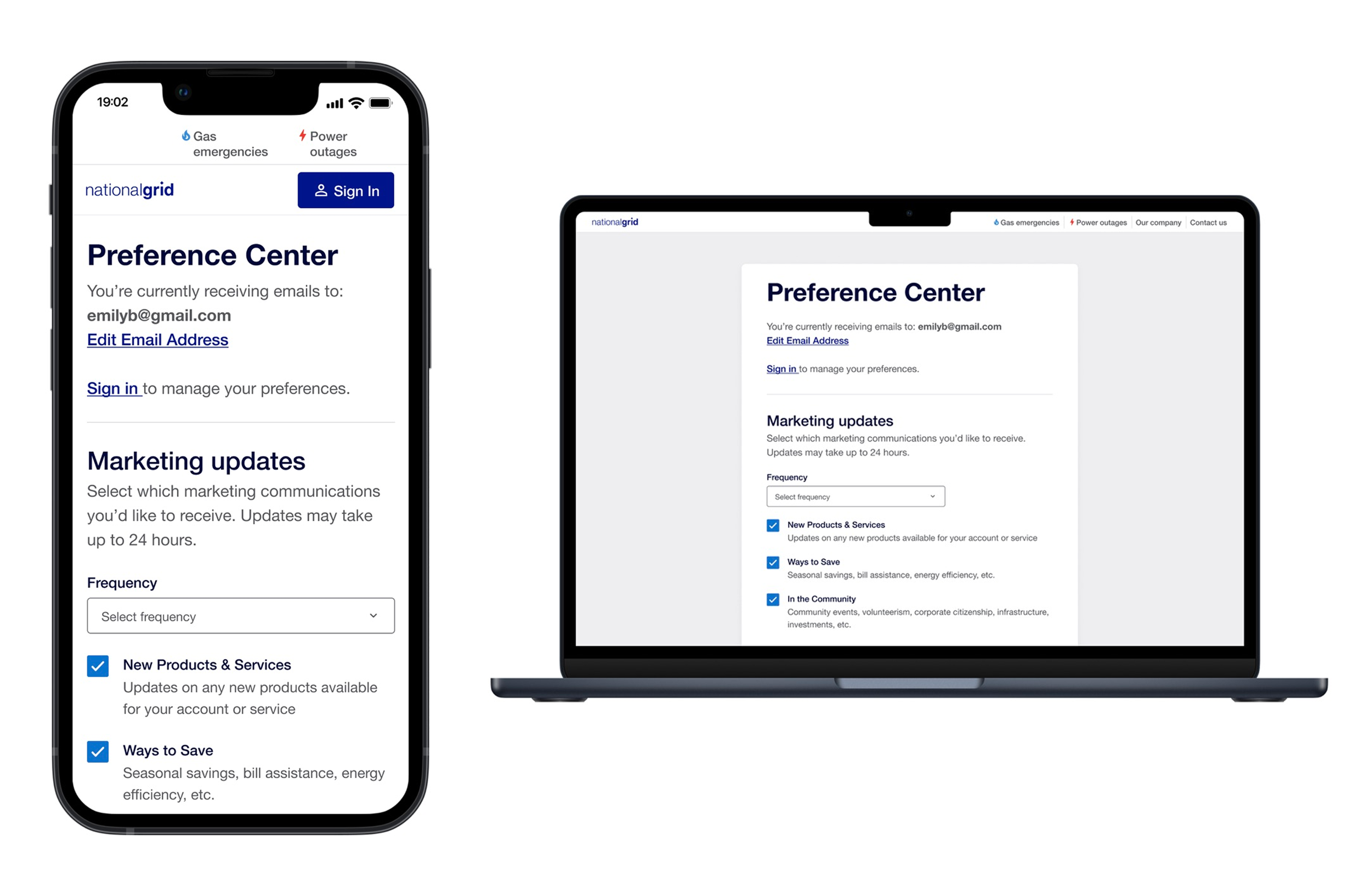
The Global Preference Center is a multi-platform communication management experience that gives National Grid customers control over how and when they receive communications.
The first iteration focused on marketing preferences for an unauthenticated experience across mobile and desktop. The authenticated experience is currently pending architectural decisions.
1 Product Designer (me)
2 Product Design Leads
September 2025- December 2025
TEAM AND DURATION
PRODUCT CONTEXT
Background: National Grid customers have no centralized place to manage their communication preferences across platforms like Unified Web Portal (UWP) and My Business Account (MBA). This made it difficult for users to find or understand their communication settings in one place.
The goal was to design a unified preference center that gave users a clear, accessible way to manage their preferences across marketing and transactional communications.
The Problem with Preferences
Solution: The MVP focused on giving users control over what they receive and when.
Future Iteration: The long term vision expands to include transactional emails, SMS, and phone channel.
Key Considerations: Profile vs account level access is considered and we planned to design for scalability since we will include more communication channels in the future.
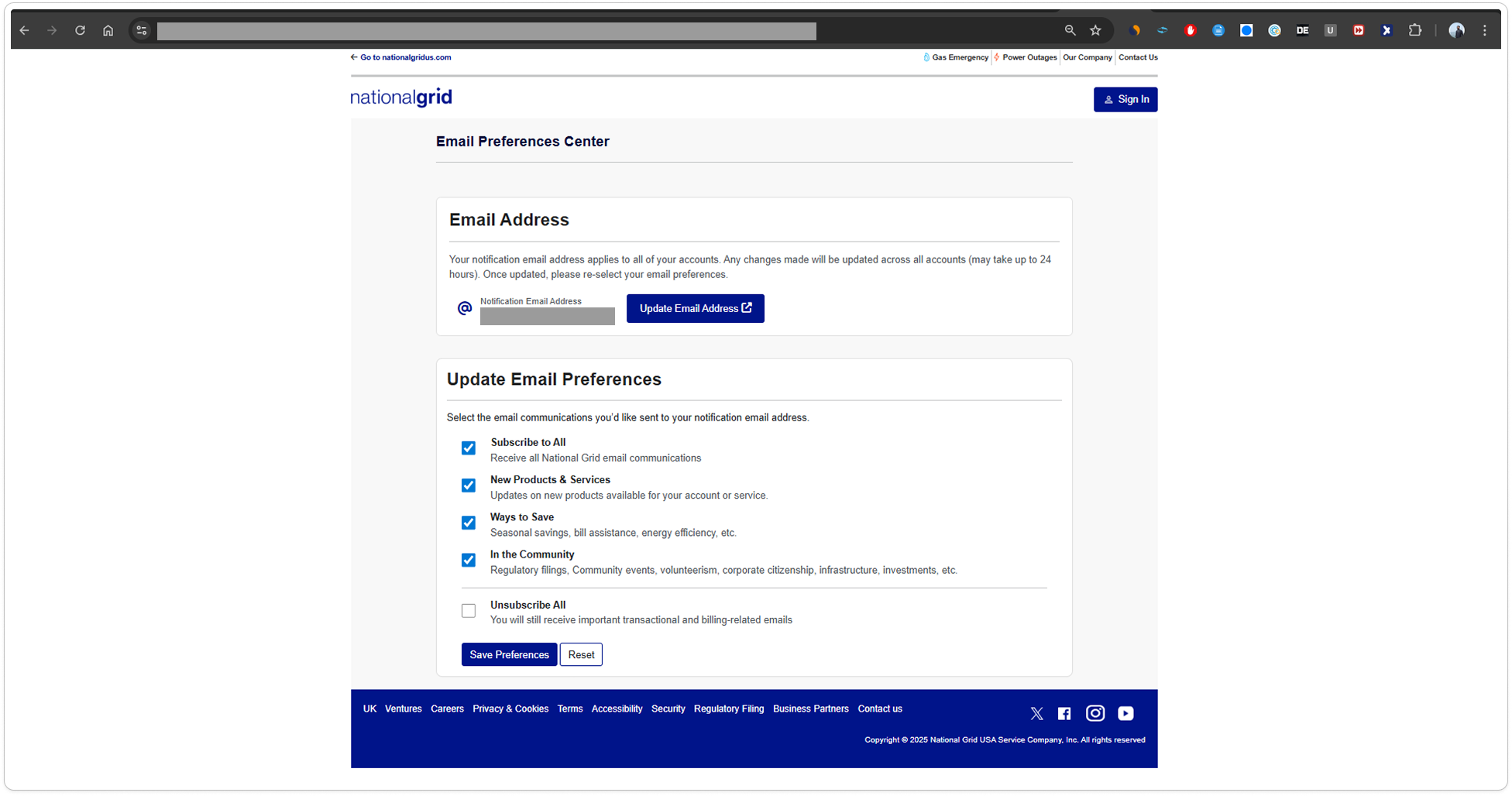
Current Unauthenticated Experience
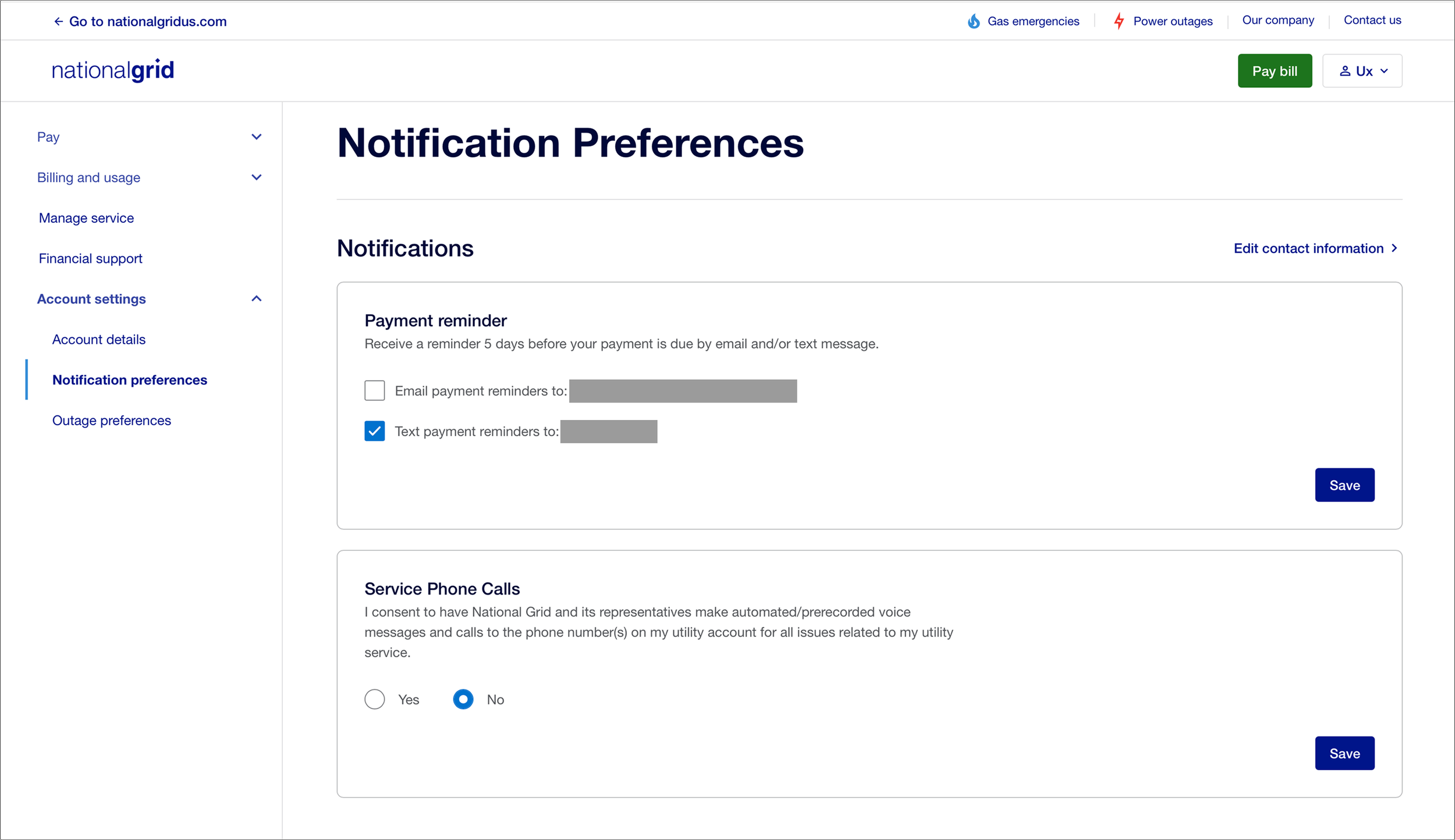
Current Authenticated Experience
PHASE 1
Research & Narratives
Before designing, the team ran user interviews and A/B testing from a push notifications project that is currently in progress. Though Global preferences and push notifications are different, we used that research to understand how users wanted to manage preferences.
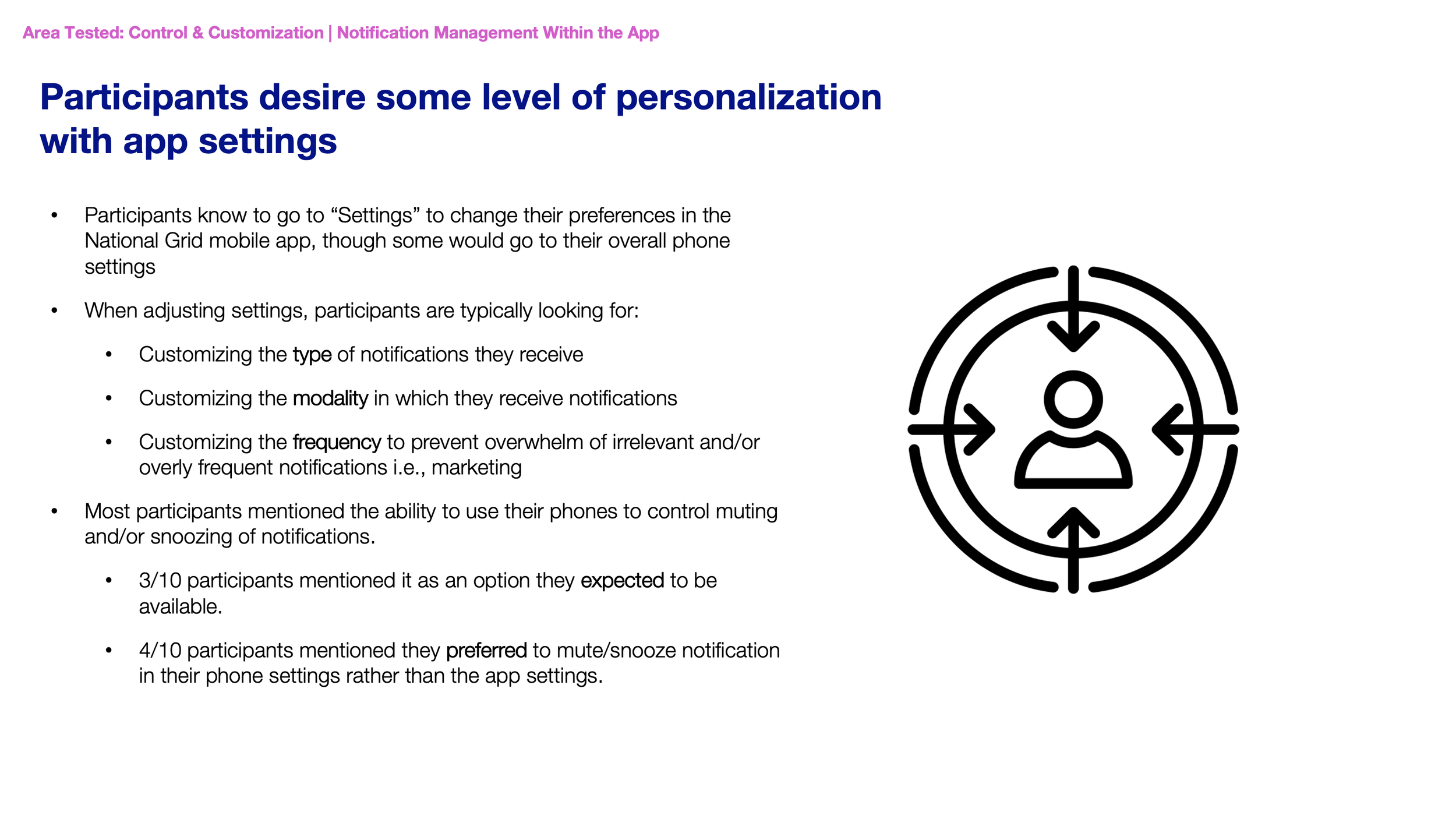
Three concepts were tested:
customization of the type of notifications they receive
modality control
granular settings.
Research Findings
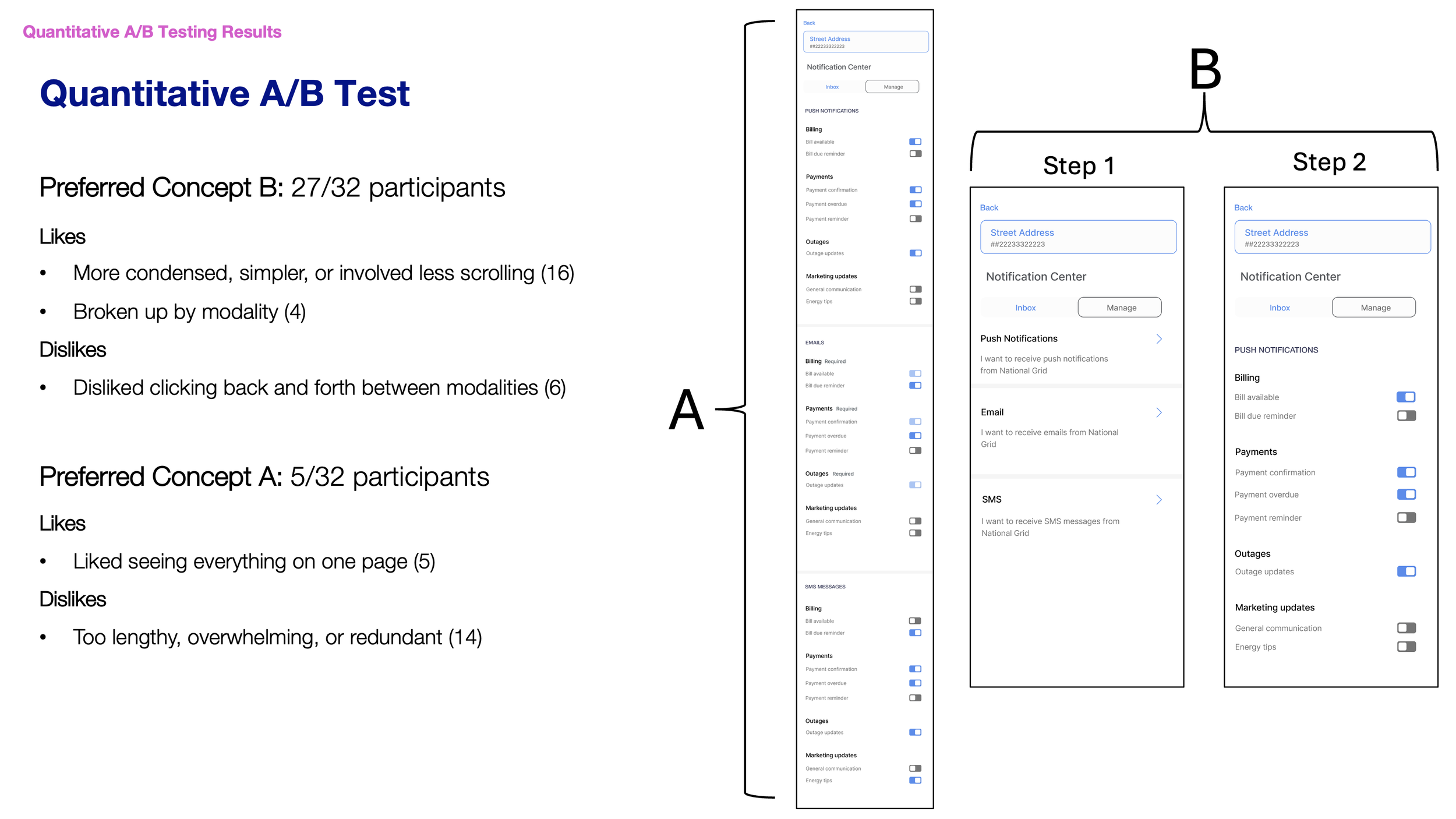
The key insight was users preferred category-first organization over channel-first.
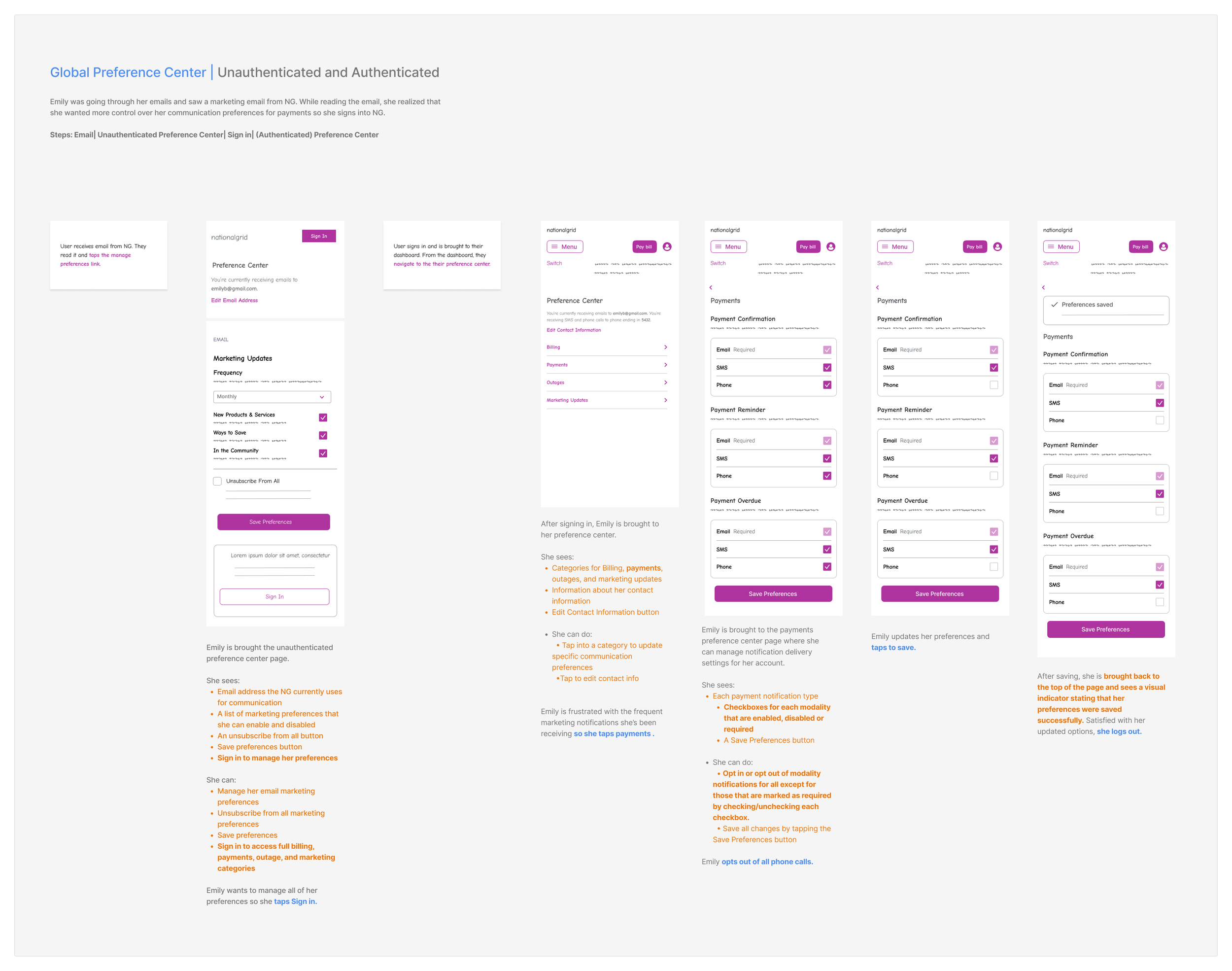
Unauthenticated and Authenticated (Mobile)
User: Emily was going through her emails and saw a marketing email from National Grid. While reading the email, she realized that she wanted more control over her communication preferences for payments so she signs into National Grid
Rationale: Emily signs in through a link in her marketing email to gain more control over her preferences.
This narrative shows all modalities and categories to demonstrate scalability.
Required transactional preferences appear at lower capacity, indicating they can’t be edited.
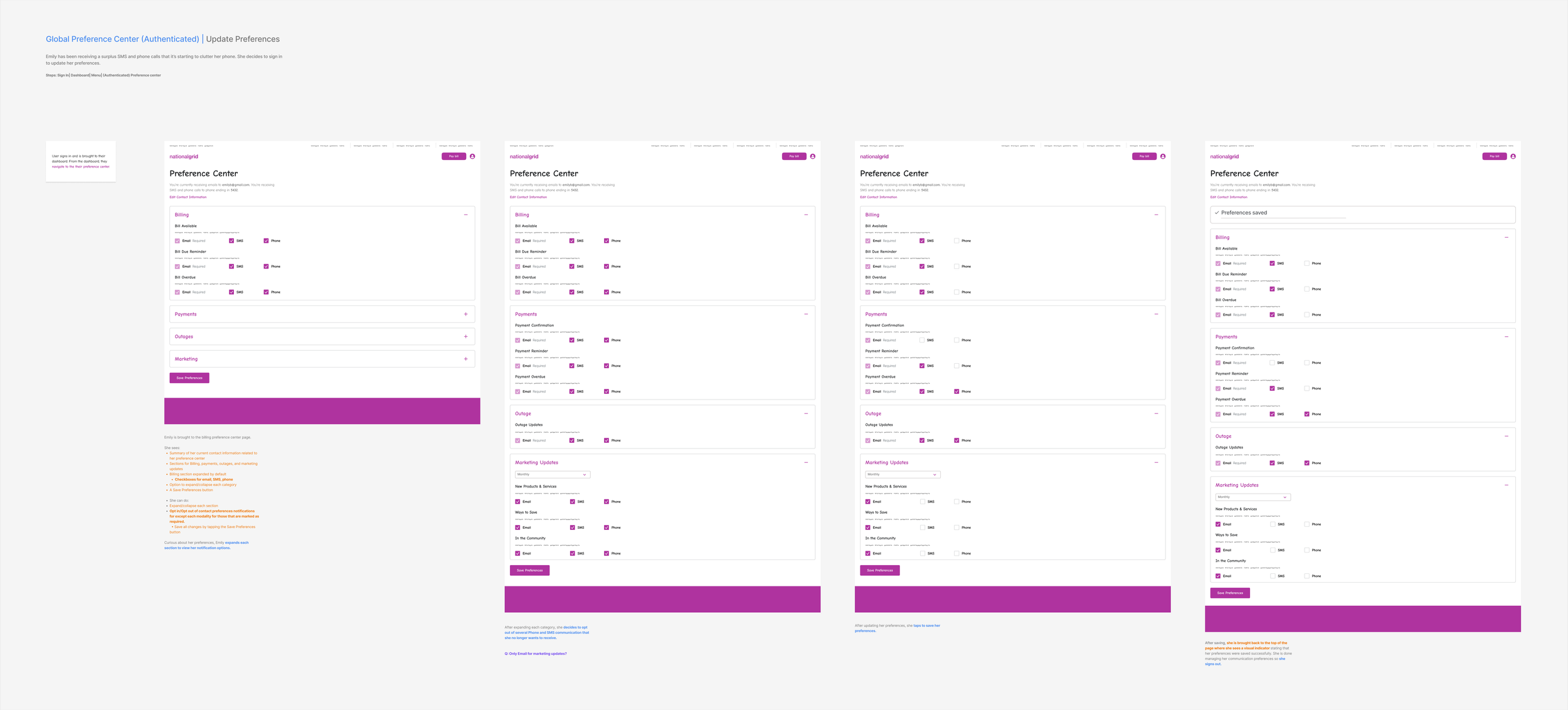
Authenticated (Desktop)
User: Emily has been receiving a surplus of SMS and phone calls from National Grid that it’s starting to clutter her phone. She decides to log into National Grid to update her preferences.
Rationale: When data fails to load, users shouldn’t be left wondering what went wrong.
Showing what’s available while being transparent about what’s missing keeps users informed without blocking their full experience.
PHASE 2: MOBILE
Building for Now, Designing for Later: Mobile
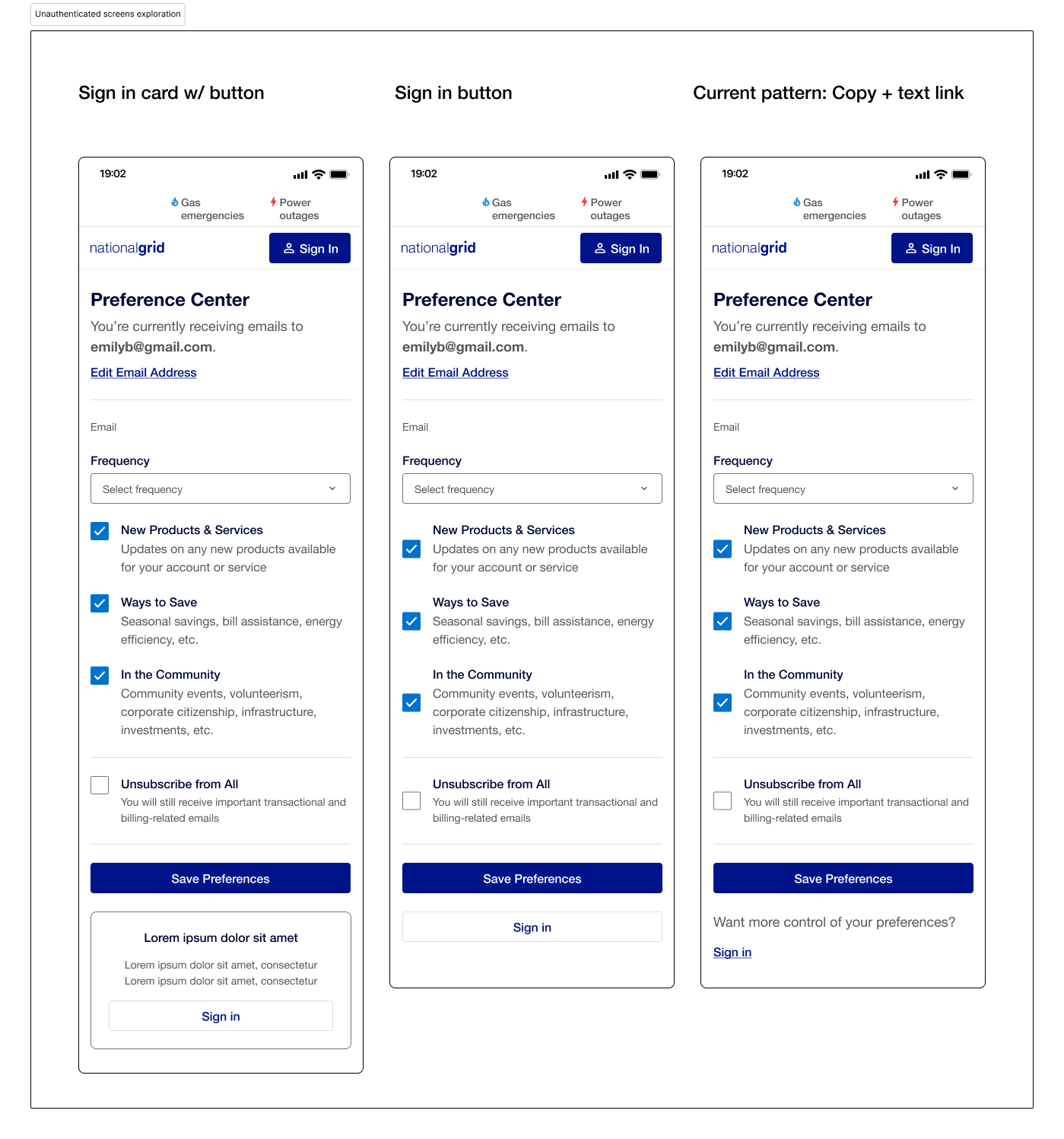
With the narrative aligned, we moved into design exploration by testing different layout approaches for both the unauthenticated and authenticated experiences on mobile.
Explored and tested multiple sign in layout patterns and hierarchy approaches, for the unauthenticated experience without overwhelming users who just want a quick change.
Unauthenticated Screen Exploration
Explored how users would land on the preference center and considering helper text, current preference state indicators, and how to set clear expectations before users dive in.
Entry Point Exploration
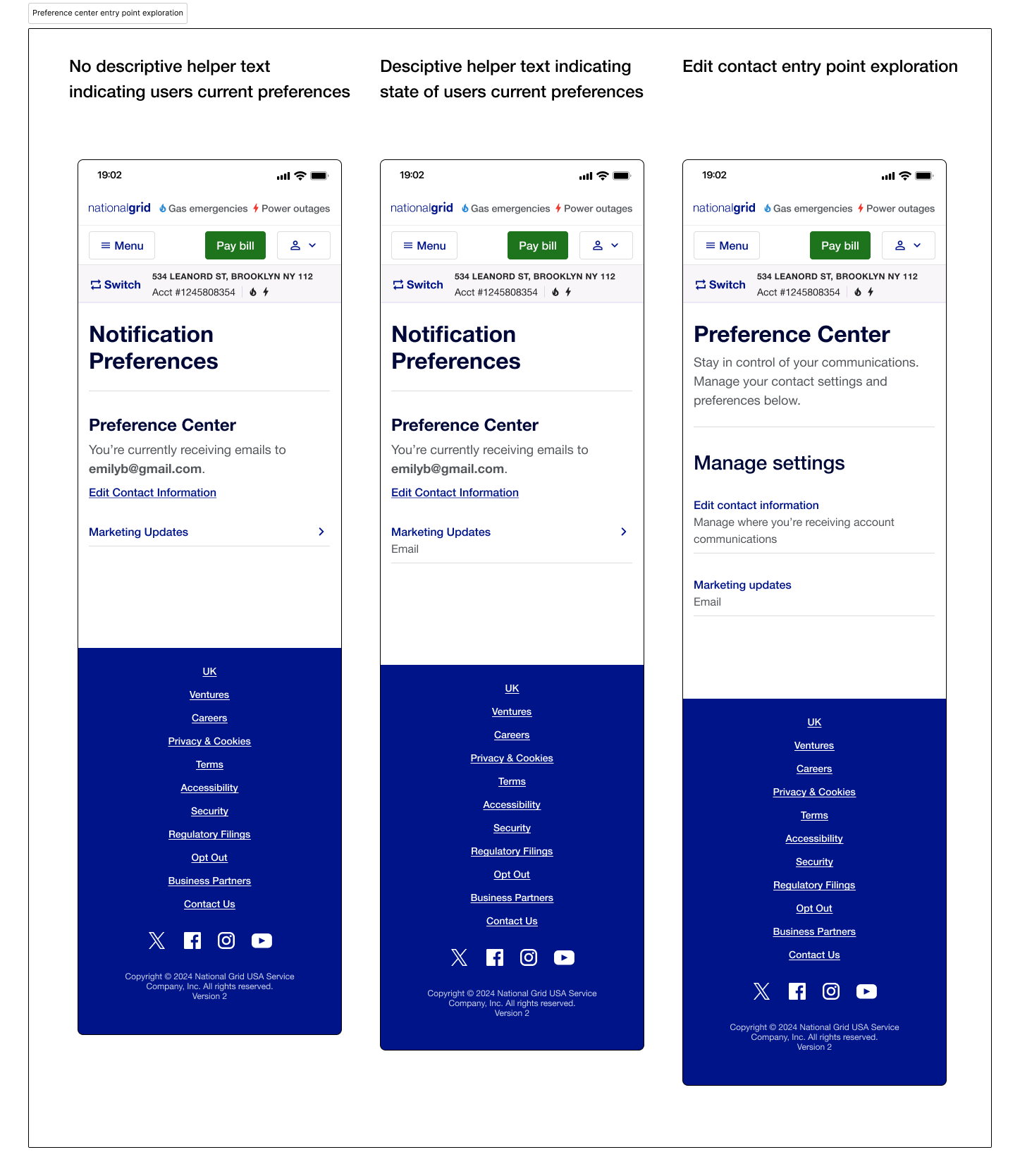
Explored how much descriptive text was needed to help users understand their options.
Authenticated Screen Exploration
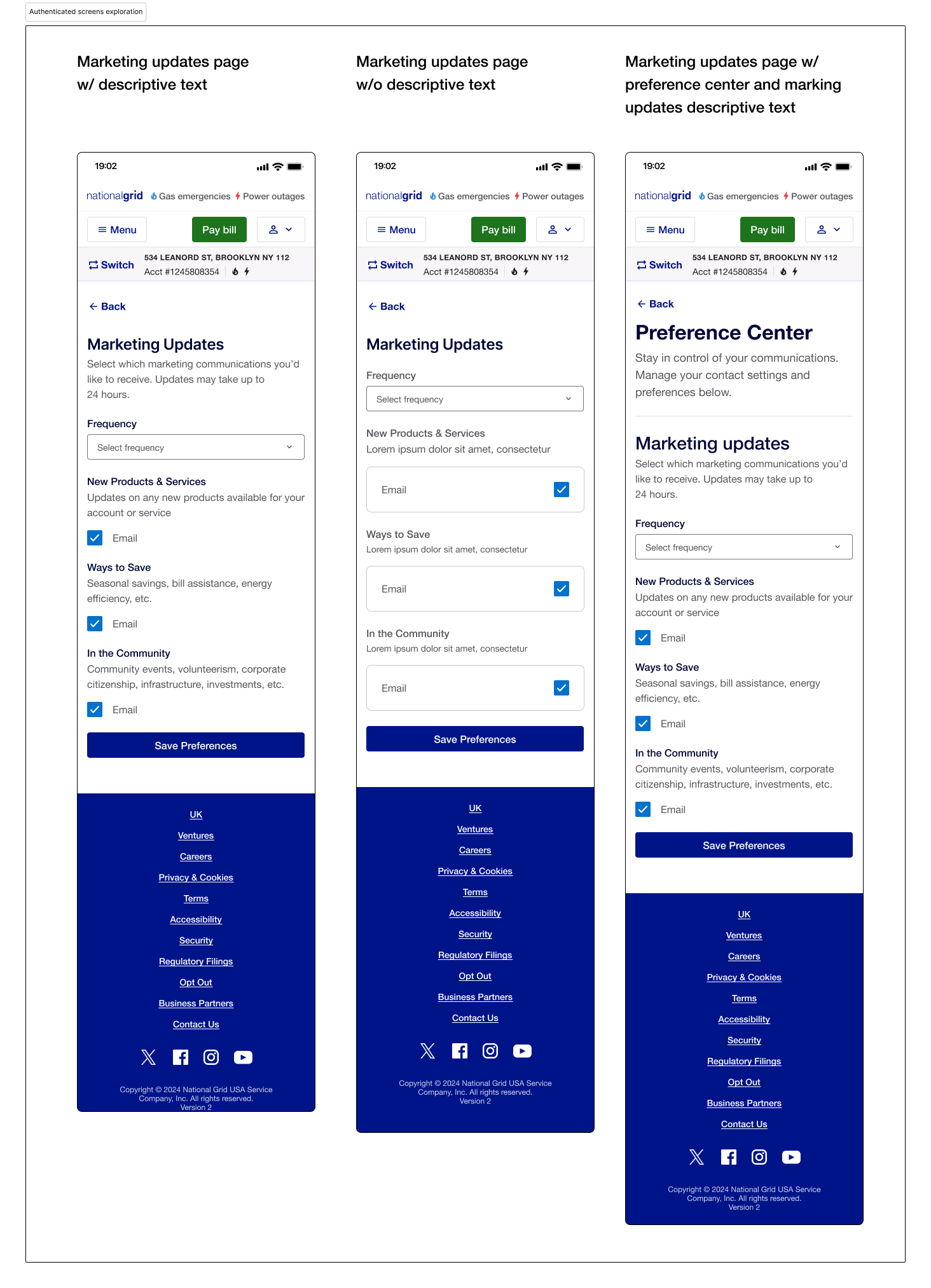
PHASE 2: DESKTOP
Building for Now, Designing for Later: Desktop
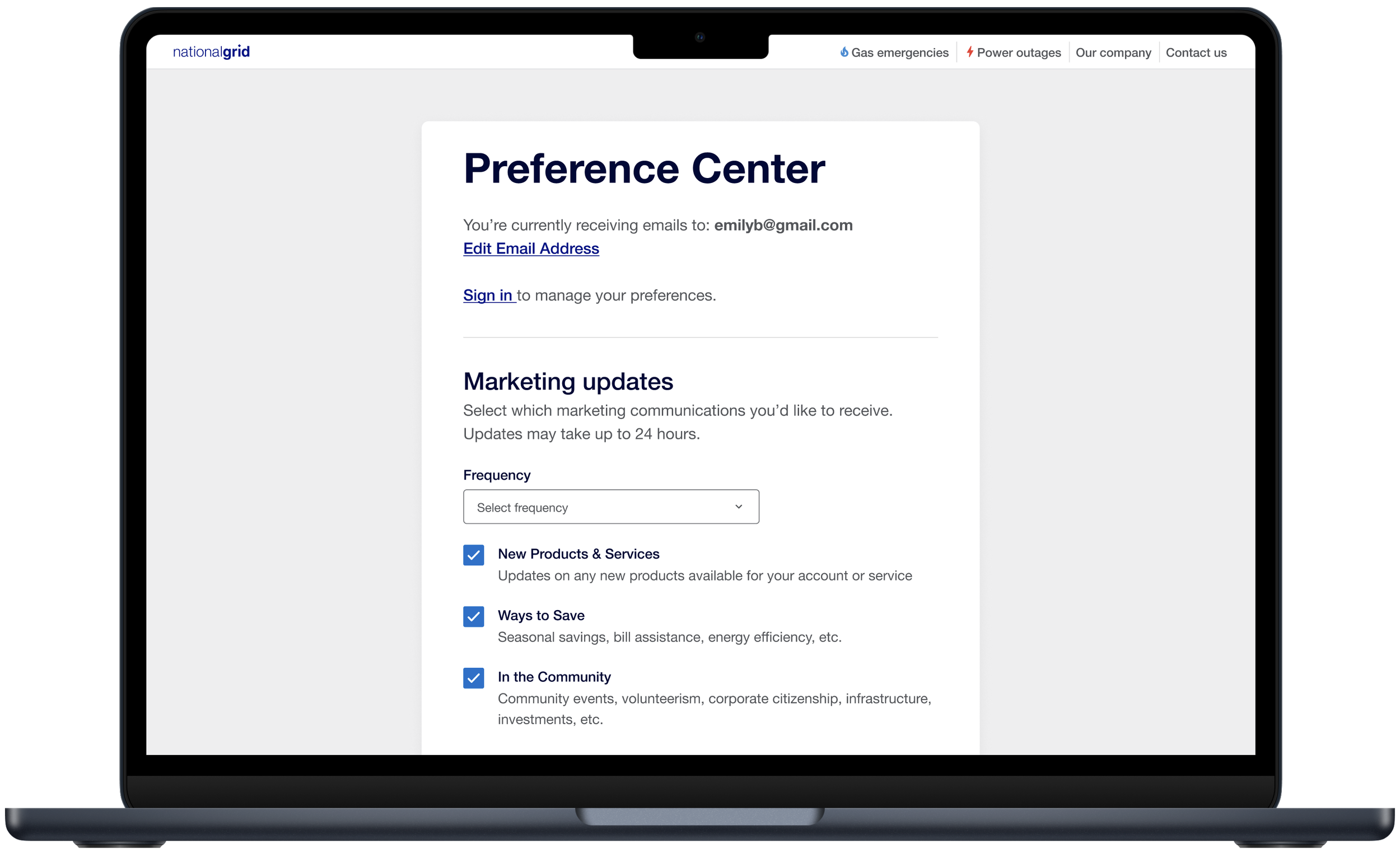
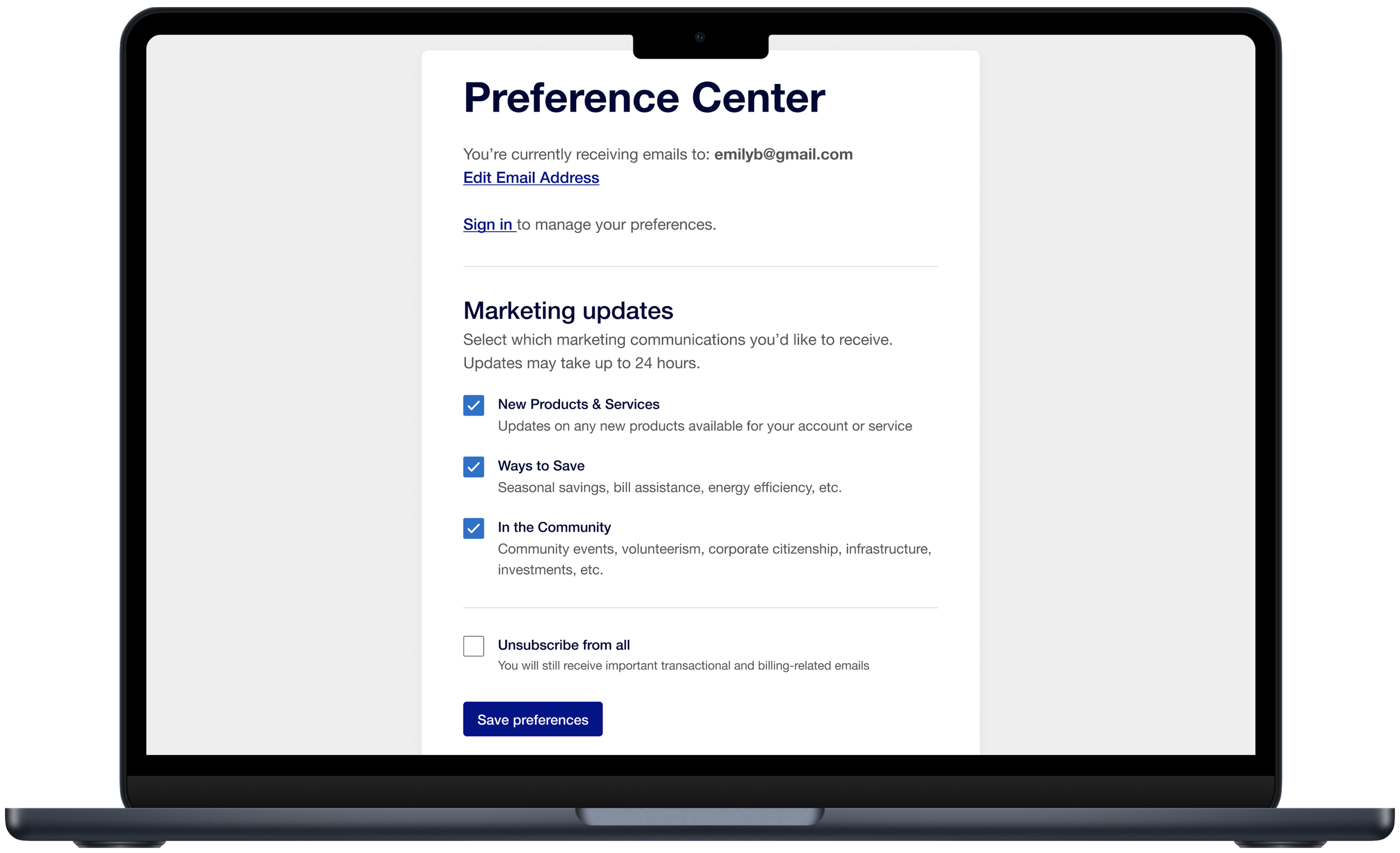
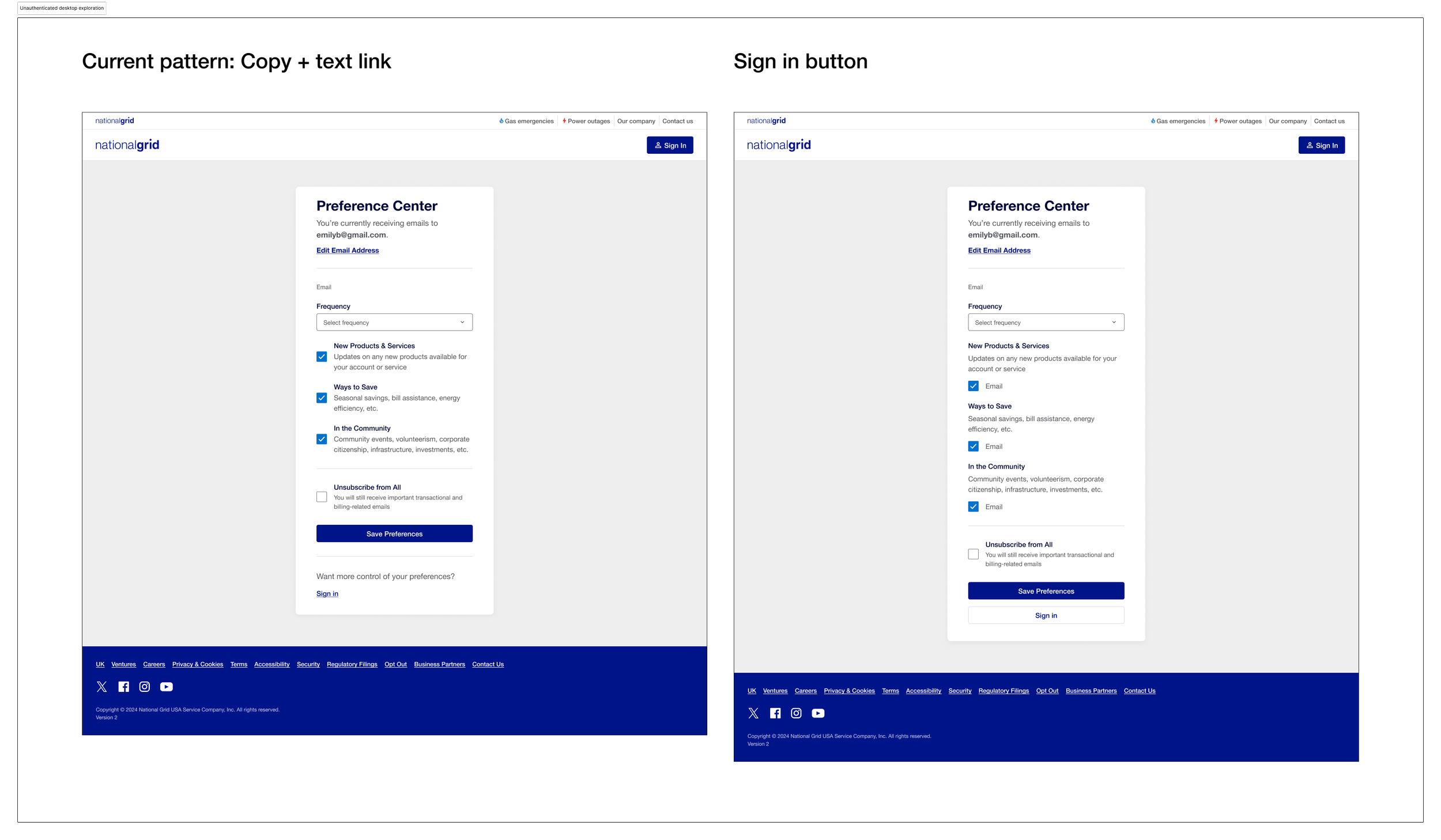
Compared the current copy and text link pattern against a more prominent sign in button to determine which approach felt clearer without making sign in feel mandatory.
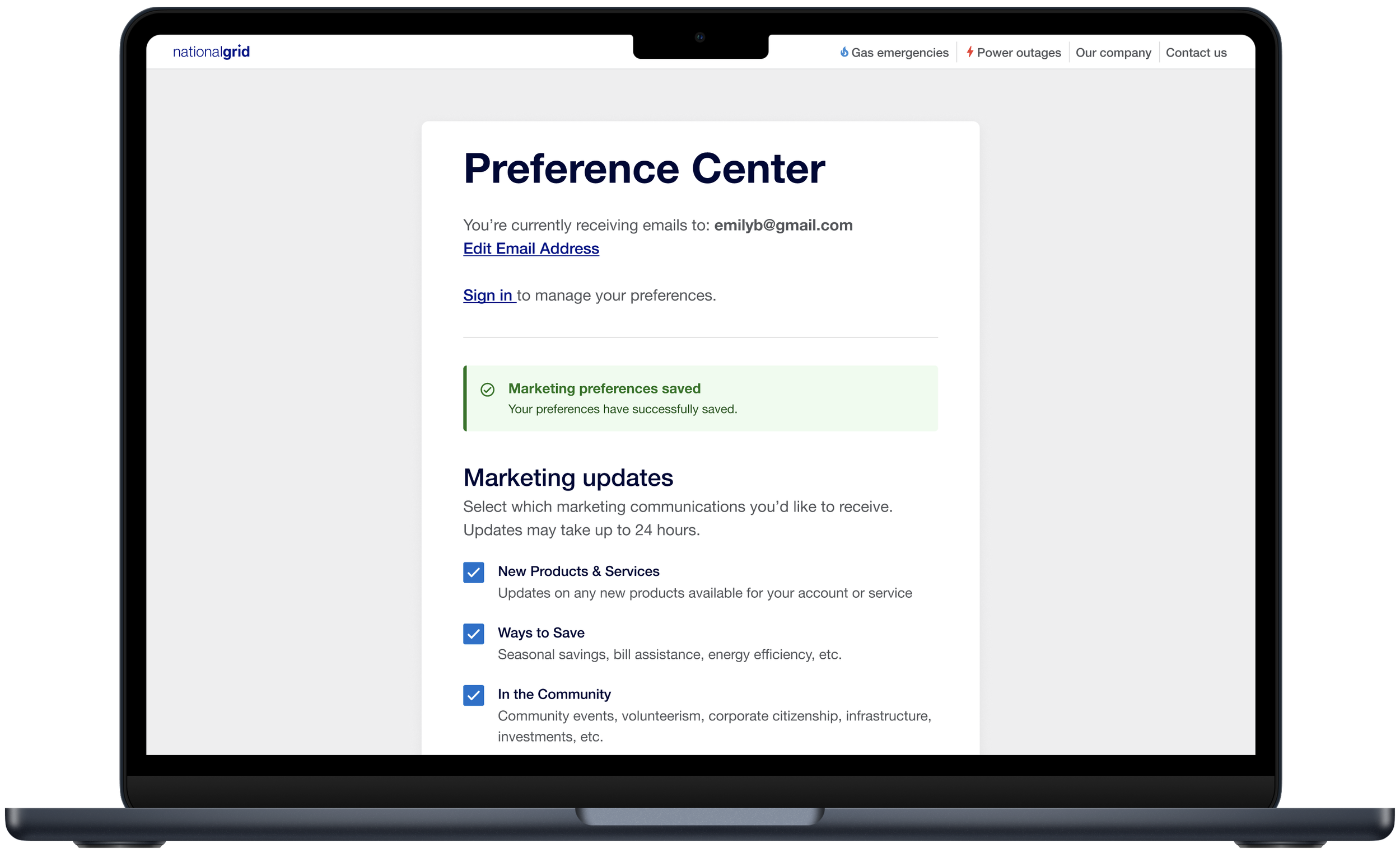
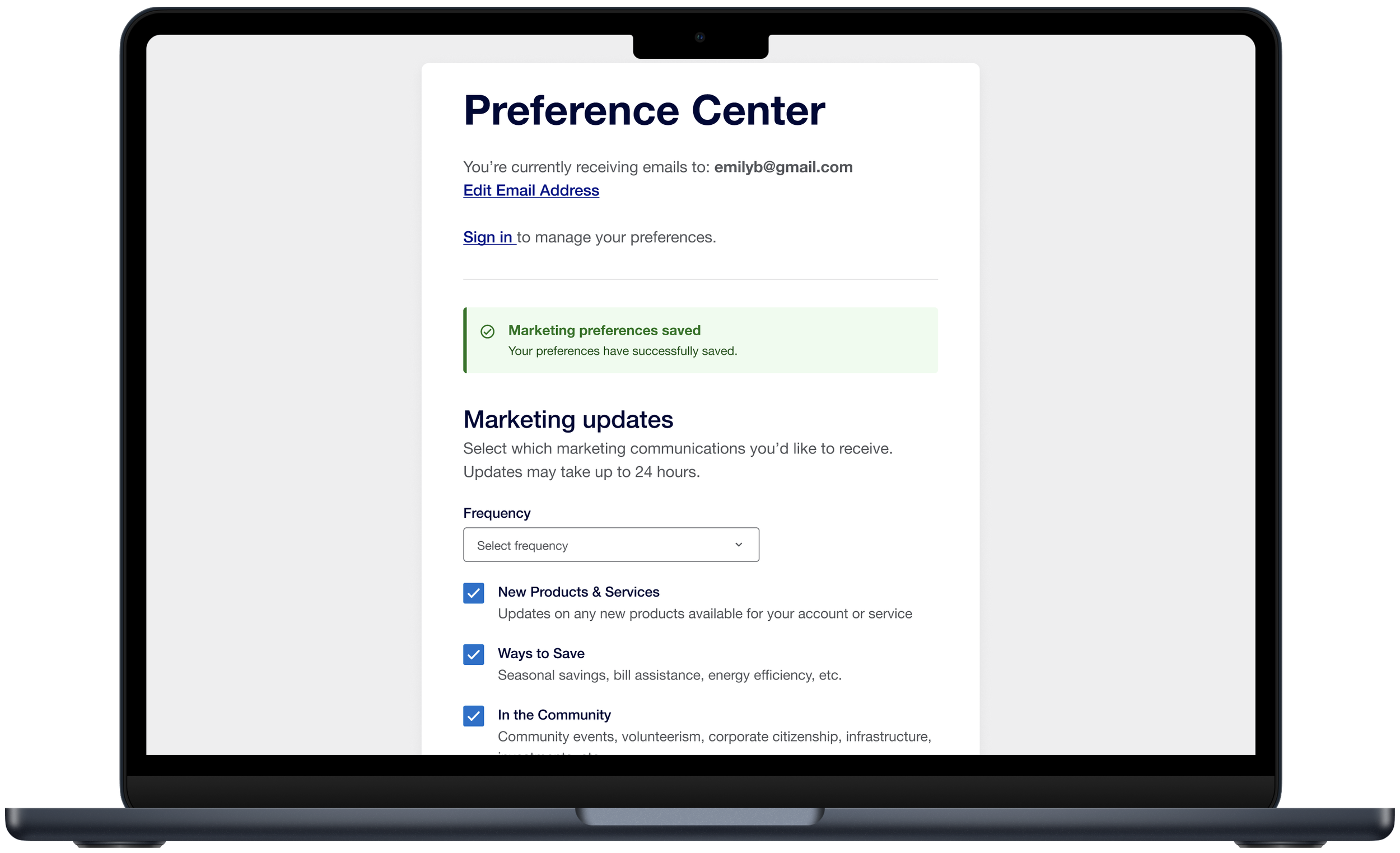
Unauthenticated Screen Exploration
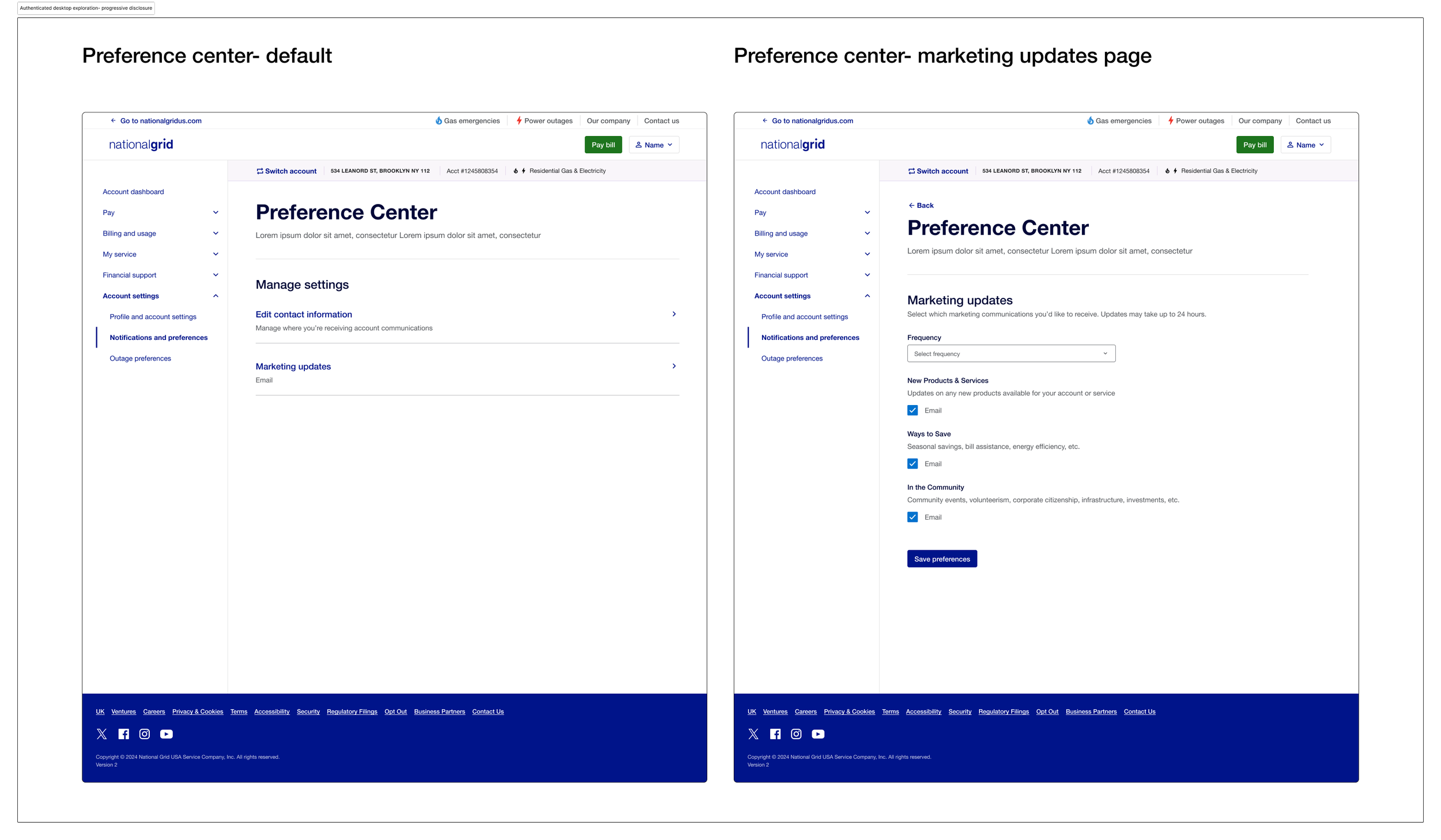
Authenticated Exploration- Progressive Disclosure
Tested a two step navigation pattern where users land on a high level preference center and navigate into specific categories.
This approach reduces cognitive load on the landing page but adds an extra step for users who know exactly what they want to update.
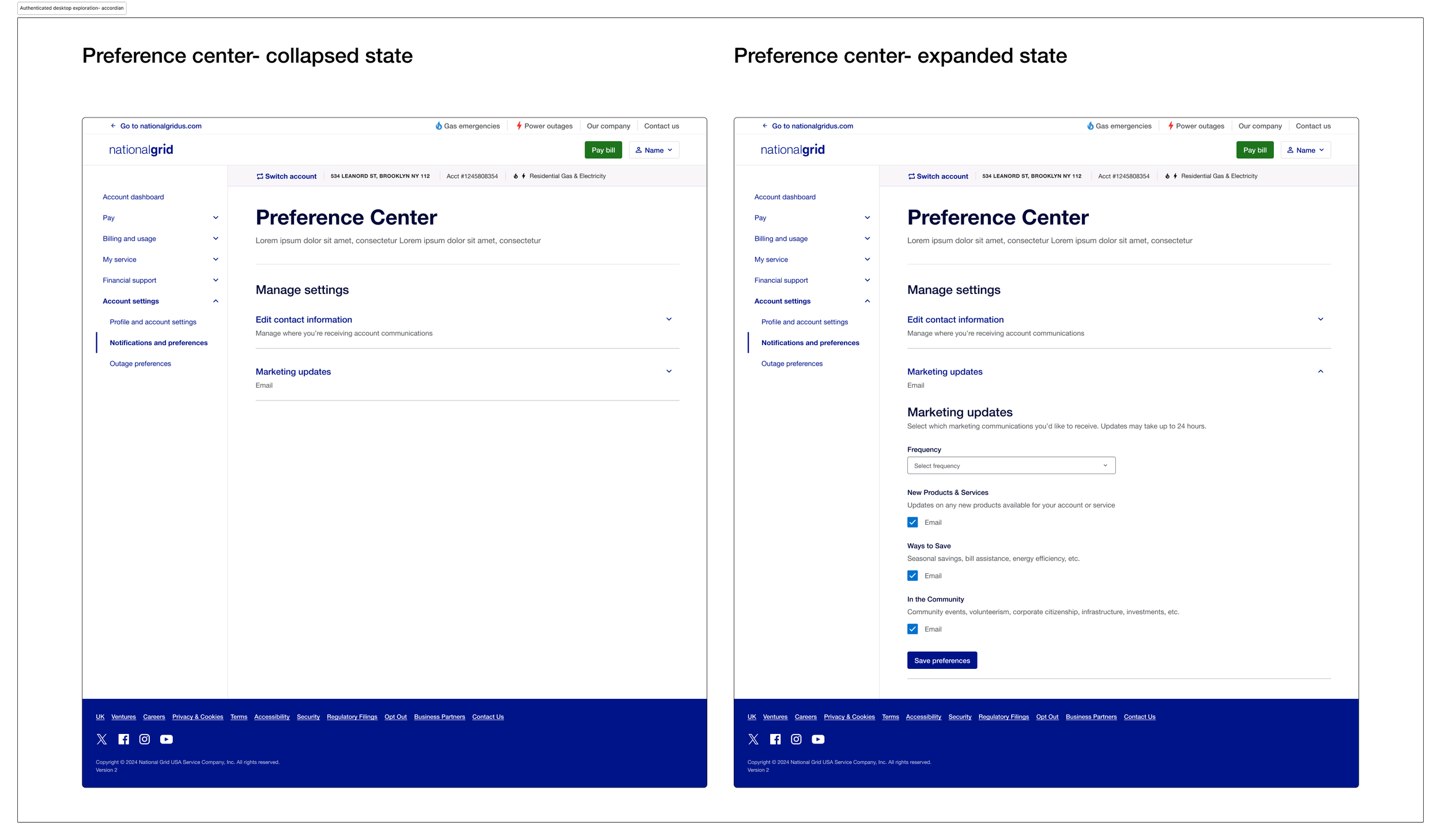
Explored an accordion pattern with all categories collapsed by default and expanded inline. Compared collapsed and expanded states to evaluate how the layout handled increasing amounts of content without requiring users to navigate away from the page.
Authenticated Exploration- Accordion
HANDOFF AND NEXT STEPS
Next Steps
The unauthenticated preference center has been handed off to product is in the process of being delivered.
The authenticated experience is currently on hold pending several open architectural questions that directly impact how the experience can be built. Specifically the team is waiting on clarity around how customer identity and preference ownership will be handled since customers may have multiple accounts per email or multiple emails per account, decisions around where preferences live and how changes apply across accounts need to be resolved first.
Once next steps are confirmed, the authenticated experience will move forward as iteration 2. Future iterations are also expected to expand beyond marketing emails to include transactional communications, billing and payment notifications, outage alerts, and SMS preferences, thus building on the scalable foundation established in this first iteration.
Mobile Designs
-
![]()
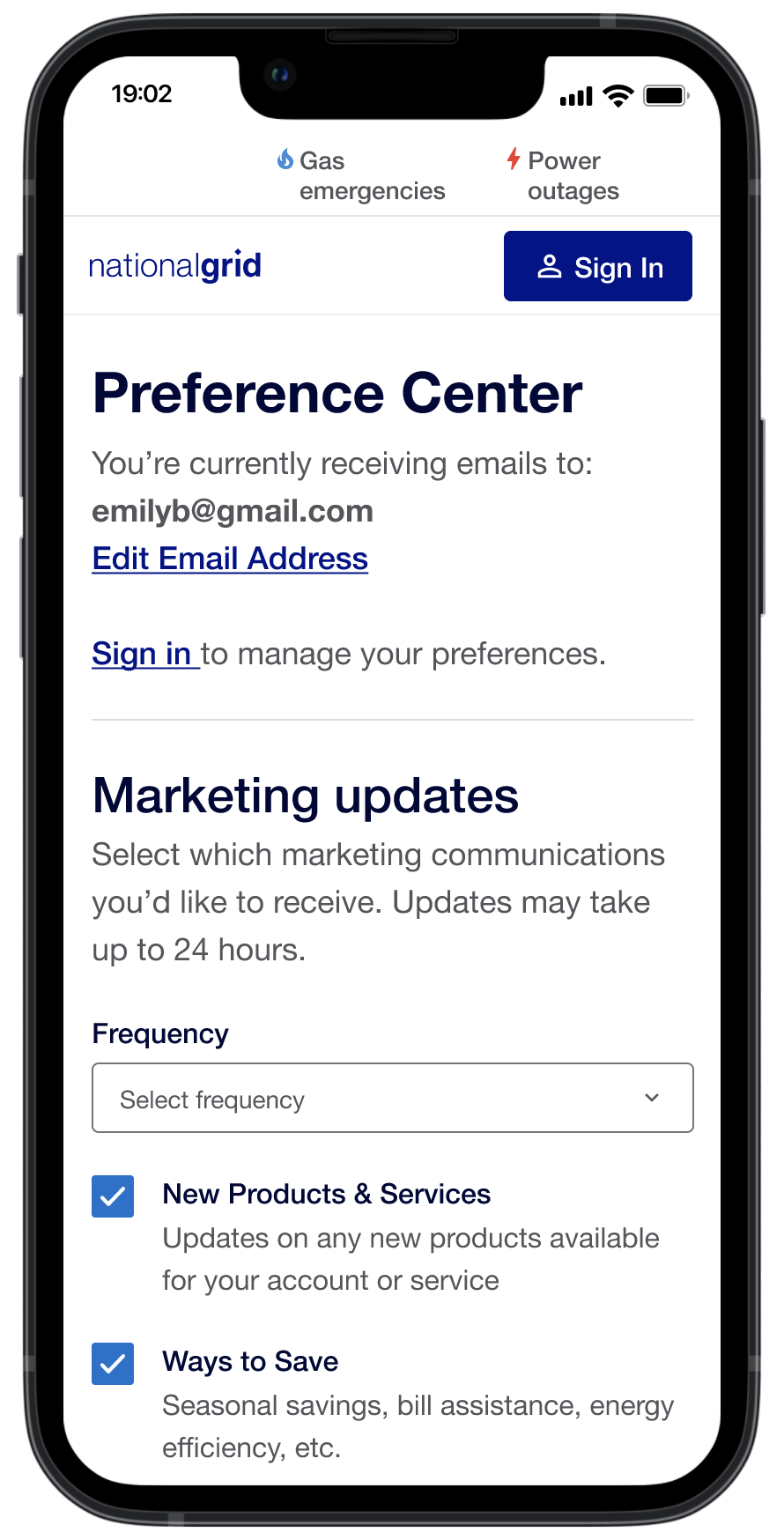
Unauthorized w/ frequency drop down
-
![]()
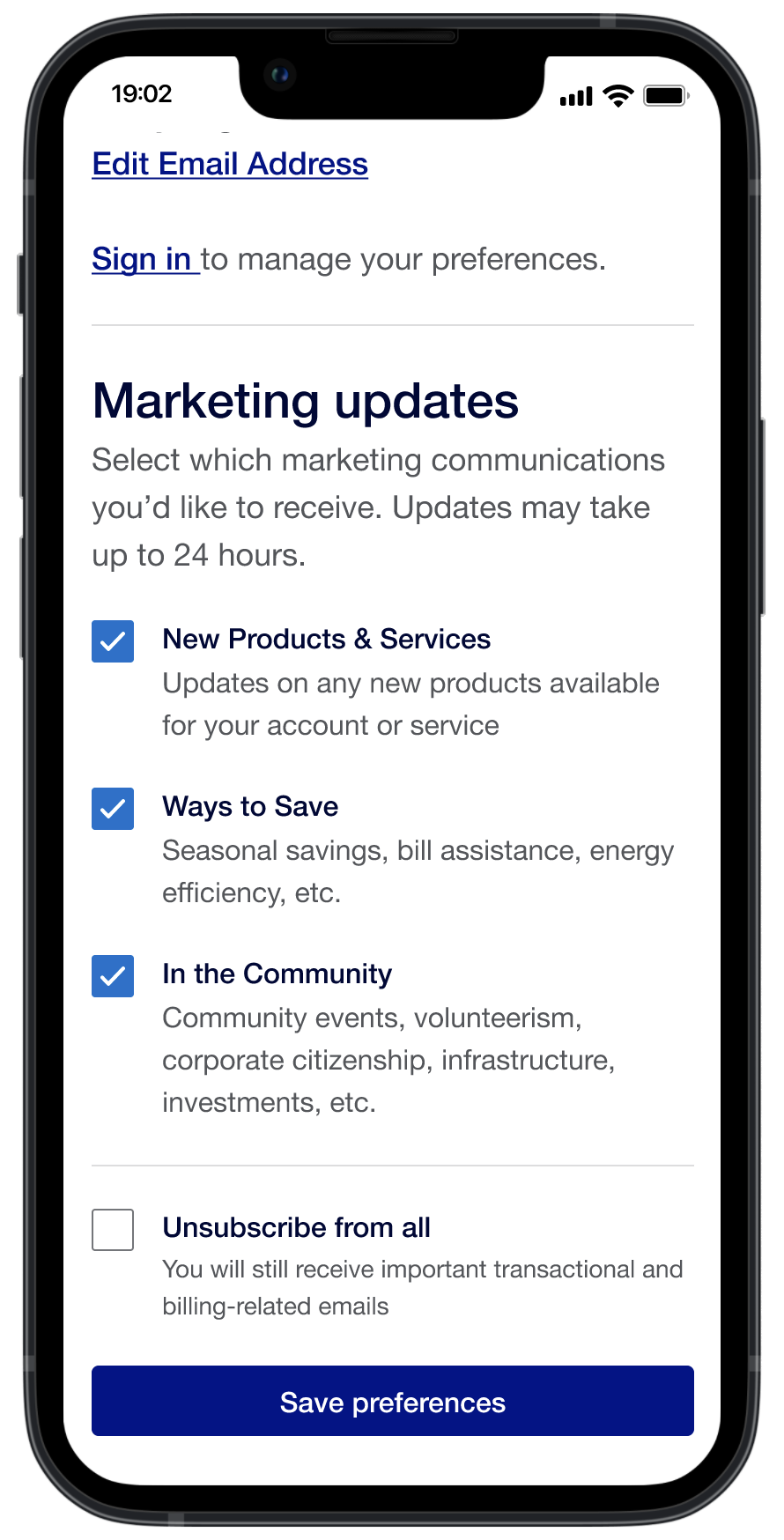
Unauthorized w/o frequency drop down
-
![]()
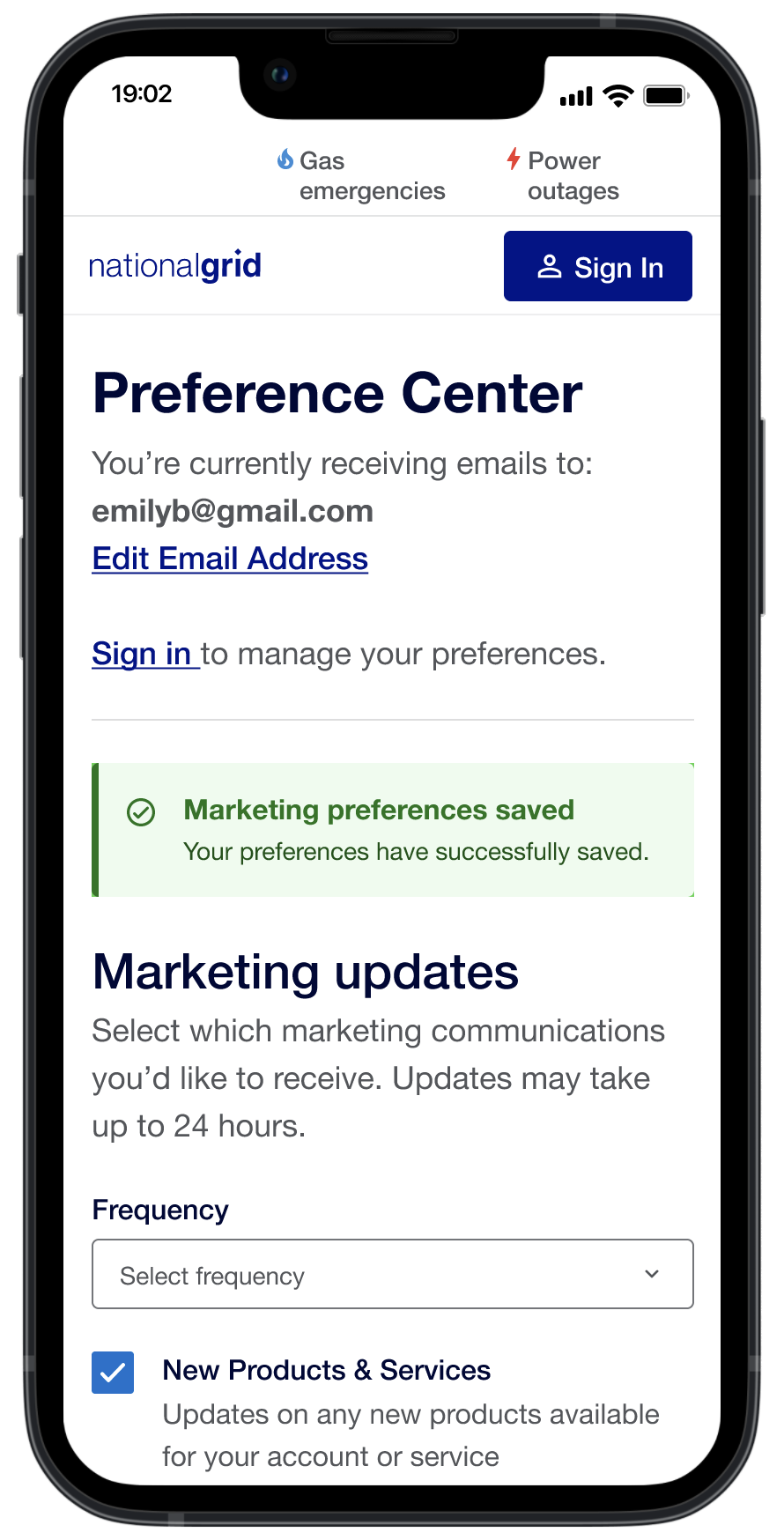
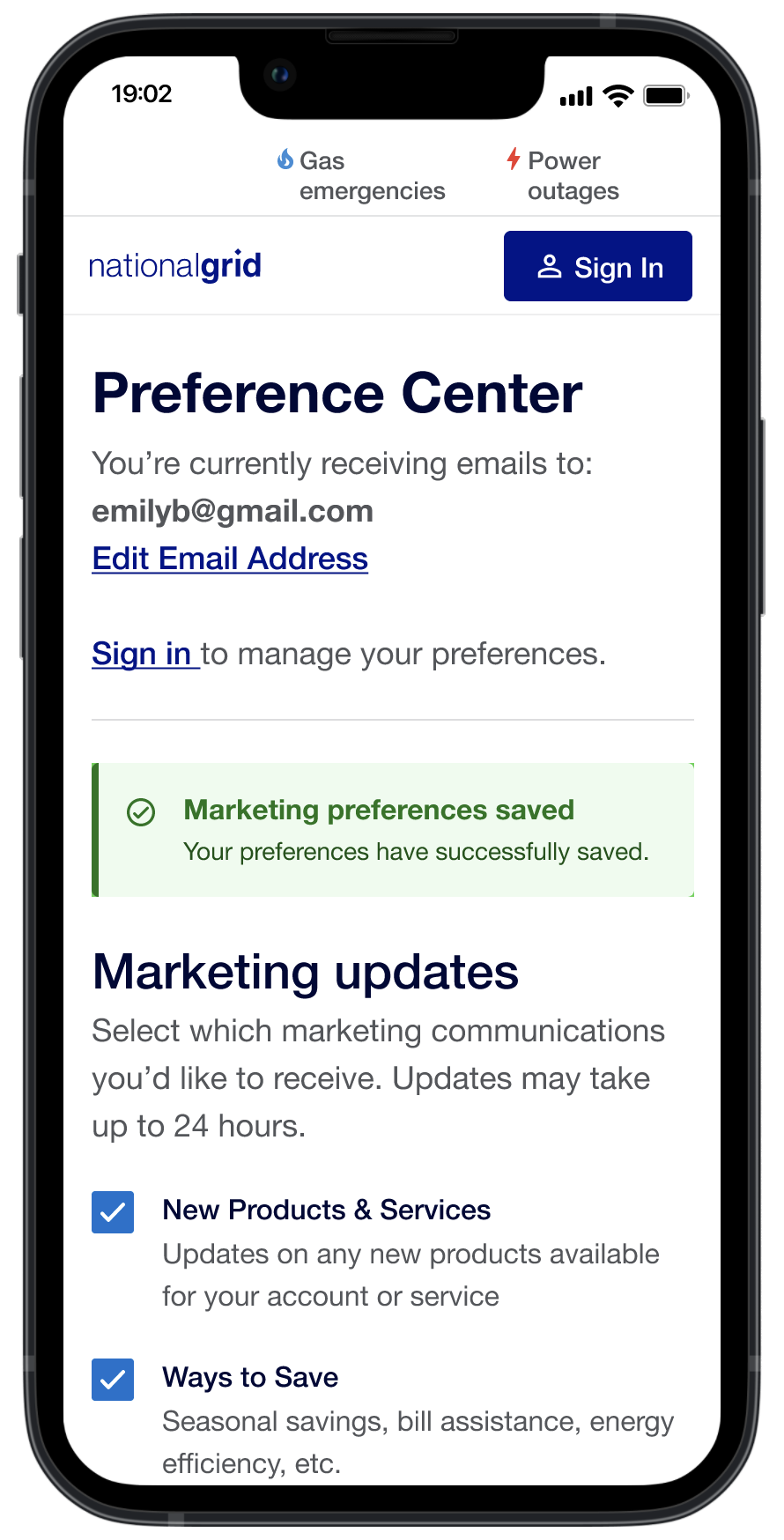
Success alert: Unauthorized w/ frequency drop down
-
![]()
Success alert: Unauthorized w/o frequency drop down
-
![]()
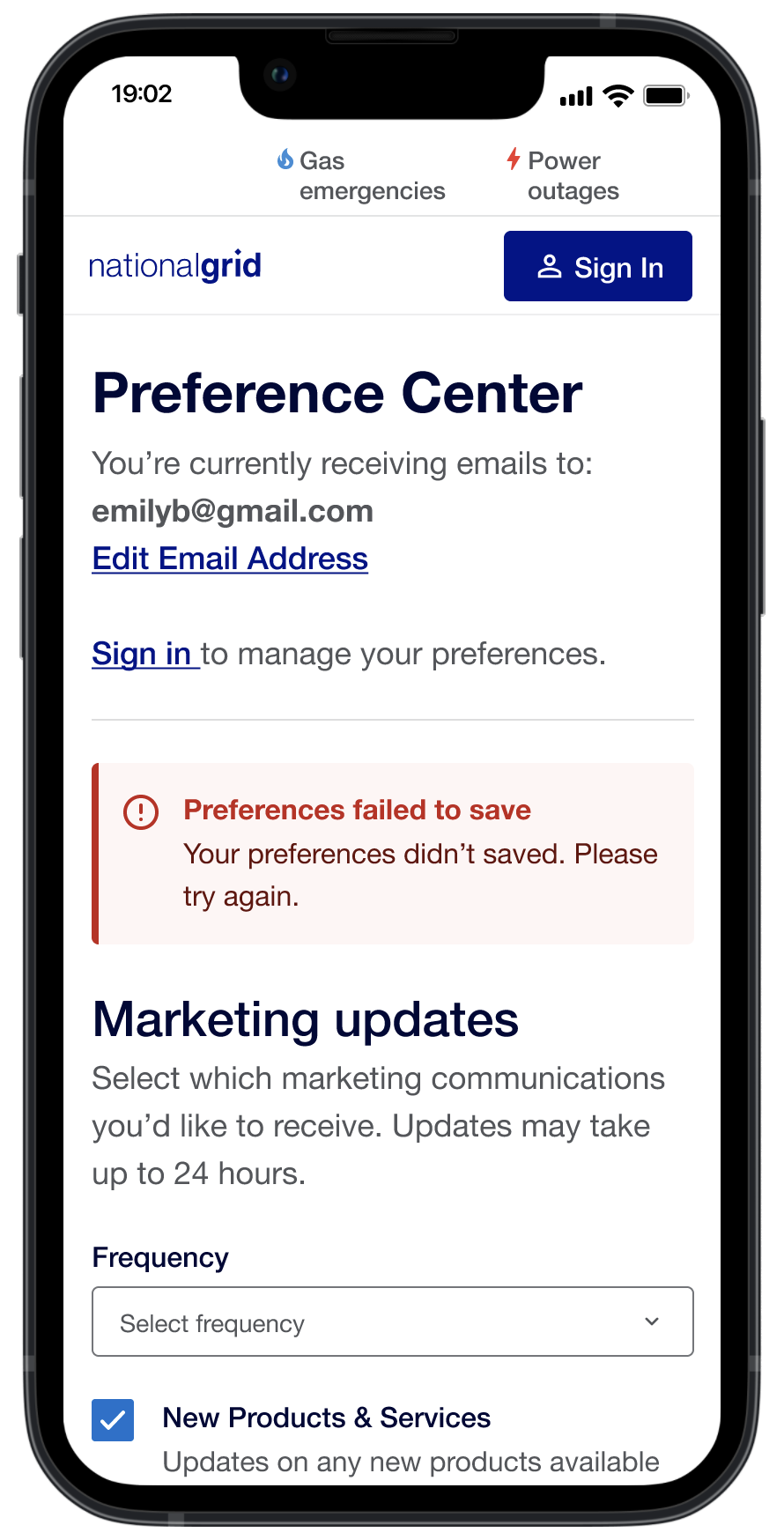
Failed alert: Unauthorized w/ frequency drop down
-
![]()
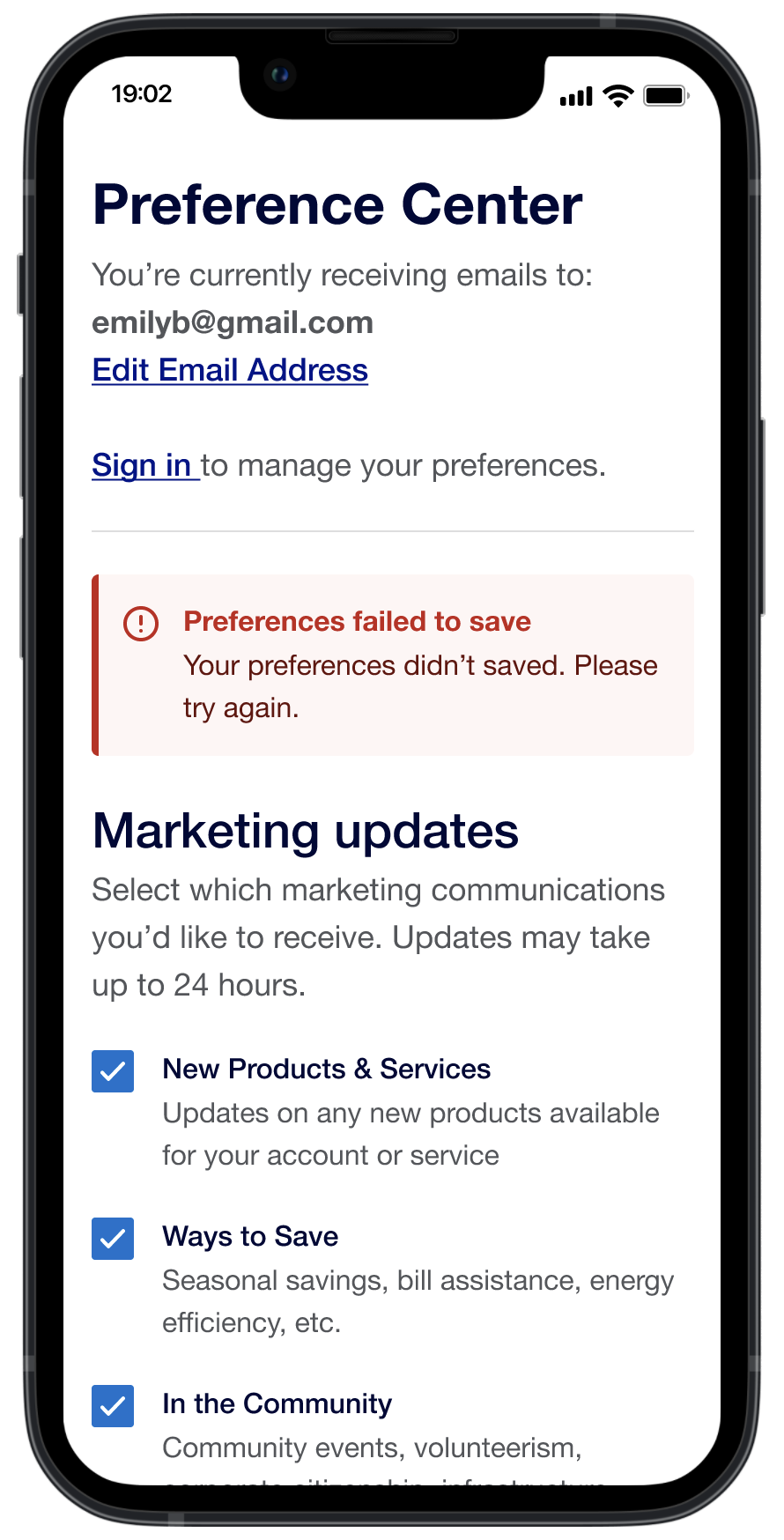
Failed alert: Unauthorized w/o frequency drop down
Desktop Designs
-
![]()
Unauthorized w/ frequency drop down
-
![]()
Unauthorized w/o frequency drop down
-
![]()
Success alert: Unauthorized w/o frequency drop down
-
![]()
Success alert: Unauthorized w/ frequency drop down
-
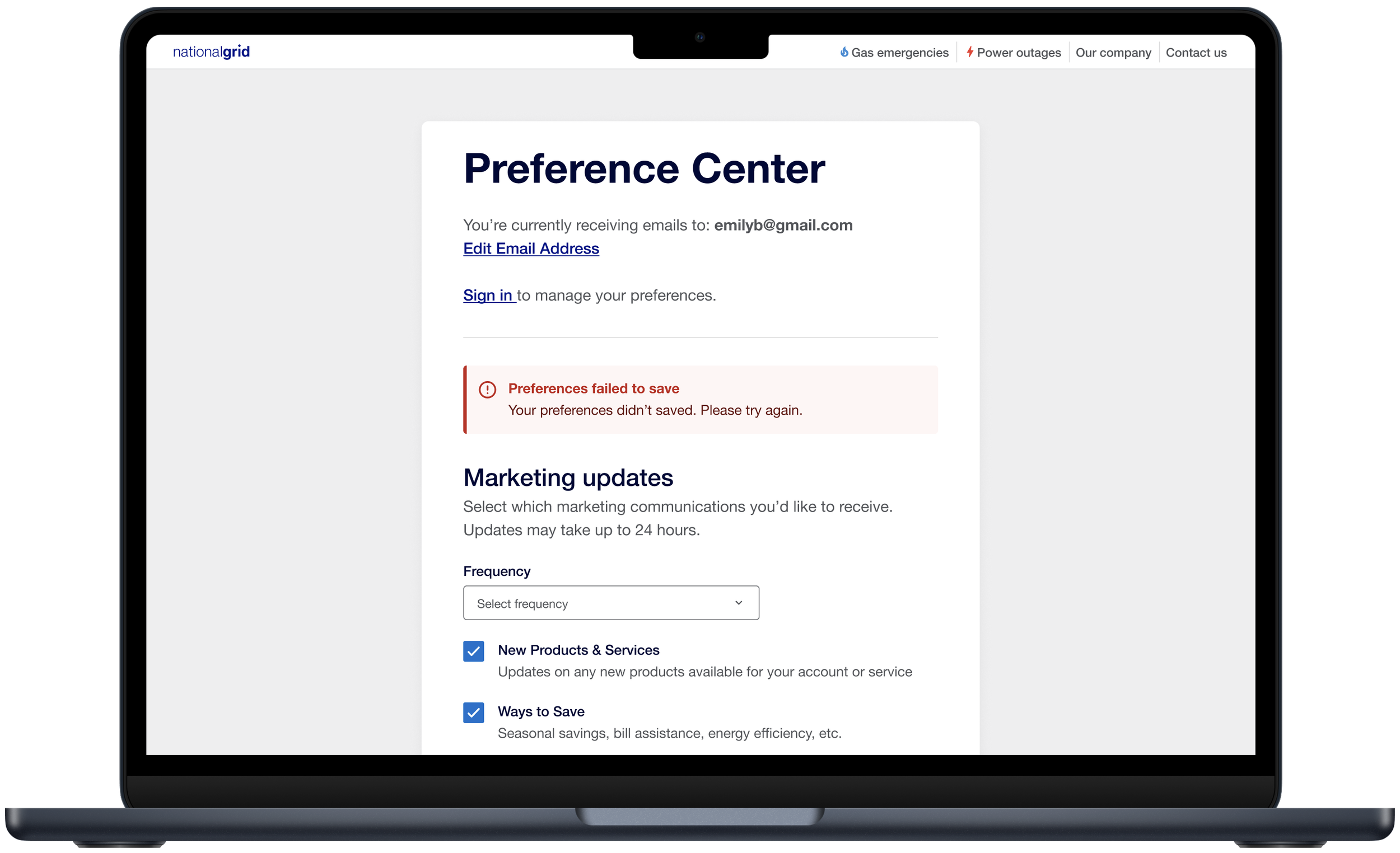
![]()
Failed alert: Unauthorized w/ frequency drop down
-
![]()
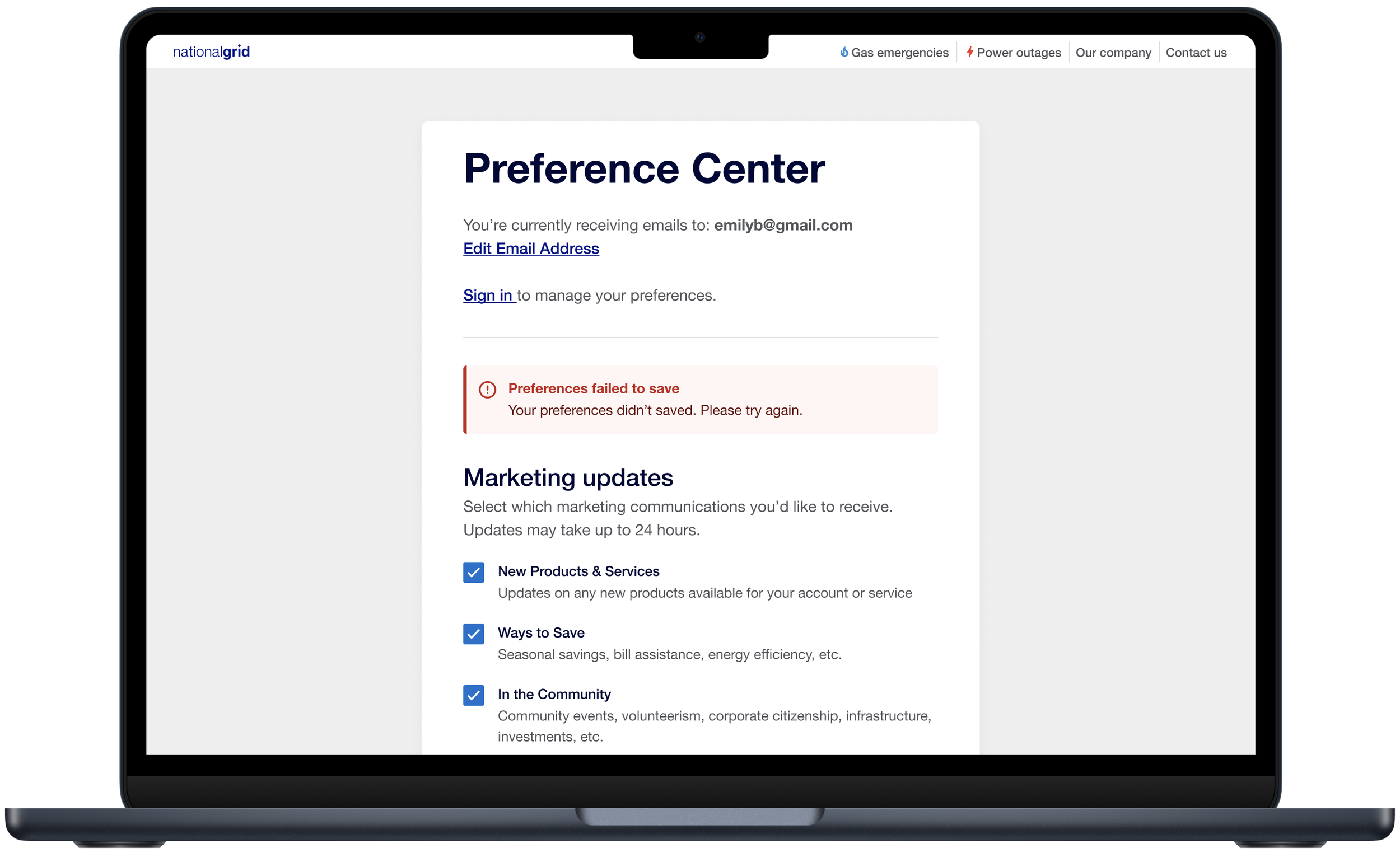
Failed alert: Unauthorized w/o frequency drop down