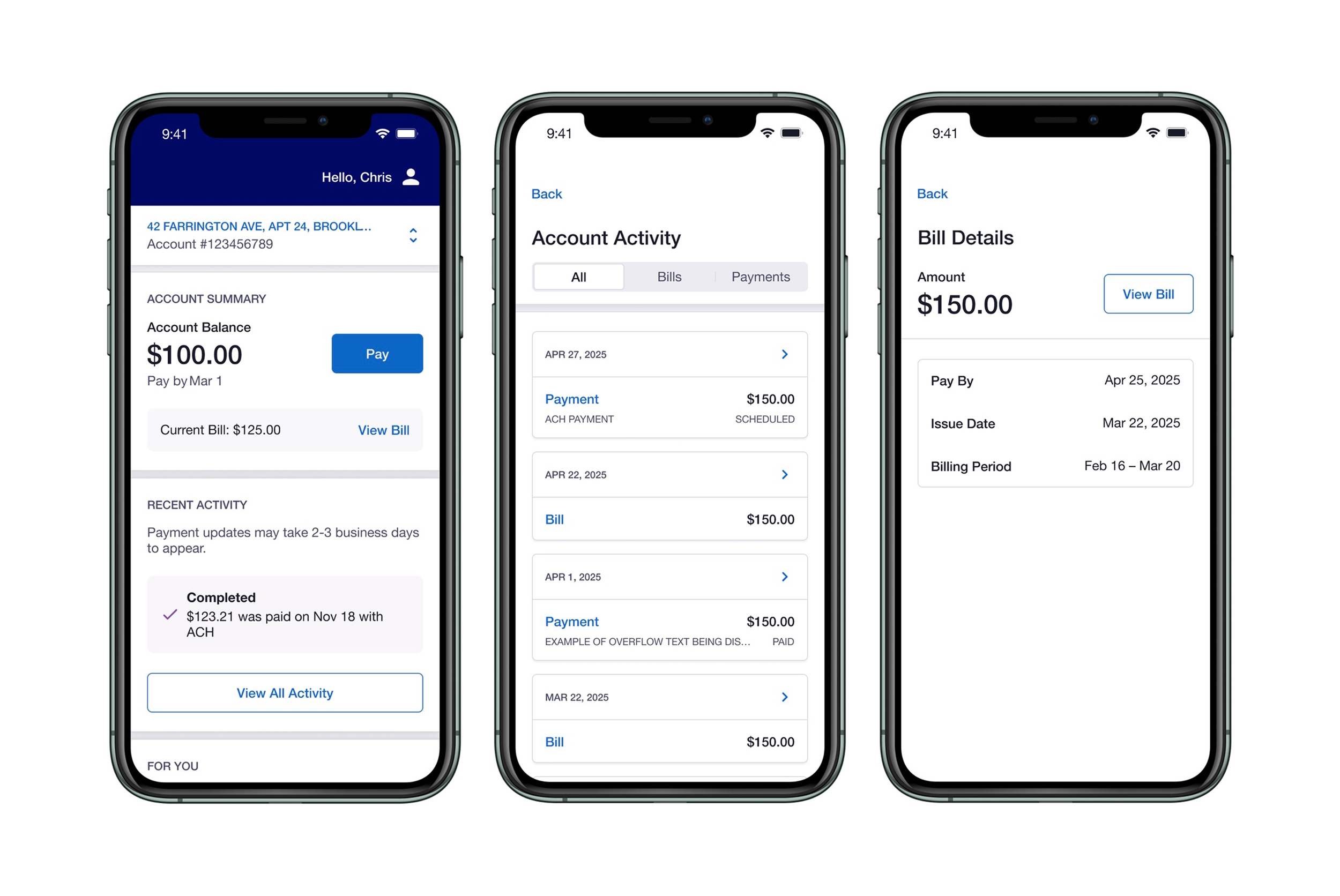
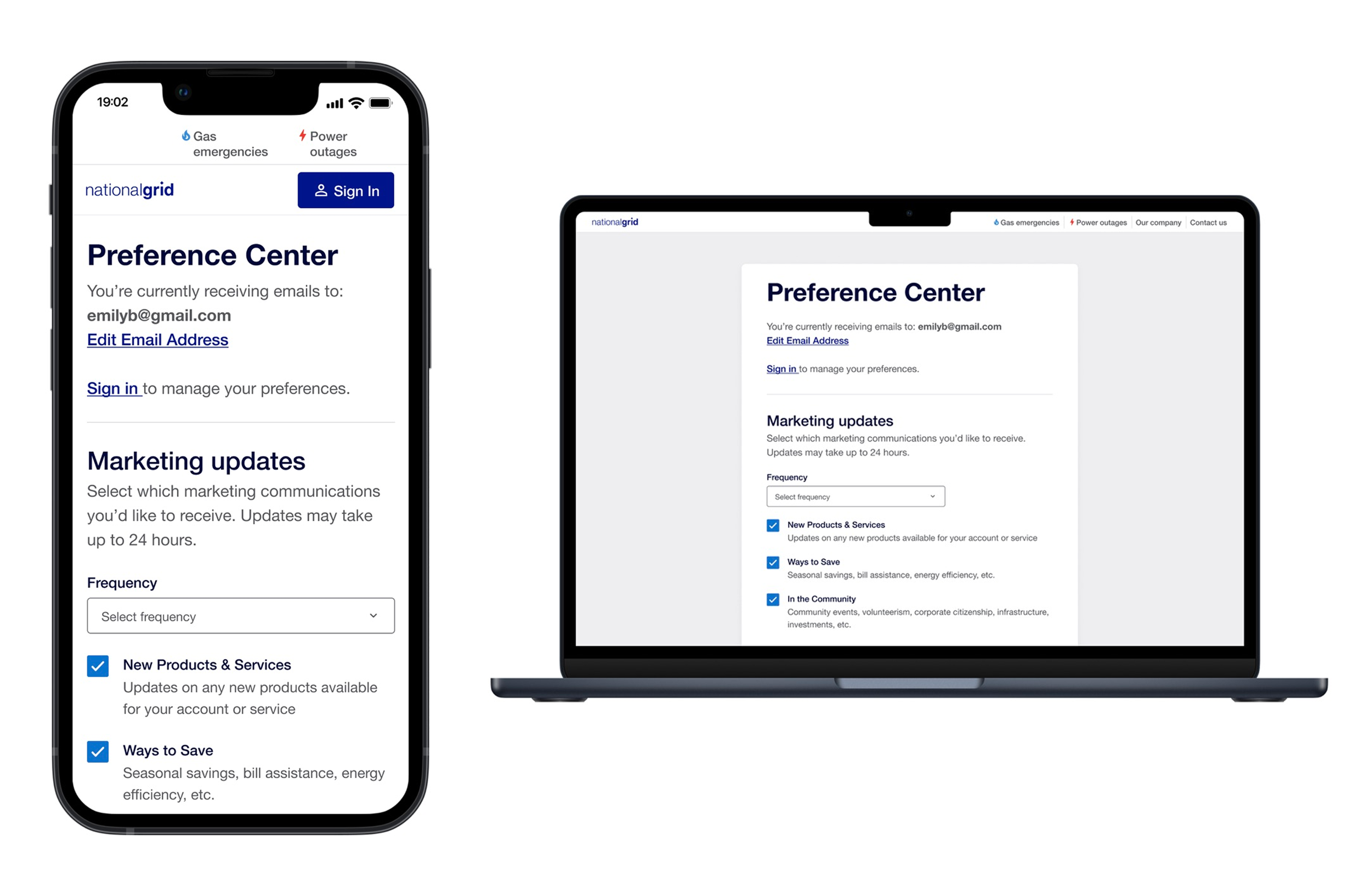
Community Solar Validation
Replacing a manual, excel-based workflow with a self service experience for solar host customers.
OVERVIEW
Solar Validation improved how Distributed Generation (DG) customers located in Massachusetts (MA) and New York (NY) navigate and complete solar-related workflows within the digital experience.
As the sole product designer, I owned the end-to-end design of the allocation form, validation patterns, submission flows, and post-submission states. I partnered with design leads on research and design reviews and worked directly with engineering to navigate technical constraints.
Solar Validation launched January 2026 as an MVP pilot to 11 Massachusetts accounts. This is first time solar customers could submit monthly credit allocations directly through My Business Account (MBA).
TEAM AND DURATION
1 Product designer (me)
2 Product design leads
1 Product design manager
January 2025- January 2026
PRODUCT CONTEXT
Bringing Clarity to a Complex Solar Allocation Process
Background: Solar host customers are responsible for allocating solar credits across multiple accounts, a process that directly impacts billing accuracy and financial outcomes. This workflow relied on manual steps, external files, and complex state-specific rules, making submissions time-consuming and error-prone.
Key Challenges and Constraints:
State-specific rules differ between MA and NY, requiring different flows and validation logic
Strict submission windows tied to meter read dates
No visibility into submission status
Fully manual, file dependent workflow
PHASE 1
Research & Early Exploration
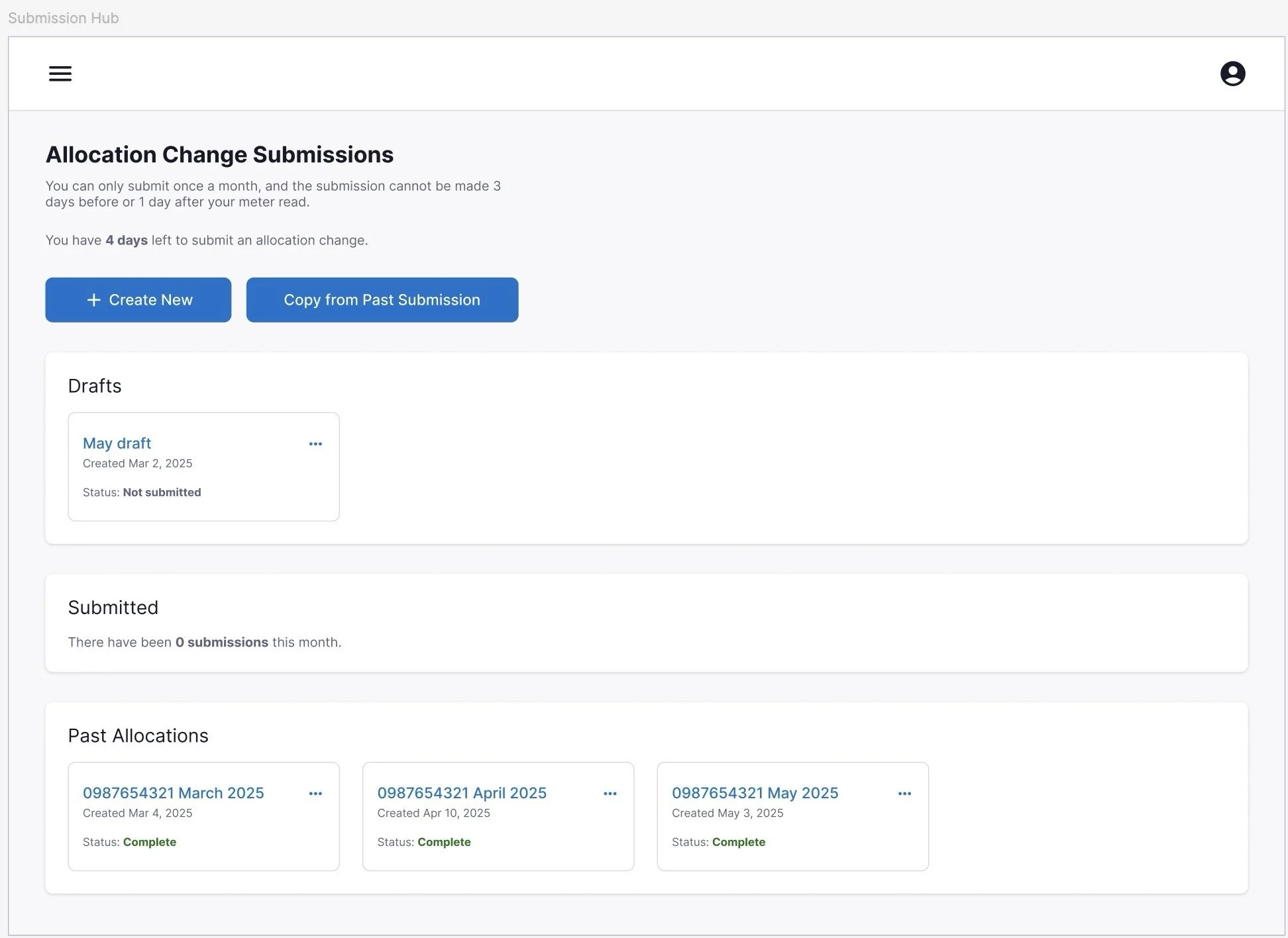
The team began by exploring a broader vision for a centralized submission hub where users could create, manage, and track all allocations in one place. We tested early concepts with solar host customers through moderated interviews. This concept was ultimately deferred in favor of a more focused MVP, but research and exploration from this phase directly shaped the final design.
Key Findings
Less manual work, not a better manual process
Users wanted automation, pre-populated fields, and less repetitive data entry and not just a digital version of the same spreadsheet.
Excel was the source of truth
Most users preferred working in their own spreadsheets and handing off information, rather than managing everything inside a new tool.
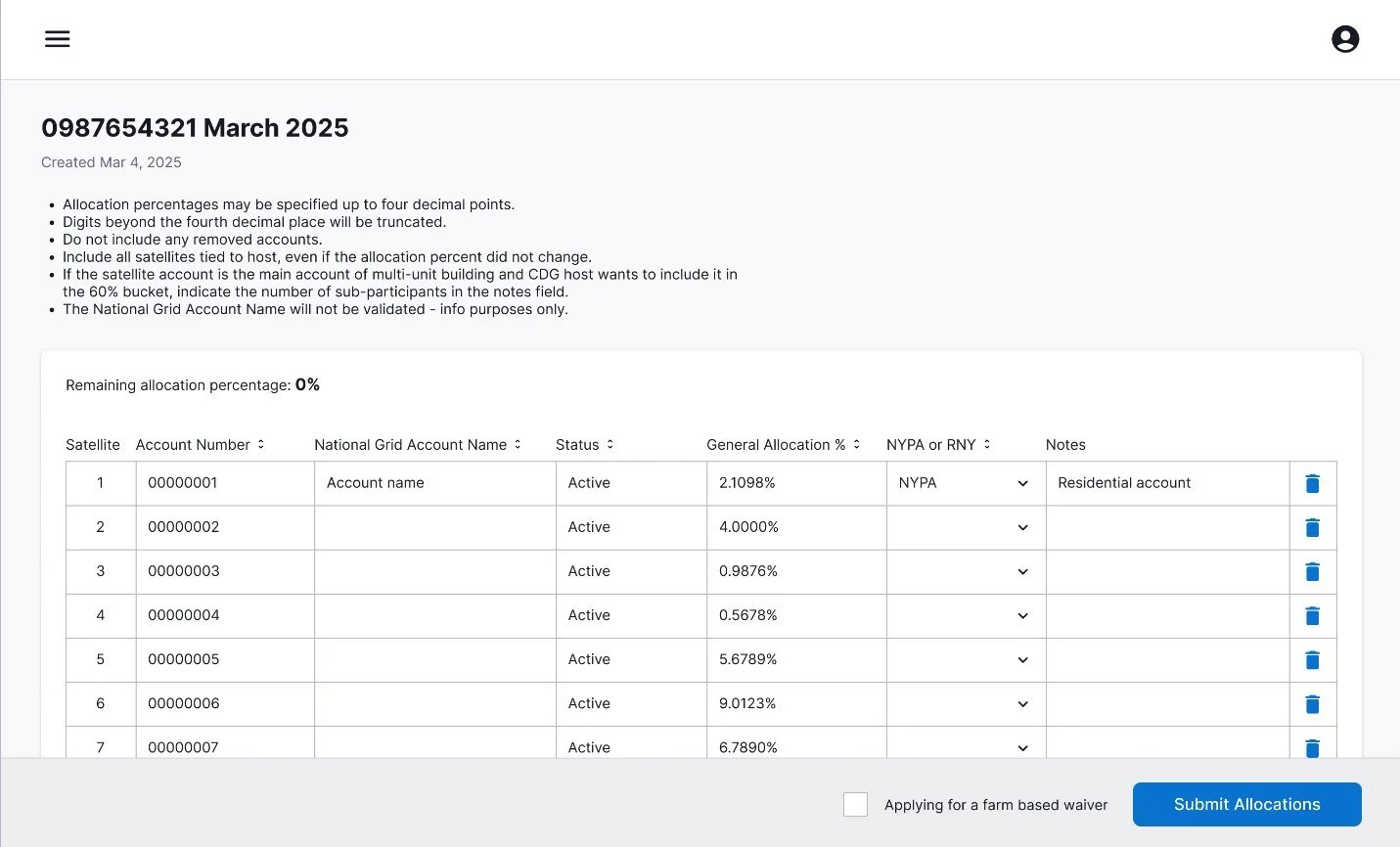
Submission visibility was critical
Users had no way to know what had been submitted, what was pending, or whether they could resubmit.
Why the Scope Narrowed
The hub wasn’t rejected but it was deferred as part of a phased strategy. Engineering constraints meant account validation had to happen asynchronously rather than in real time. The editable allocation table required proof-of-concept work just to confirm feasibility. MA and NY had significantly different business rules, adding complexity. The team made the strategic decision to focus the MVP on the core allocation workflow first.
PHASE 2
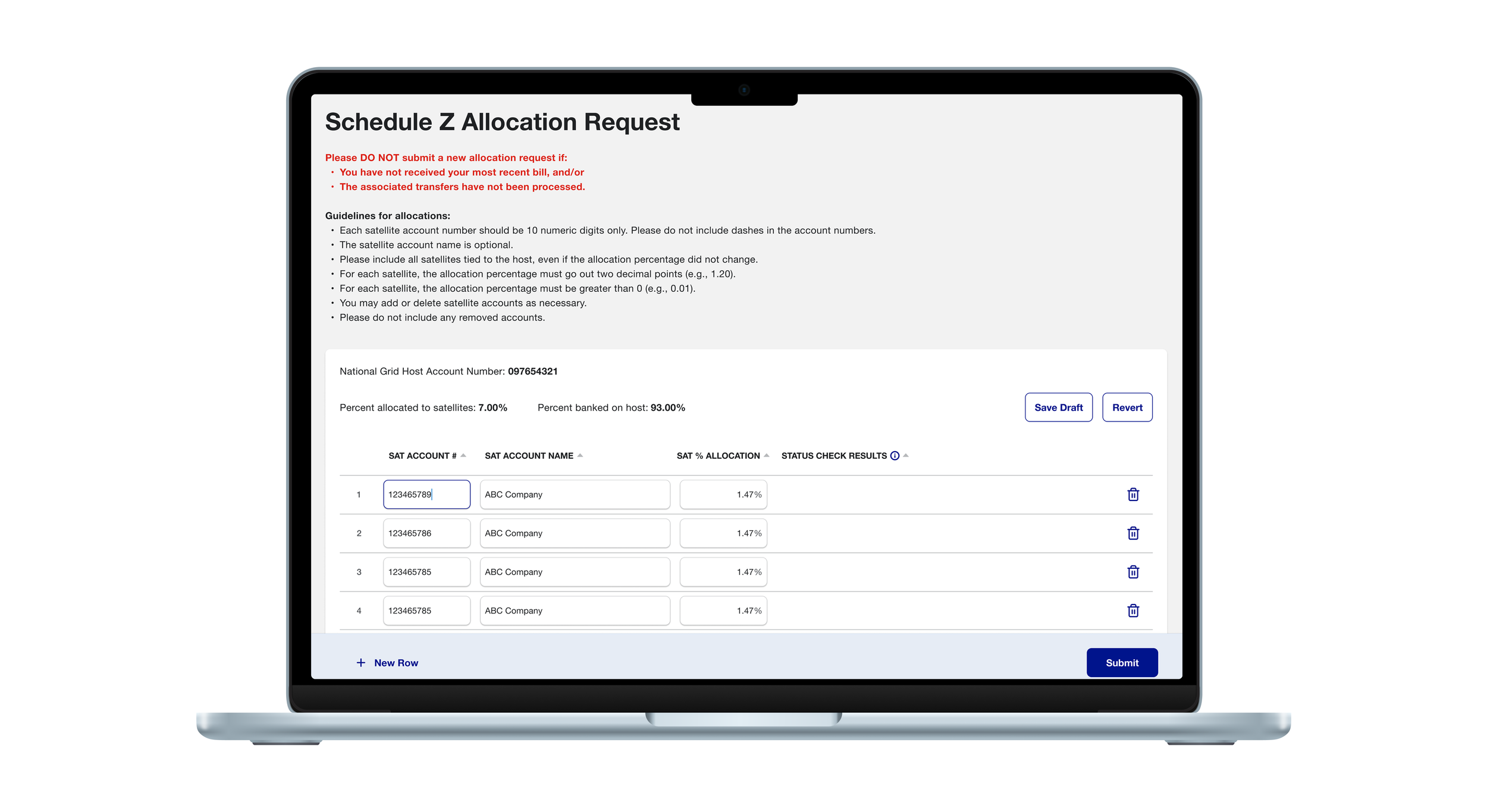
Focus Area 1: Managing a Large, High-Risk Allocation Form
Research showed users frequently lost track of where they were in the spreadsheet. They wanted euros caught during entry, not after submission.
In Phase 2, the experience moved toward a guided flow within the DG Credits tab of MBA where users could complete their allocation form. The design prioritized orientation, inline validation, and reducing manual entry while balancing technical feasibility with a clear, understandable experience.
While more advanced table interactions were explored, the MVP prioritized patterns that would keep users oriented, accurate, and confident when working with large allocation tables.
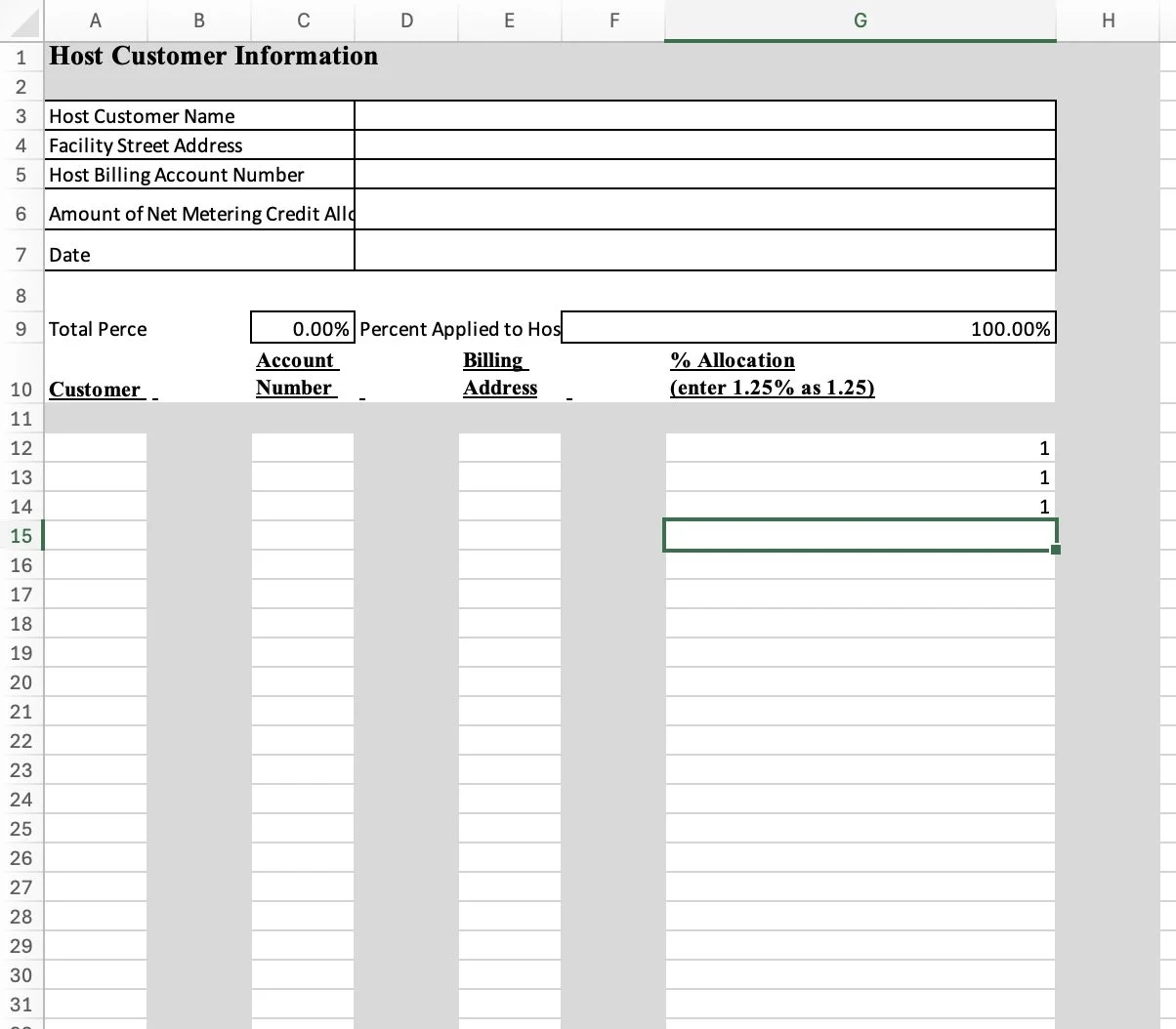
Previous Excel Form:
• Required users to manage complex allocation data across large tables
• Relied on manual checks and external review cycles, increasing cognitive load
• Made it easy to lose place or miss errors during entry and review
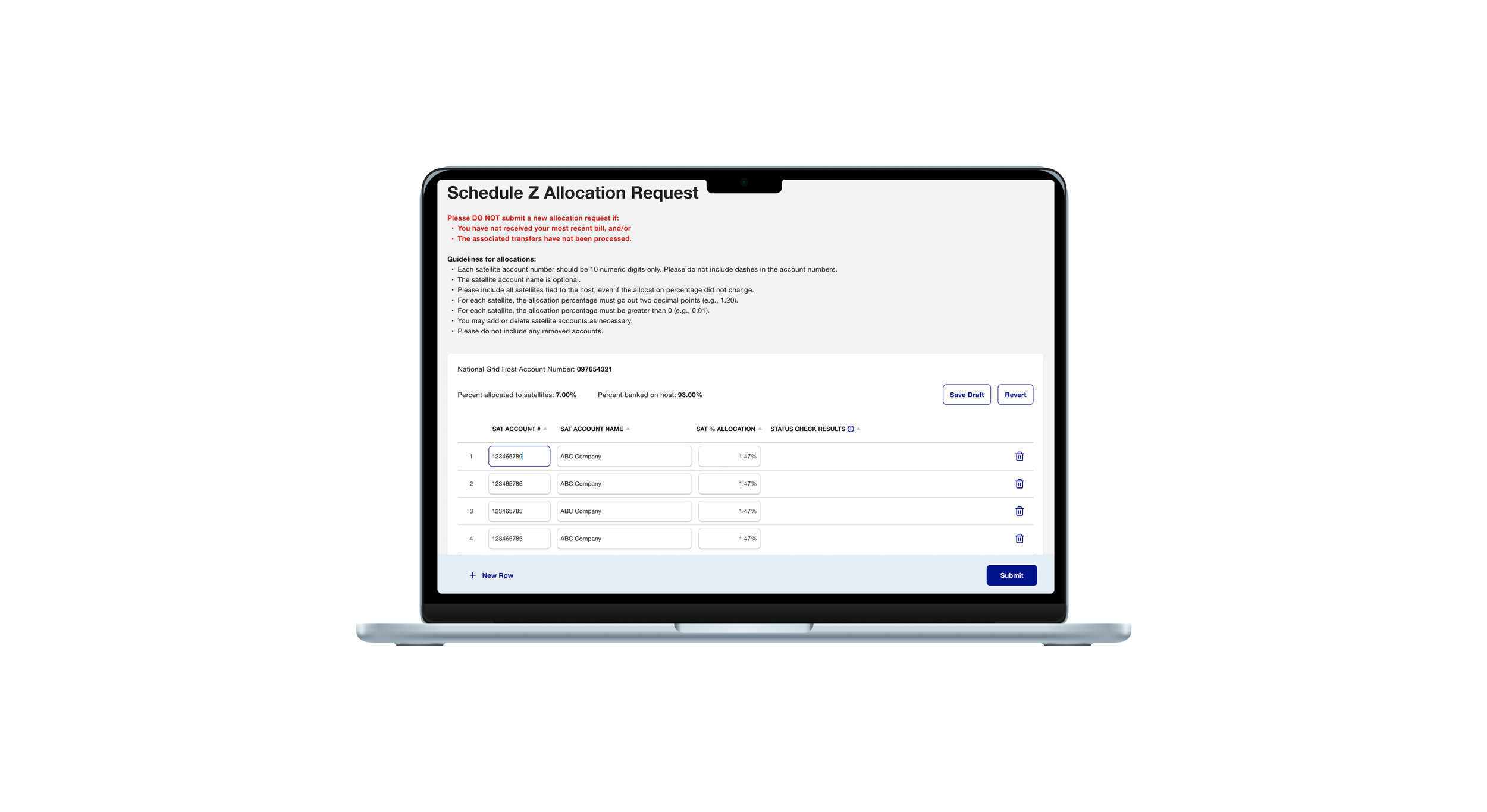
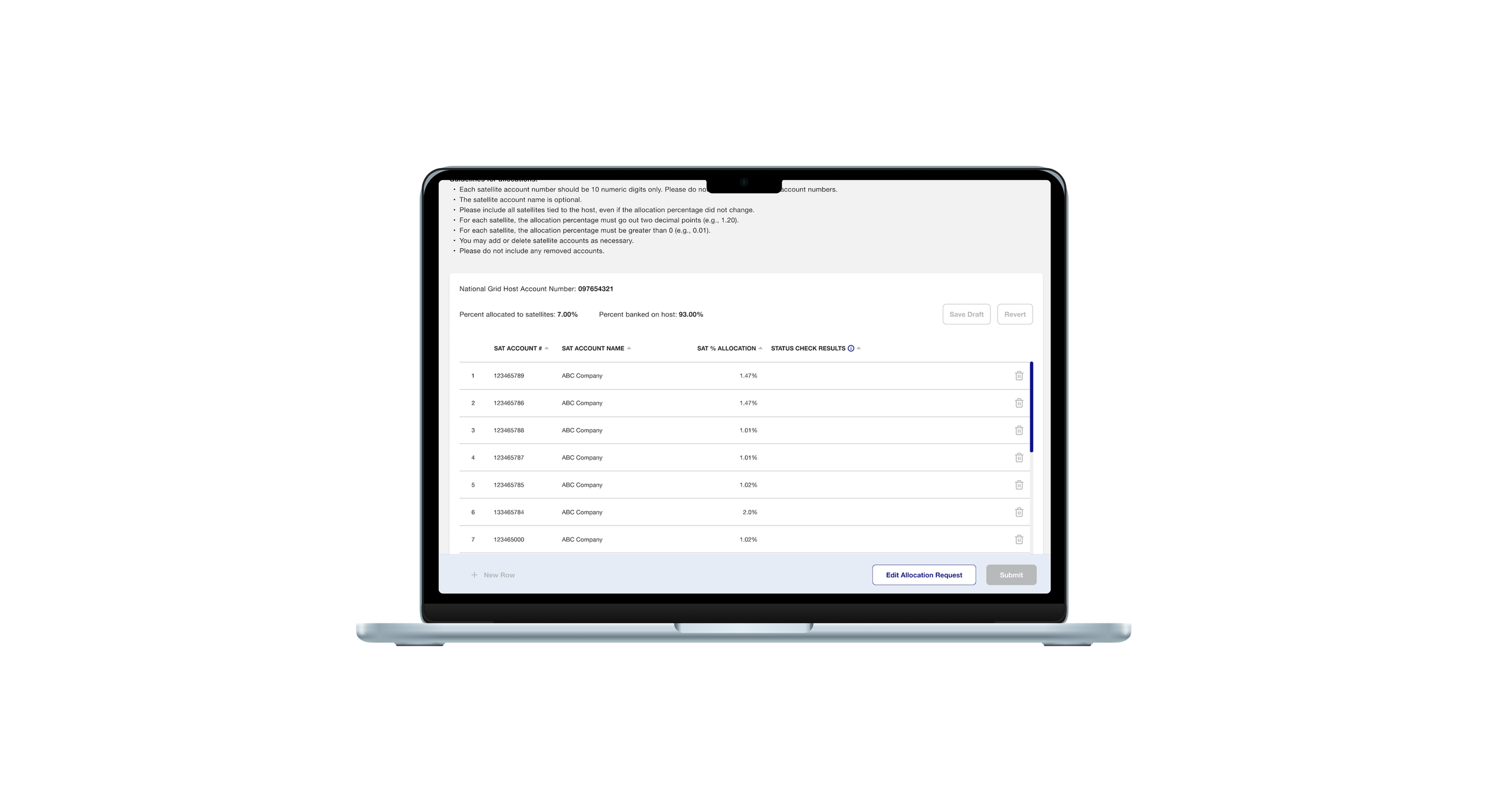
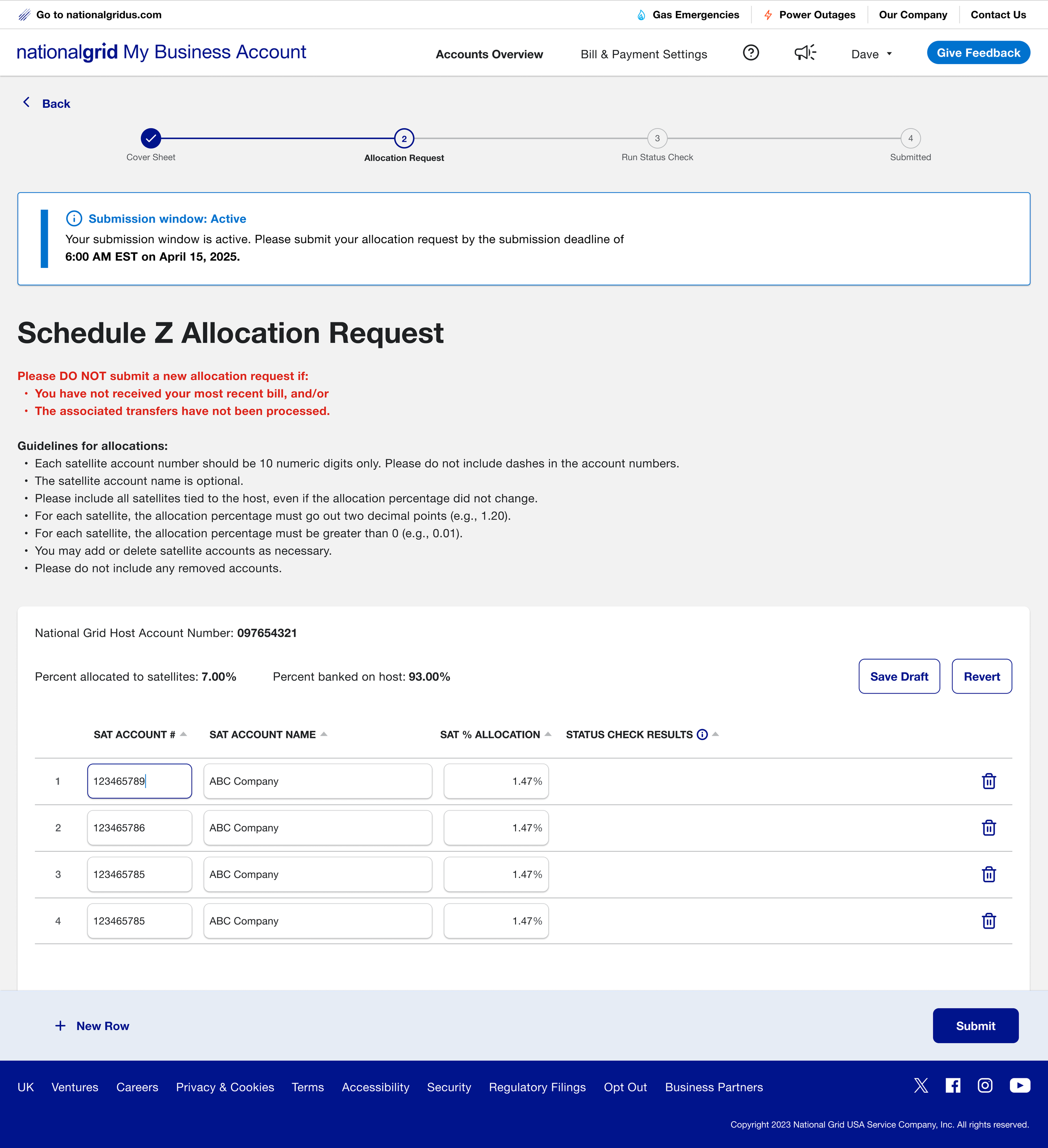
Final Allocation Request Form:
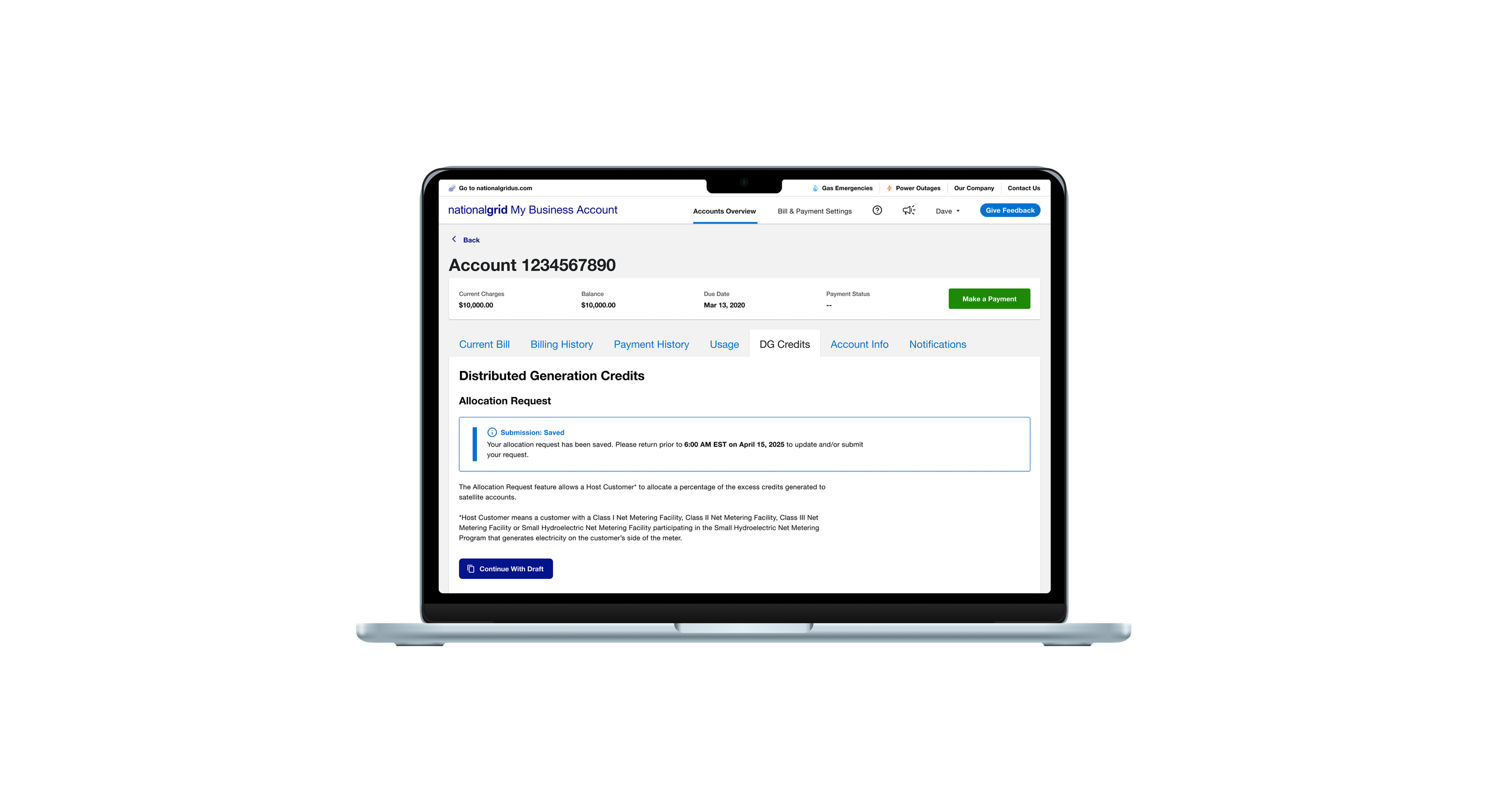
• Replaced Excel workflows with an in-product form
• Improved focus and orientation as users move between rows and fields
• Auto-saved progress with safe recovery
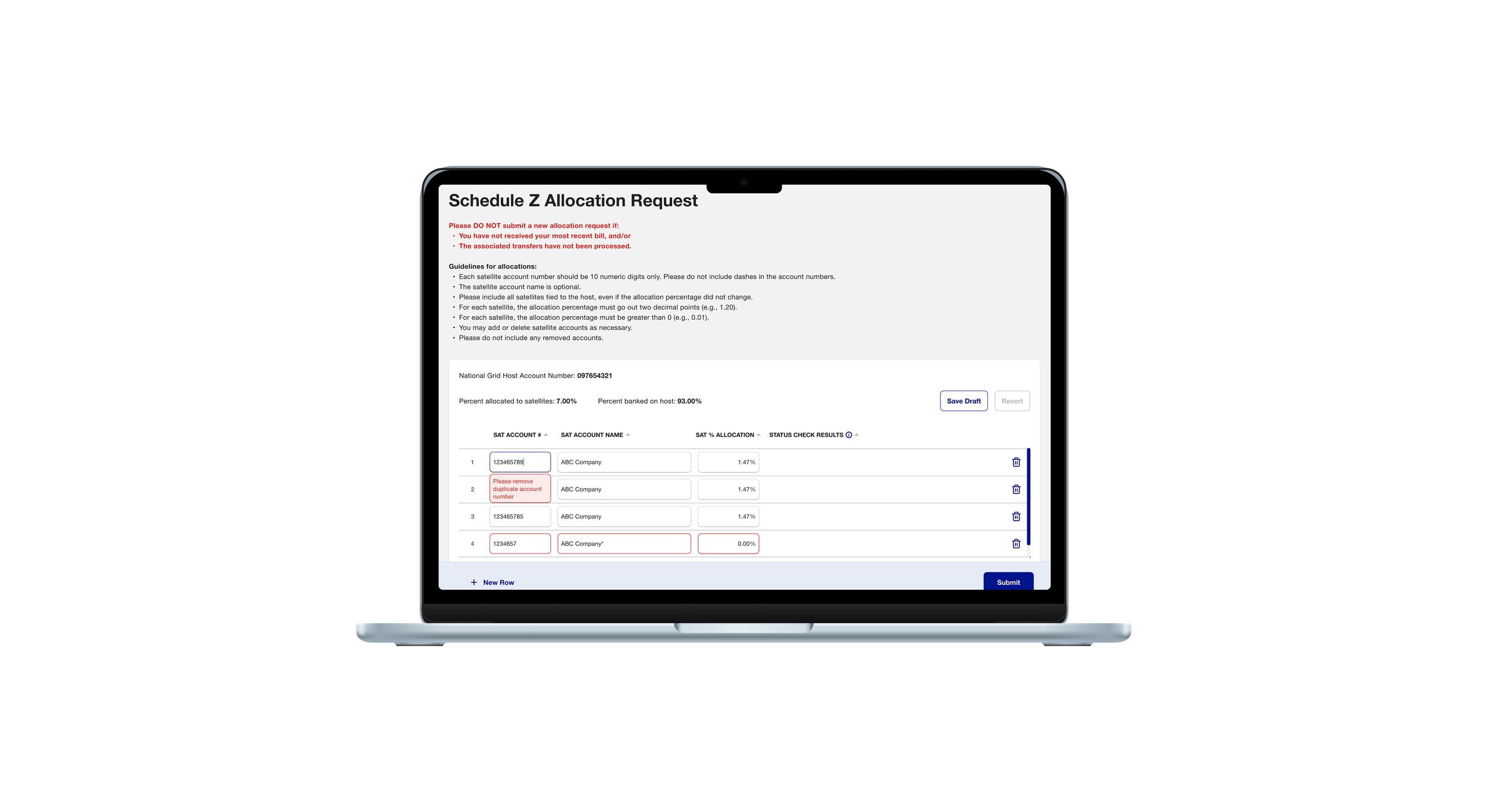
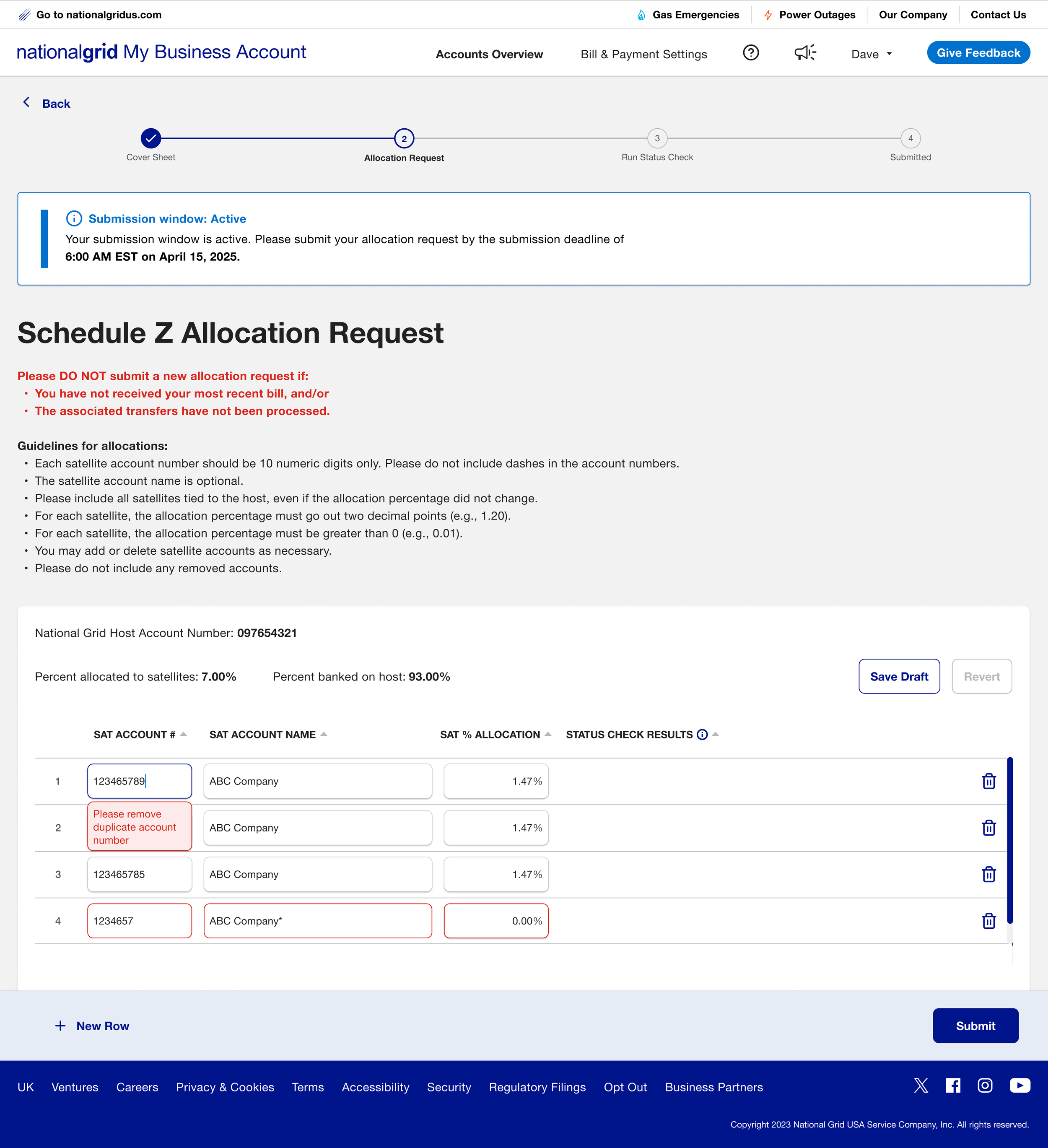
Inline Validation:
• Real-time feedback during data entry instead of after submission
• Helped users quickly see which entries needed attention without scanning the entire table
• Reduced rework by allowing corrections to happen in place, as users worked
Focus Area 2: Submission Clarity and Recovery
Users had no visibility into submission windows or what happened after they submitted. Allocation forms follow strict submission windows and may require follow-up review steps. Without clear feedback, users felt unsure about when they could submit, what happens after submission, and how to undo changes if needed. This focus area clarified those moments to support confident submission and safe recovery.
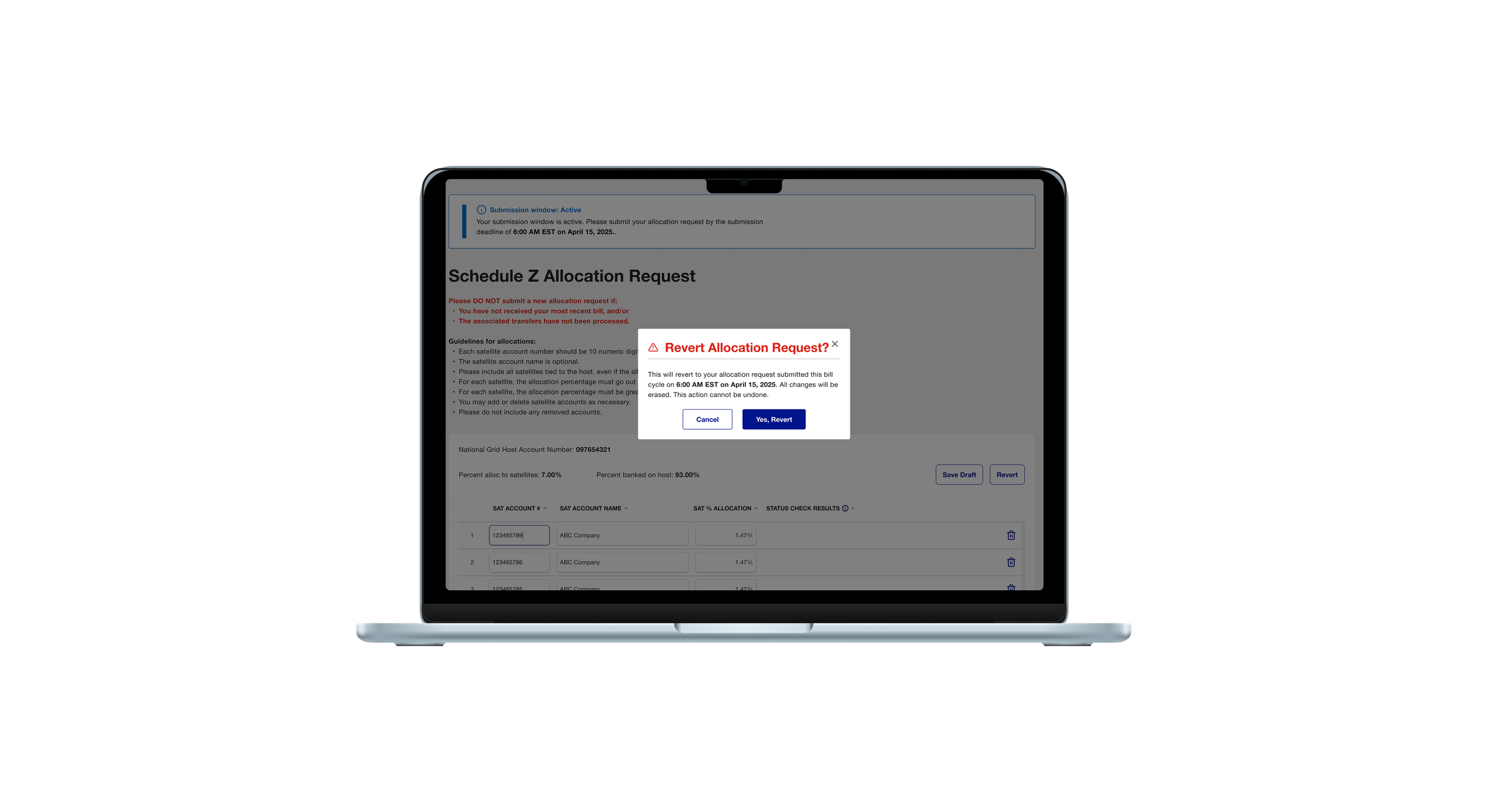
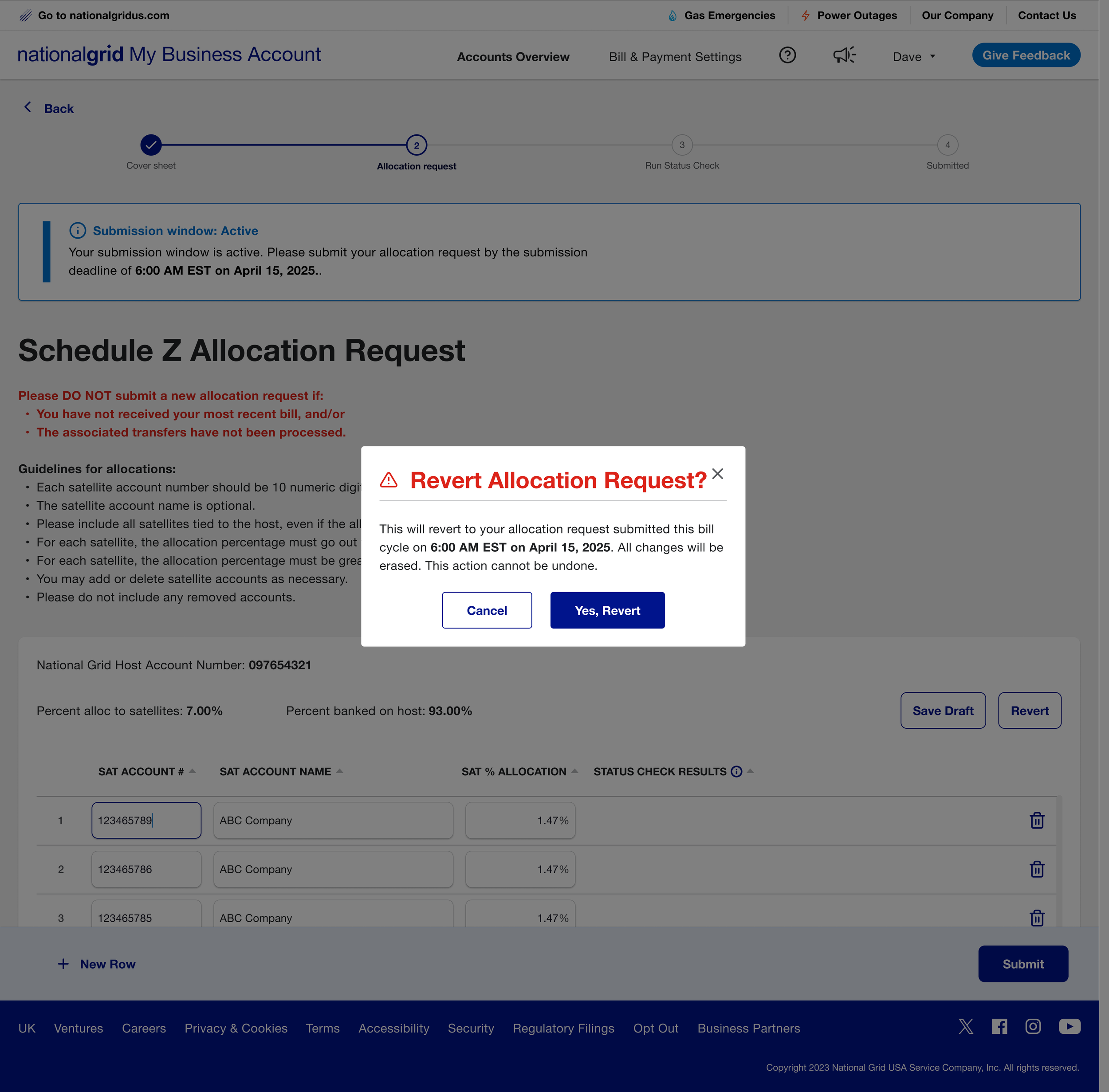
Revert Modal:
• Prevented users from accidentally losing valid allocation data
• Clearly explained what would happen before undoing changes
• Gave users confidence to recover from mistakes without fear of irreversible loss
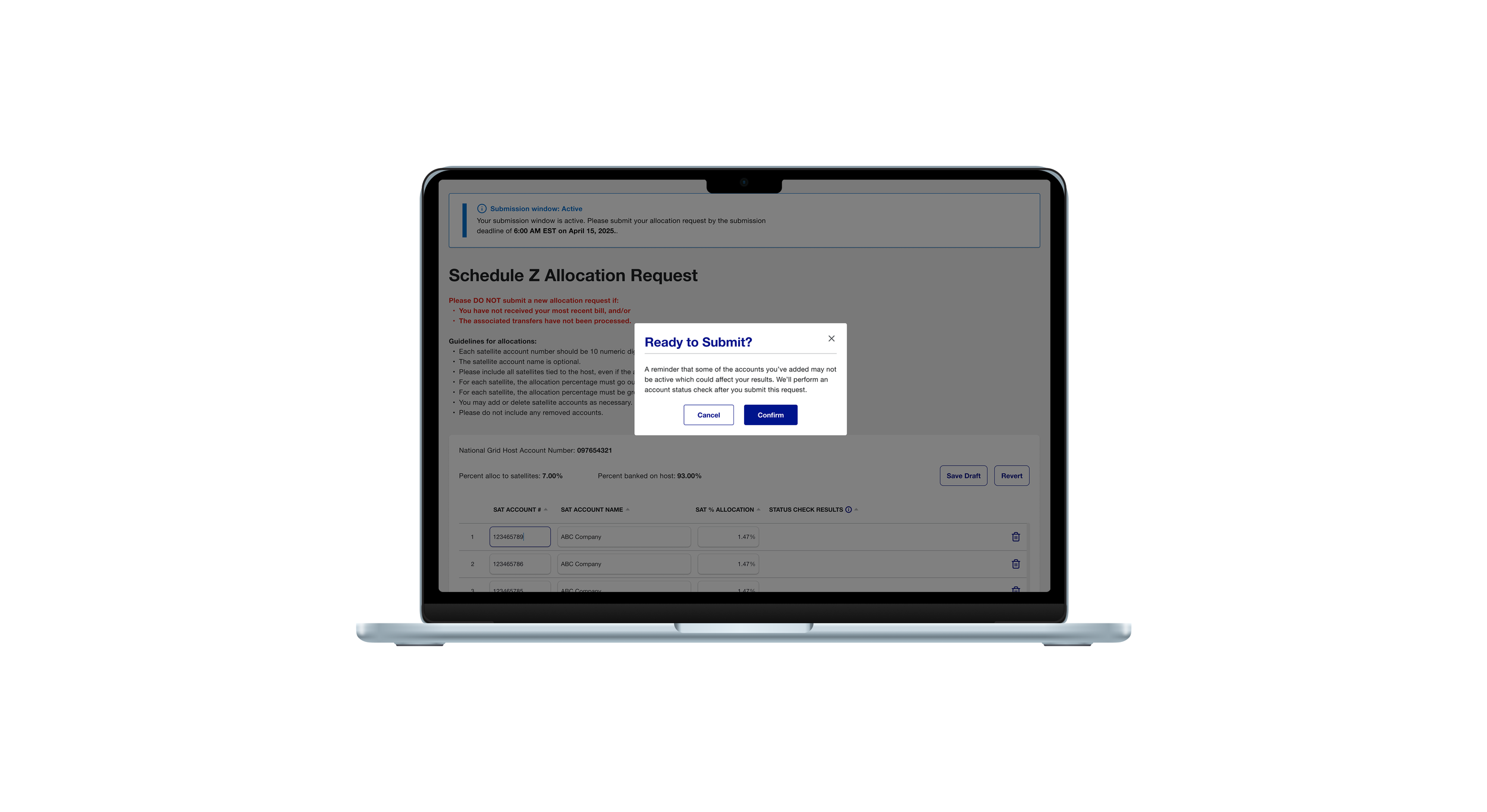
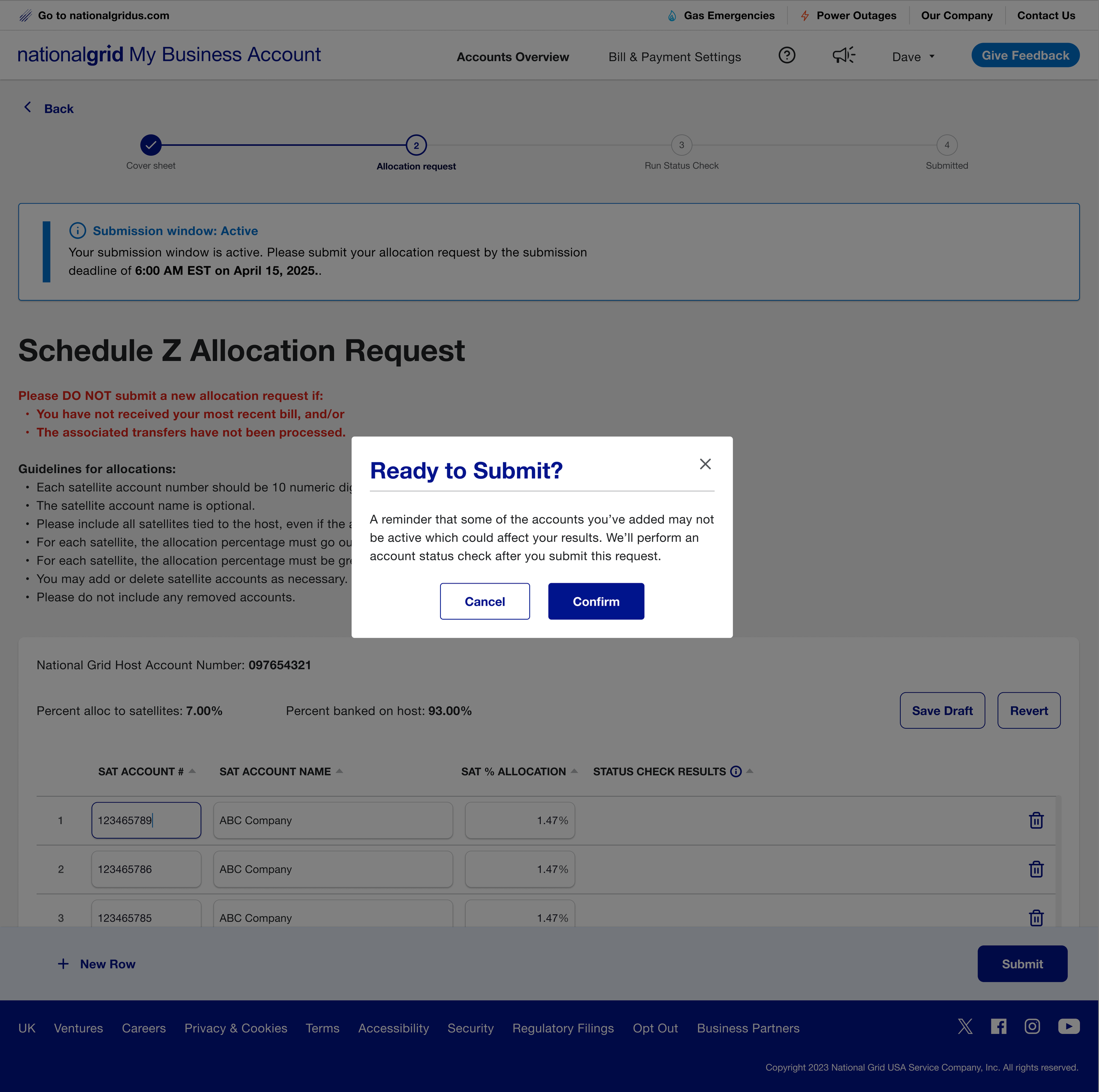
Ready to Submit Modal:
• Helped users understand what would happen after submitting their allocation request
• Set expectations that some entries might not pass validation
• Reduced surprise and confusion when results were returned
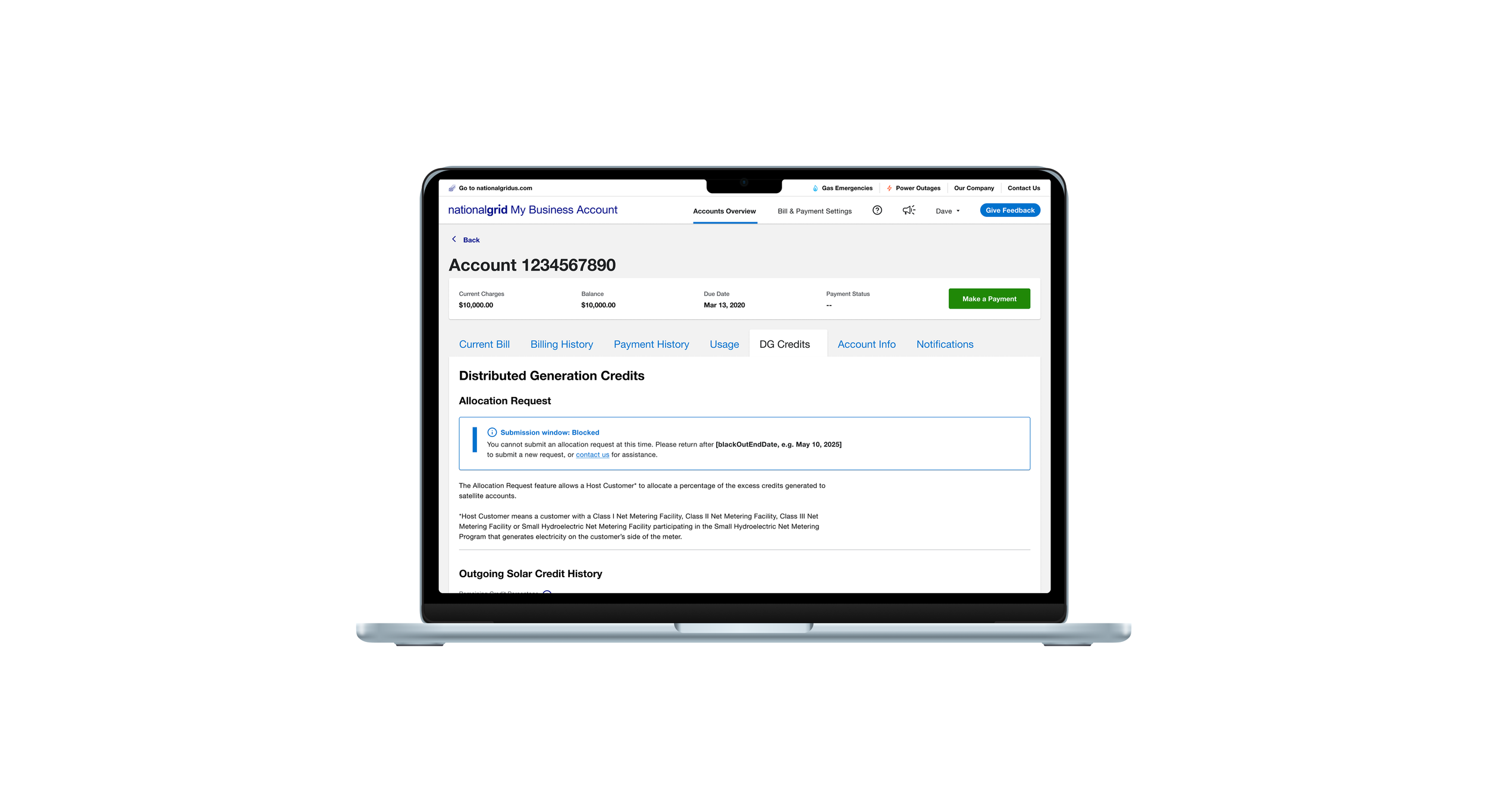
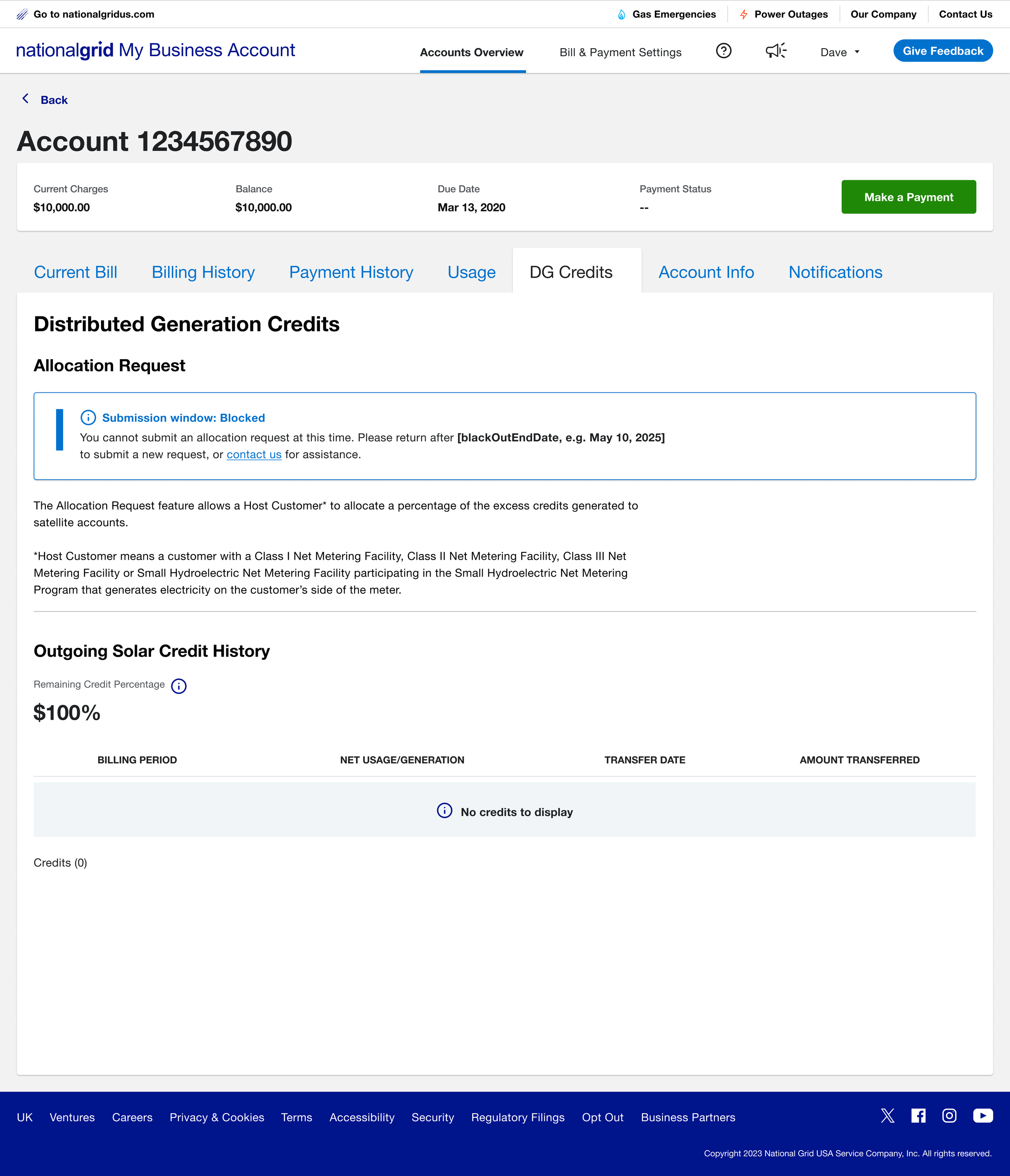
Submission Window Blocked:
• Clearly communicated when submissions were unavailable and when users could return
• Removed the entry point to prevent users from starting an action they couldn’t complete
• Reduced confusion and unnecessary retries during restricted submission periods
Focus Area 3: Post Submission Feedback
Because backend validation was asynchronous, a constraint driven by system architecture, users couldn’t receive instant results after submitting. Once an allocation request form is submitted, users need clear feedback on its status and next steps. The design focused on making system states visible and preventing unnecessary or duplicate actions.
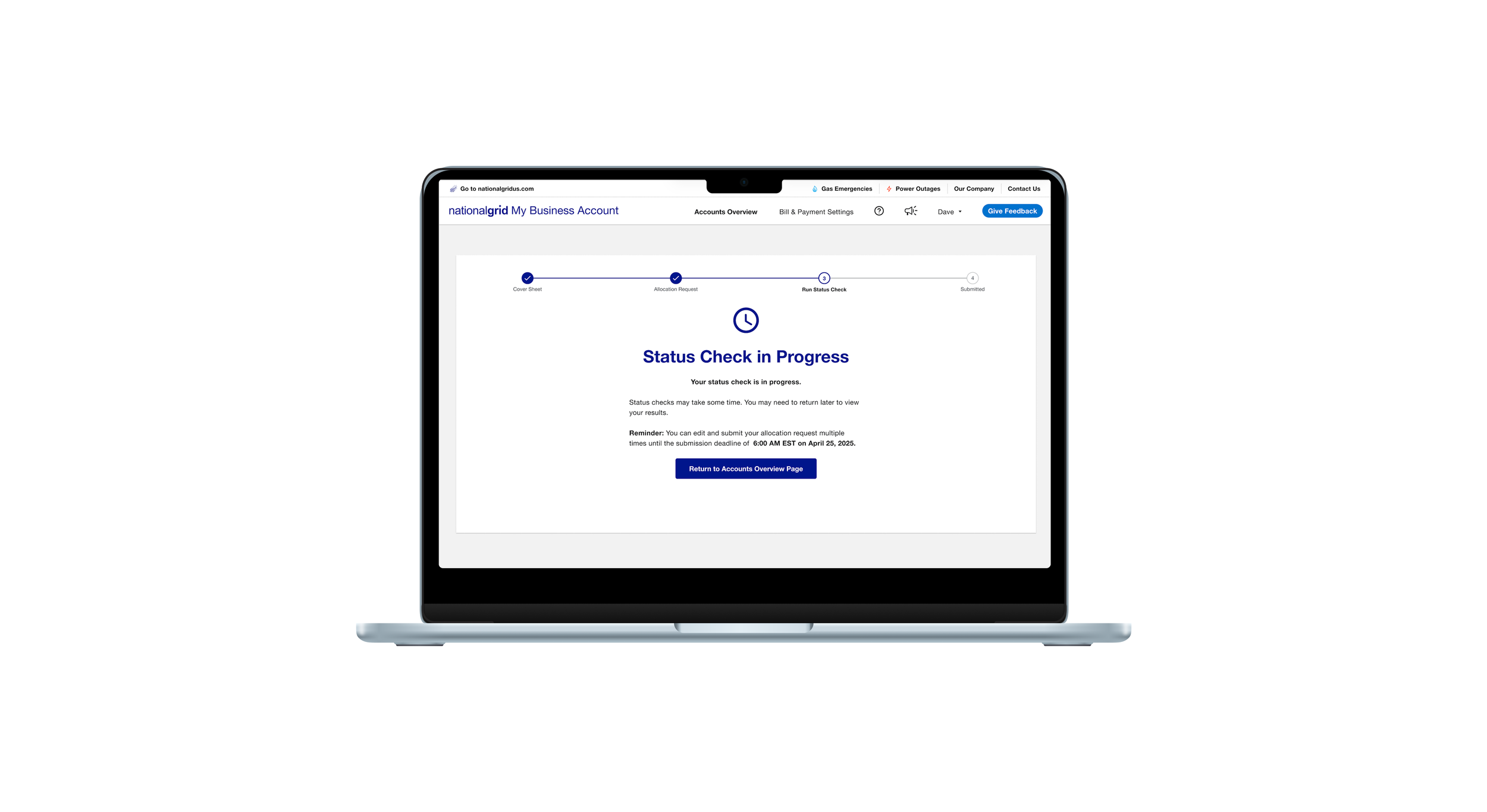
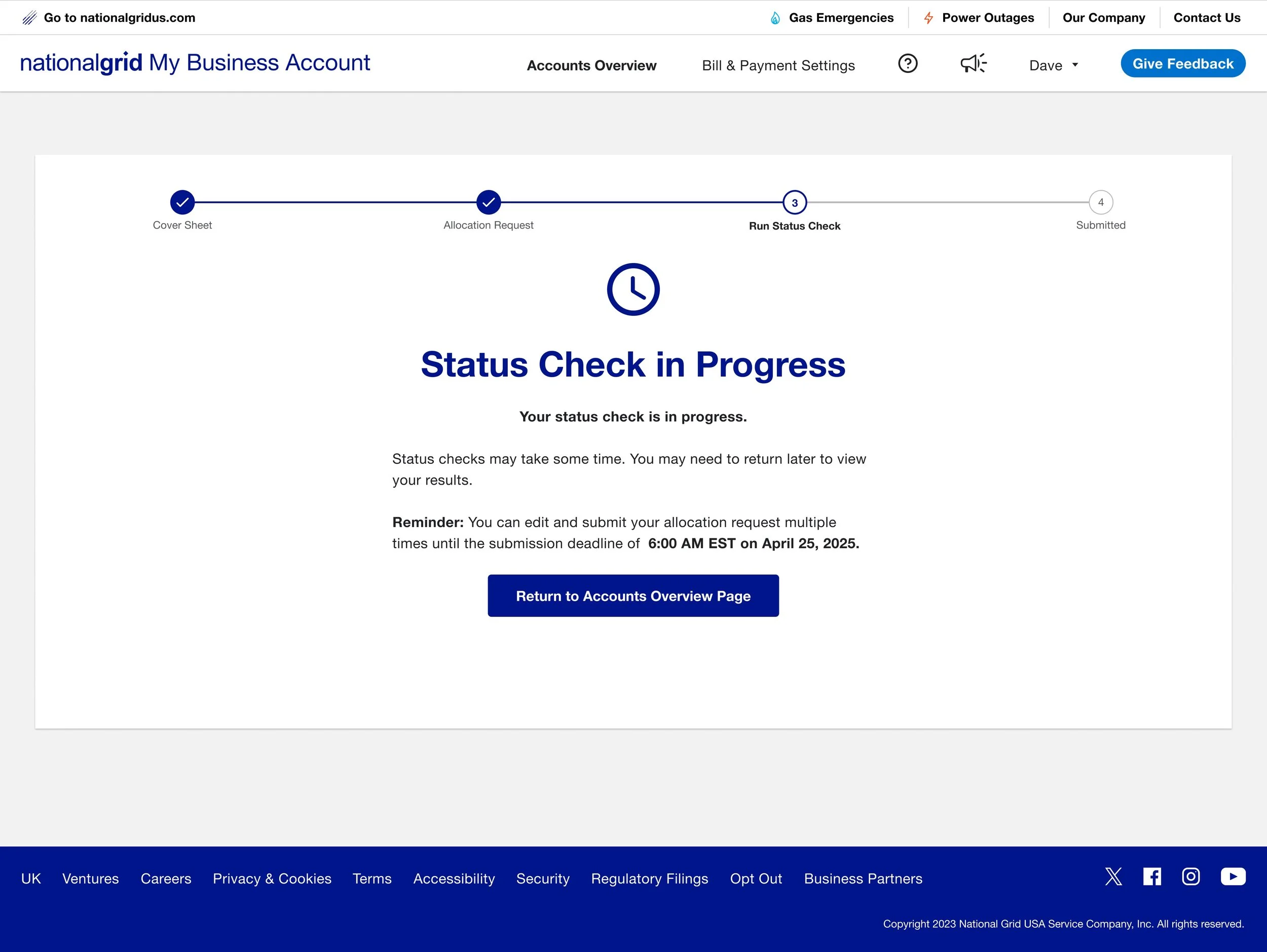
Run Status Check:
• Provided visibility to system status by communicating that validation was in progress
• Set expectations that results might take time and could require returning later
• Provided clear system status to reduce uncertainty and repeated submissions
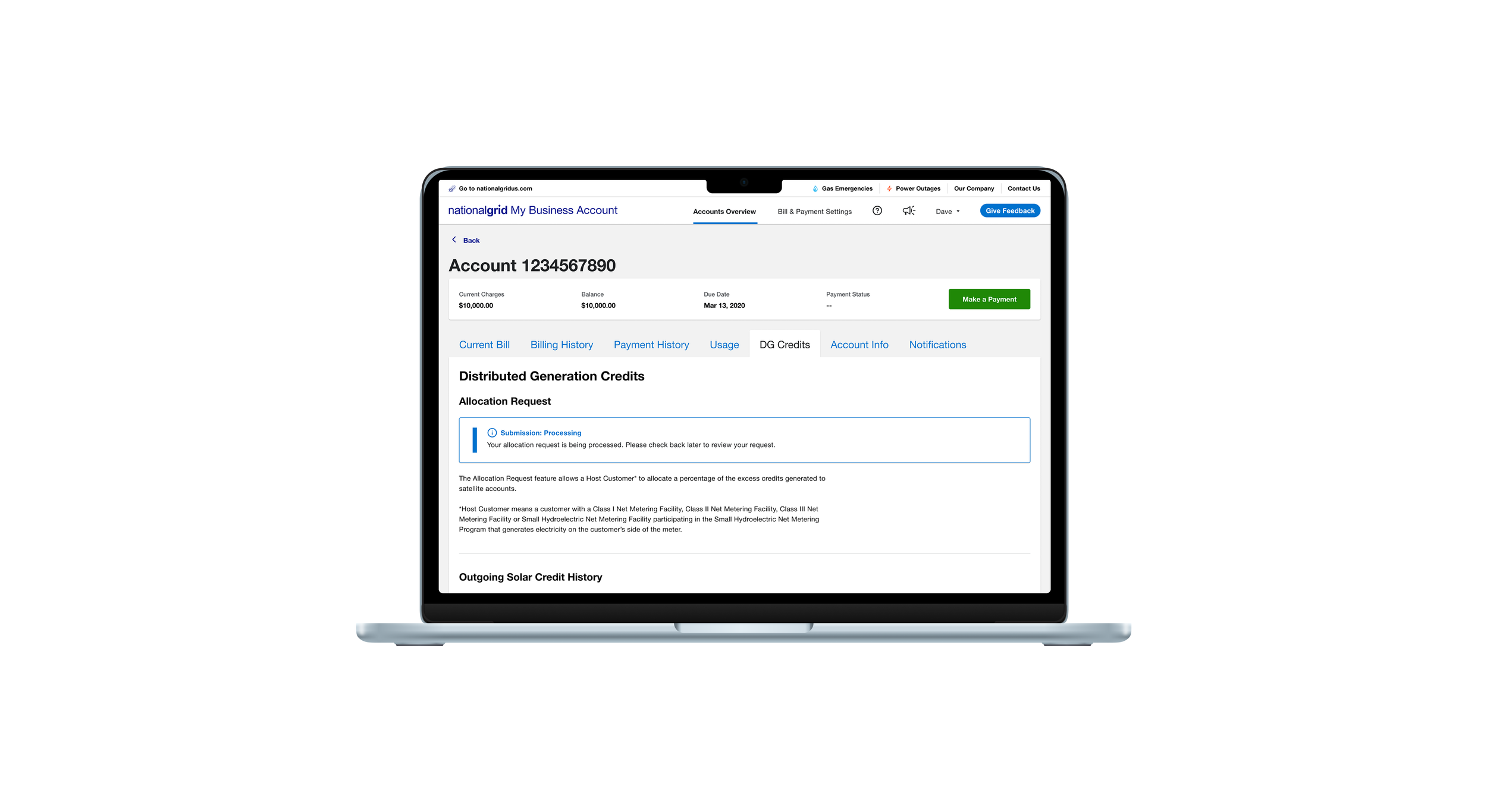
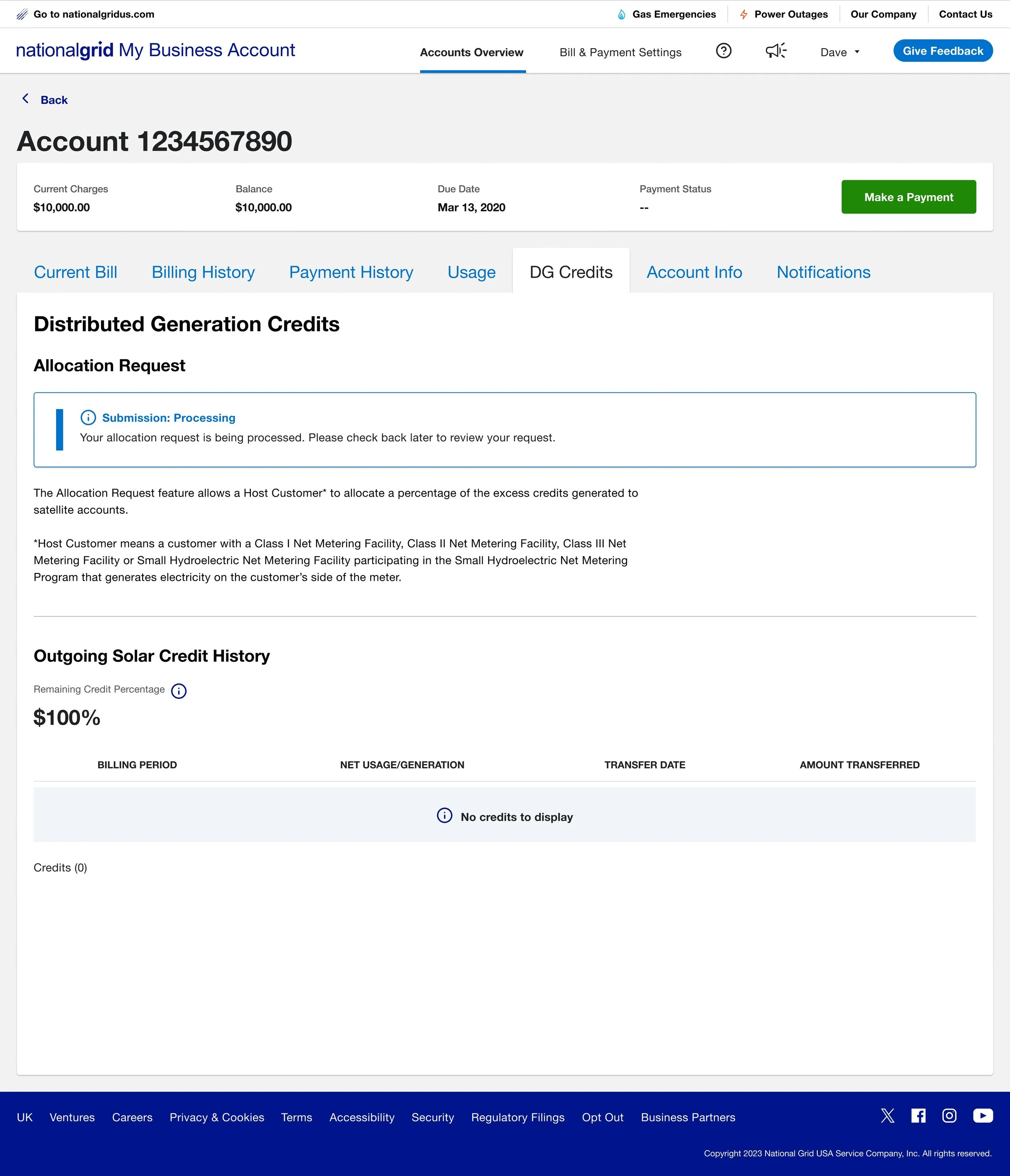
Processing State:
• Showed processing states in real time
• Prevented changes while the request was being processed
• Eliminated guesswork about form state
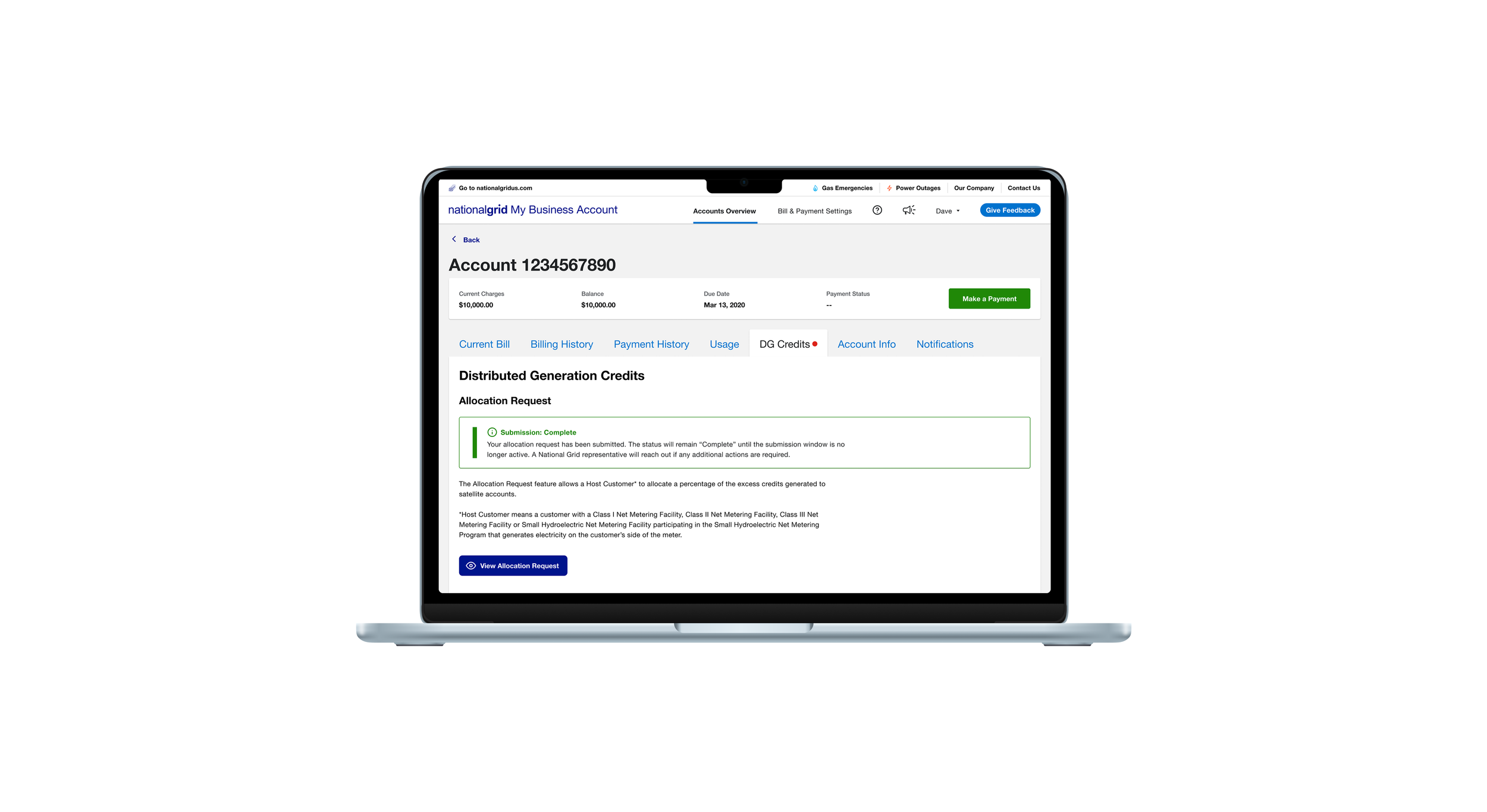
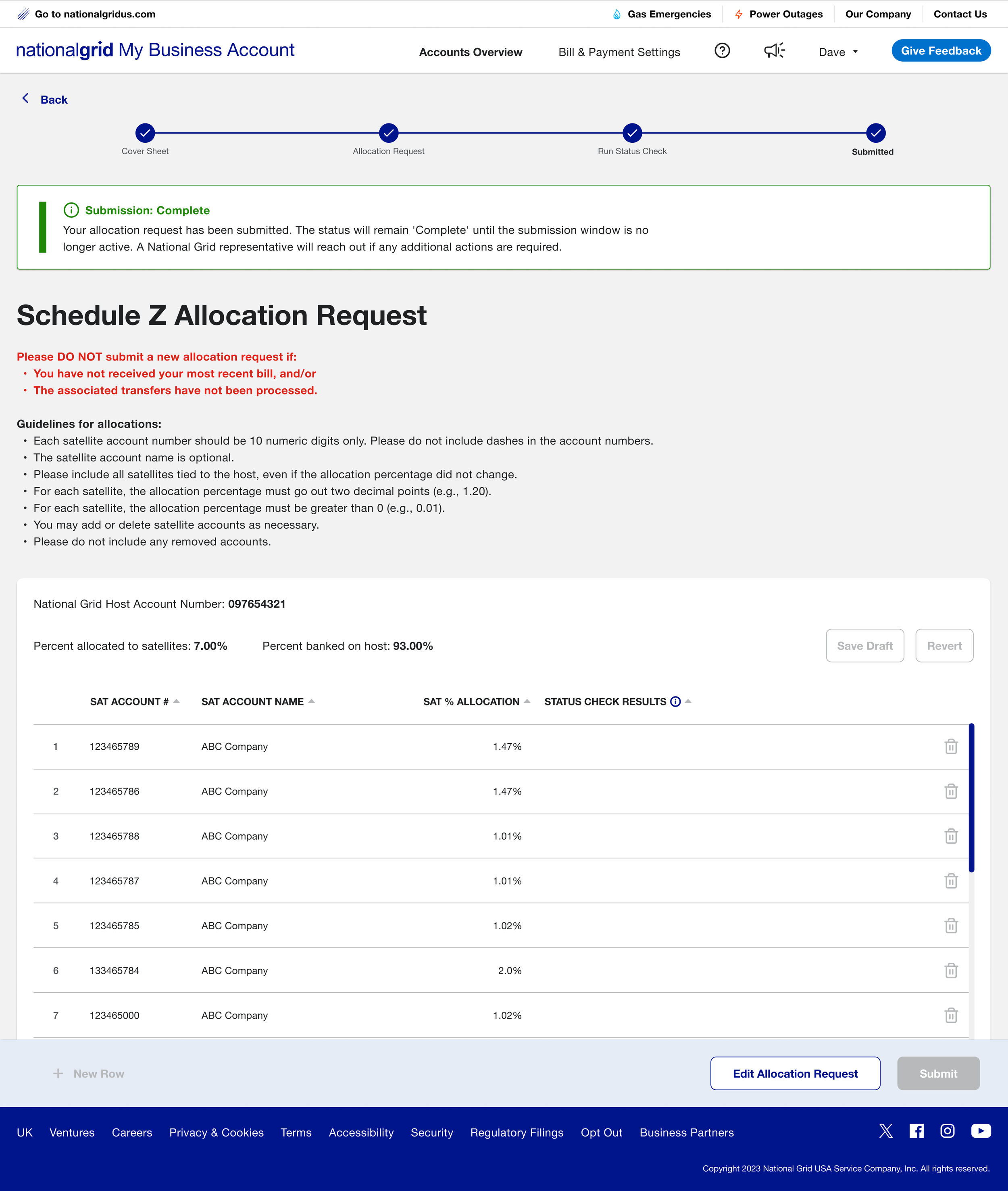
Completed State:
• Visibility of system status: confirmed that the allocation request was successfully submitted
• Disabled submit button to prevent accidental edits after submission
• Allowed re-editing while the window remained open
LOOKING AHEAD
Deployment and Next Steps
Community Solar Credit Allocation launched on January 26, 2026 as an MVP pilot, allowing select Massachusetts solar developers to submit monthly credit allocations directly through My Business Account. The pilot focuses on reducing manual processing and giving users clearer visibility into submission timing, status, and outcomes. Feedback from this rollout will inform expansion to additional accounts and future enhancements to the broader solar experience.
If I could revisit this project, I would push for a lightweight file upload option alongside the manual form. Research consistently showed users preferred working in their own spreadsheets first. I would also define success metrics earlier in the process so the team had baseline data to measure the pilot against.
-
![]()
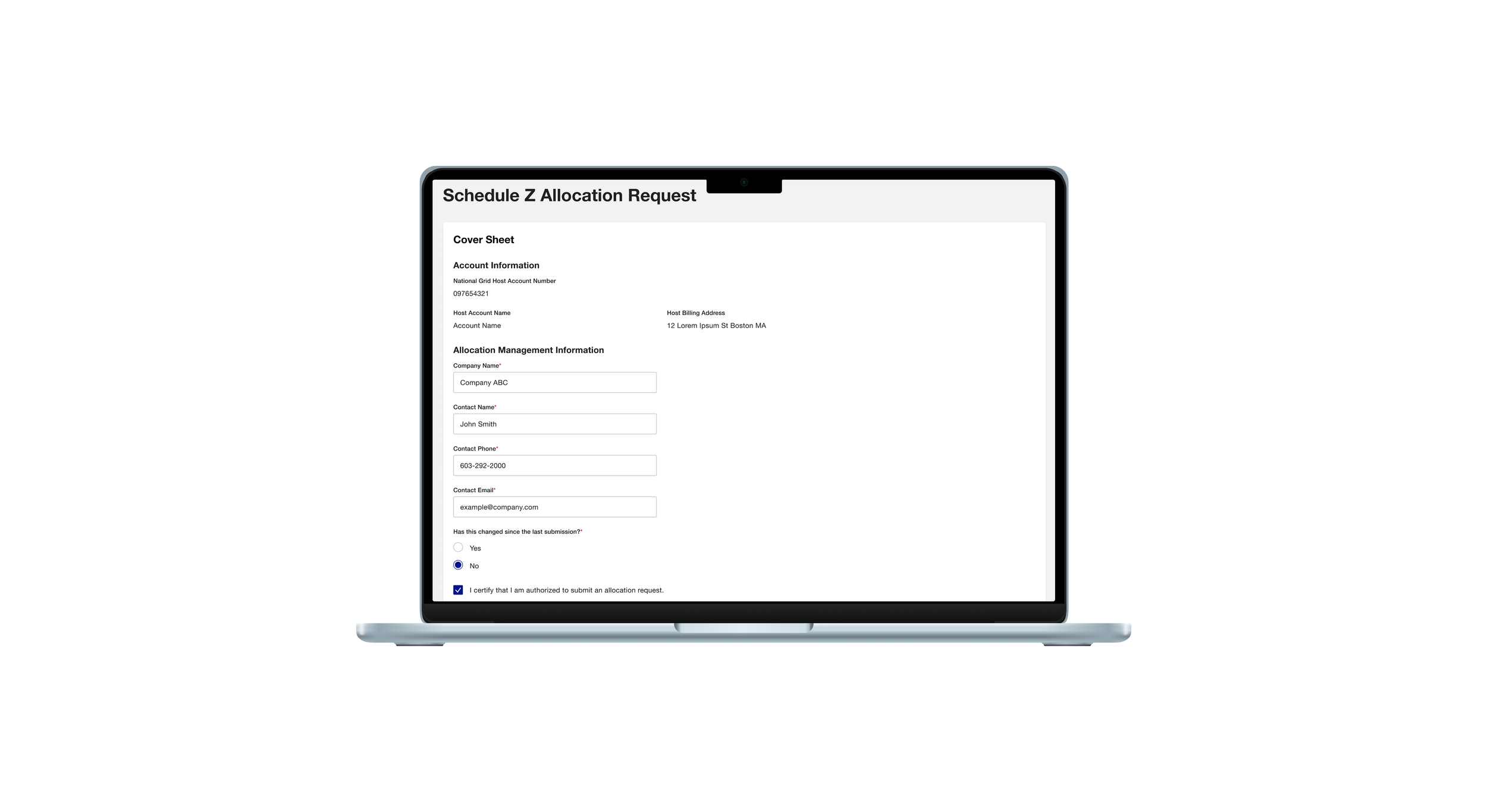
Allocation Request Cover Sheet
-
![]()
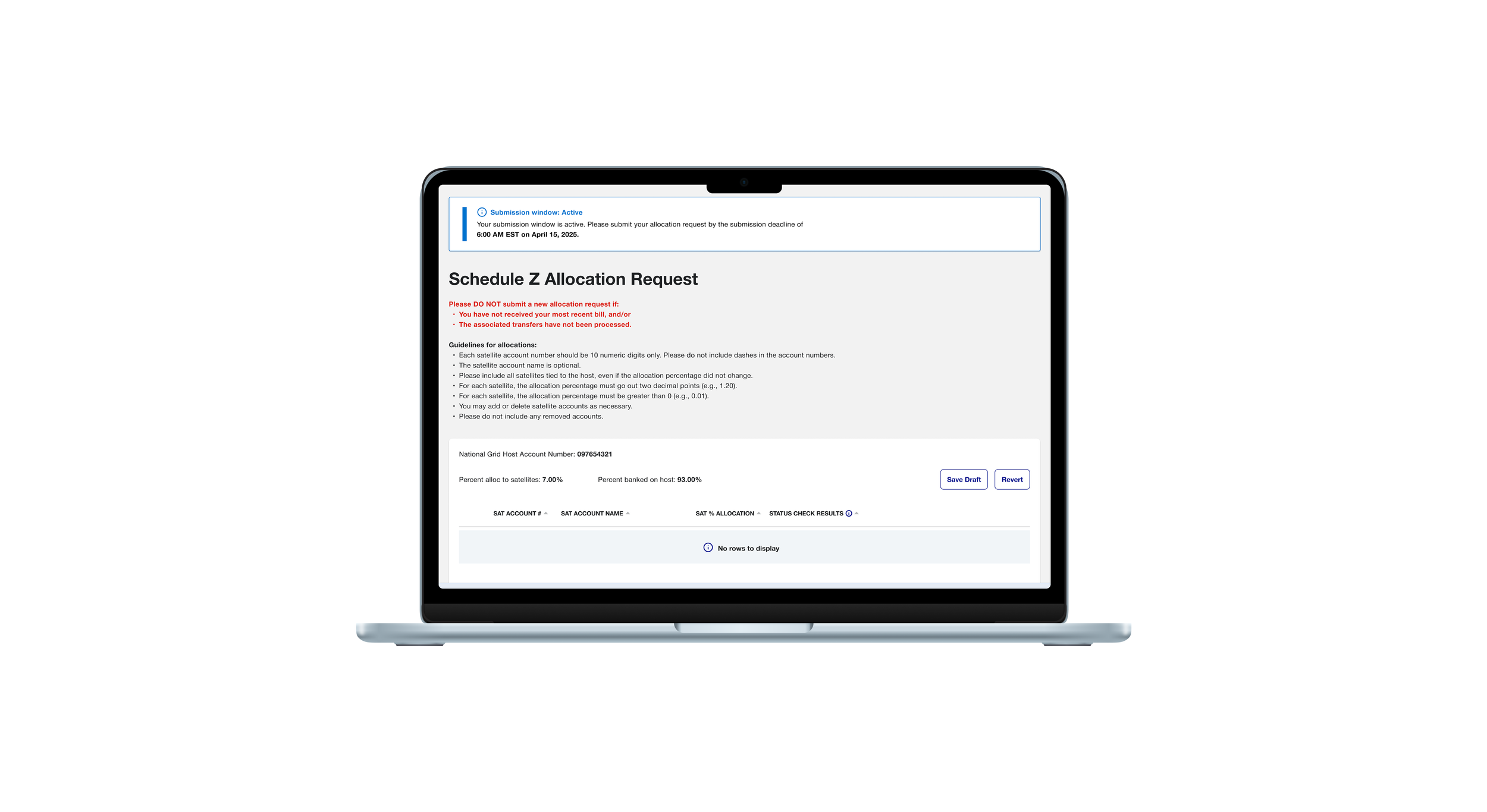
Allocation Request Form Empty
-
![]()
MA Allocation Form
-
![]()
Inline Validation
-
![]()
Allocation Request Form Saved
-
![]()
Revert Modal
-
![]()
Ready to Submit Modal
-
![]()
Status Check
-
![]()
Allocation Request Form Processing
-
![]()
Submission Complete
-
![]()
Allocation Request Form Complete (fields disabled)
-
![]()
Submission Window Blocked